Ever wished an AI character could do more than send generic replies? Joyland AI turns simple chats into interactive role-play, creative storytelling, and virtual companion experiences. You can explore existing characters or create your own. You can also shape conversations around your interests and preferred storylines.
But is Joyland AI worth your time and money in 2026? That depends on more than its characters. Credit limits, subscription costs, memory features, and privacy rules can affect your experience.
In this Joyland AI review, we’ll examine its advertised features, published membership plans, and official privacy policies to help you make an informed decision. Joyland offers a free plan alongside paid options with different credit allowances, character creation limits, image access, and memory features. However, promotional prices may differ from the price available at checkout.
We’ll also explore potential safety concerns, explain how to create more engaging conversations, and share practical ways to protect your personal information. By the end, you’ll have a clearer picture of Joyland AI’s strengths, limitations, and whether it suits your needs.
Quick Answer
Joyland AI is an AI character chat platform designed for interactive conversations, virtual companionship, roleplay, and creative storytelling. Users can explore a library of AI characters, communicate with virtual personalities, and create customized bots. It offers free access with limitations and paid membership options for additional features. Its usefulness depends on your preferred conversation style, customization needs, budget, and privacy expectations.
What Is Joyland AI?
Joyland AI is a conversational artificial intelligence platform built around virtual characters rather than general-purpose question answering. Instead of interacting with a conventional assistant, users can choose a fictional personality and participate in conversations shaped by that character’s background, traits, and scenario.
For example, you might chat with a fantasy wizard, develop a mystery story with a detective, or create a fictional companion with a particular personality. The AI generates responses according to the character information, conversation context, and your messages.
The platform also supports user-created characters. This gives you more control over the personalities and scenarios you explore.
Joyland AI belongs to the broader category of AI character chat platforms. Related terms include conversational AI, virtual companions, roleplay chatbots, interactive fiction, and AI-generated dialogue.
Its main purpose is to make conversations feel more personalized and story-driven. It is primarily suited to entertainment, roleplay, and creative exploration rather than serving as a replacement for professional advice or a general research assistant.
How Does Joyland AI Work?
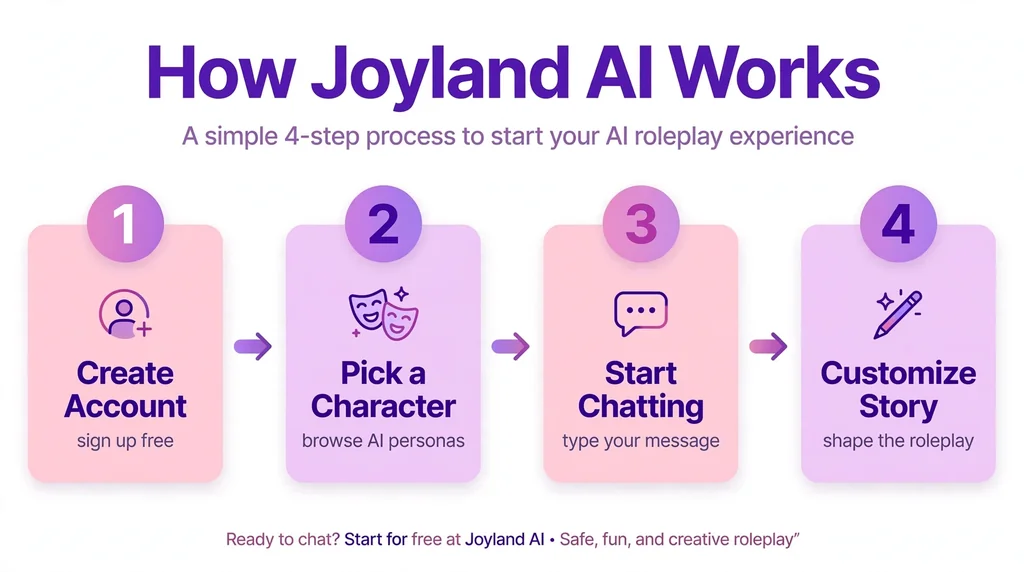
Joyland AI uses conversational AI to generate responses based on user input and character context. You send a message, and the selected character responds in a way intended to fit the conversation.
The exact response depends on the character’s configuration, the available AI model, and the information present in the chat.
The process generally follows these steps:
- Choose a character: Explore available AI characters and select one that matches your interests.
- Start a conversation: Send a greeting, question, instruction, or roleplay action.
- Establish a scenario: Explain the setting, relationship, or storyline you want to explore.
- Guide the dialogue: Respond to the character and provide more details as the conversation develops.
- Personalize the experience: Where supported, use character settings, personas, and memory tools to maintain a more consistent interaction.
For example, you could begin a fantasy roleplay by telling an AI knight that you are a traveler seeking shelter in a remote kingdom. Your next messages could introduce a hidden threat, a difficult choice, or a new character.
The AI builds on that context to continue the fictional exchange. However, its responses may sometimes contradict earlier details or move away from the intended storyline.
Key Features of Joyland AI
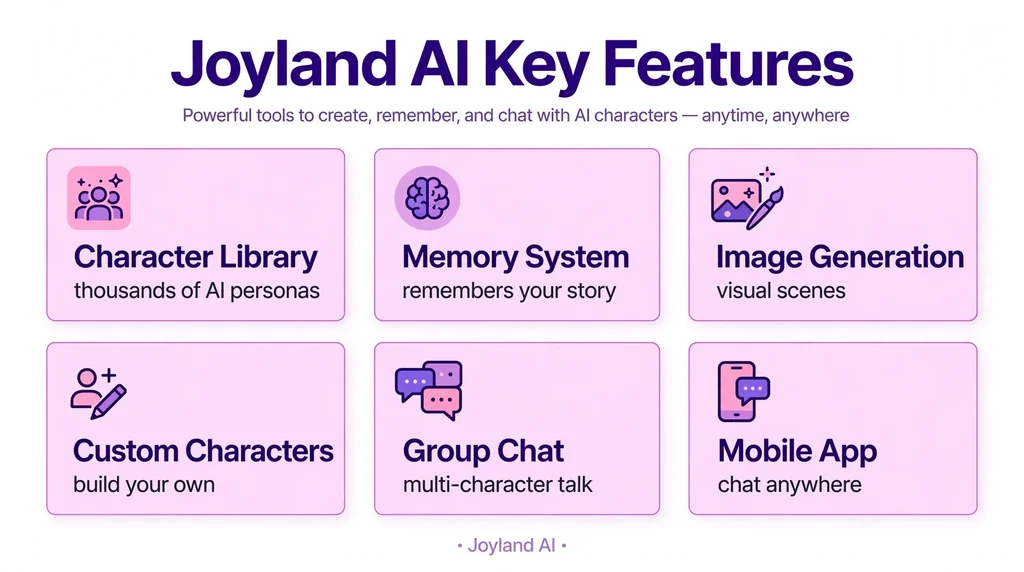
Joyland AI combines character discovery, customized chat, and storytelling features. Availability and usage limits can depend on your membership plan and the platform’s current configuration.
1. AI Character Chat
AI character chat is the core experience of Joyland AI. Users can interact with virtual personalities rather than entering every conversation with a blank chatbot.
Characters may have distinct personality traits, backgrounds, communication styles, and fictional relationships. These details influence how the chatbot responds.
This approach can make conversations more engaging for users who enjoy imaginative scenarios or character-driven dialogue.
2. Custom AI Character Creator
Joyland AI allows users to create their own chatbot characters. Its character creation tools provide ways to define a character’s identity and conversational behavior.
You can develop a character by specifying details such as:
- Name and character description
- Personality traits and communication style
- Background information and fictional history
- Scenario or opening message
- The intended role of the character in a conversation
The platform’s official creation guide also describes Quick Create and Advanced Create workflows. Quick Create supports importing character information from JSON or PNG files, while Advanced Create allows more direct editing of character settings.
For example, you could design a sarcastic detective who speaks in short sentences, questions suspicious details, and helps you develop a fictional mystery.
A detailed character profile can improve consistency, although it cannot guarantee that every generated response will match your instructions.
3. Interactive AI Roleplay
AI roleplay is another important use case. Rather than asking isolated questions, users can participate in an ongoing fictional scene. Looking for more ways to say “another”? Check our guide to synonyms for another.
Possible scenarios include fantasy adventures, science fiction missions, detective mysteries, school or workplace fiction, and character-driven drama.
You can also guide the direction of a story by introducing new events, changing the setting, or making decisions within the fictional world.
This format suits users who enjoy collaborative storytelling. It can also help writers explore dialogue, test character personalities, or generate ideas for fictional scenes.
4. AI Companions and Virtual Personalities
Joyland AI includes character experiences centered on virtual companionship. Depending on the character, interactions may focus on friendship, everyday conversations, fictional relationships, or romantic roleplay.
The main attraction is personalization. Instead of speaking with a chatbot that follows one general assistant style, you select a personality designed for a particular kind of interaction.
Still, an AI companion is a software-generated character, not a human relationship. Its apparent emotions and personality should not be confused with human feelings or awareness.
5. Personas and Character Customization
A persona lets you define the identity or role you present during a conversation. This can be useful when the same AI character needs to interact with you in different fictional contexts.
For example, you might create one persona for a fantasy adventure and another for a modern-day detective story.
Joyland AI’s help documentation describes persona customization, including information such as a name, background, and personality traits. It also documents different persona limits for different membership levels.
Using a well-defined persona can help establish your role in a scenario without requiring you to explain the same background details in every message.
6. Conversation Memory
Conversation memory helps an AI character maintain continuity across interactions. Without sufficient context, a chatbot may forget important details about your fictional setting, preferences, or previous decisions.
Joyland AI’s help center describes different memory capabilities across its membership tiers. Its documentation distinguishes basic context within a current conversation from short-term and long-term memory options associated with paid plans.
Memory can be particularly helpful for longer stories involving recurring characters, established relationships, or multiple plot developments.
However, memory is not the same as perfect recall. The AI may still forget details or misinterpret earlier events.
7. Image Messages and Visual Experiences
Joyland AI’s membership documentation lists image messages and related visual features, with access and limits varying by plan.
Visual elements can add another layer to character-based conversations. For example, an image may help establish a character’s appearance or support a scene in an interactive story.
Before paying for visual features, check the current plan details and determine whether the available image options match your needs.
8. Character Discovery and Bot Gallery
The character library helps users discover existing AI personalities rather than creating every bot from scratch.
You can explore characters based on your preferred themes, personalities, and types of interaction. Depending on the platform’s current access rules, some gallery features or content may require credits or a paid membership.
Browsing existing characters is a practical starting point for new users. It also helps you understand how character descriptions and opening scenarios shape a chatbot’s behavior.
How to Use Joyland AI
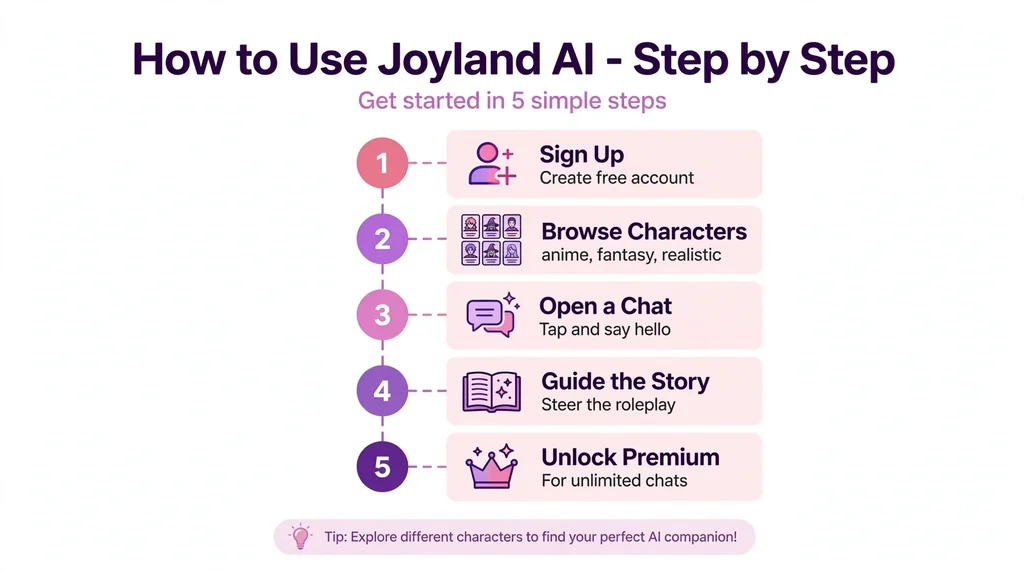
Getting started with Joyland AI is relatively straightforward.
Step 1: Visit the Official Website
Open the official website at https://www.joyland.ai/. Review the available options and use the site’s registration or sign-in process when required.
Always check the domain carefully before entering account information.
Step 2: Explore Available Characters
Browse the character library and look for personalities that fit your intended use. You might prefer a fantasy character, a fictional companion, a detective, or a storytelling bot.
Read the character description before starting a conversation so you understand the intended scenario.
Step 3: Start Your First Chat
Open a character and send a message that establishes the direction of the conversation.
A vague opening such as “Hi” can work, but a more specific prompt often provides a stronger starting point.
For example:
“You are a patient fantasy storyteller. I am a traveler arriving at an abandoned castle. Describe the setting and introduce a mystery without revealing its solution immediately.”
This prompt establishes the character’s role, the setting, your role, and the desired storytelling approach.
Step 4: Create a Custom Character
If the existing options do not match your preferences, explore the character creation tools.
Give your bot a clear personality, background, communication style, and starting scenario. Avoid conflicting instructions, because they can make the generated dialogue less consistent.
Step 5: Use Personalization Tools
Where available, configure your persona and memory settings to preserve important context. For a long-running story, record essential character relationships, locations, and unresolved plot points.
These details can help the AI continue the conversation without repeatedly restarting the scenario.
Step 6: Review Usage Limits
Check your credit balance, membership level, and feature restrictions before using image messages or other tools that may consume credits.
This step is particularly important if you plan to use Joyland AI regularly.
Is Joyland AI Free?
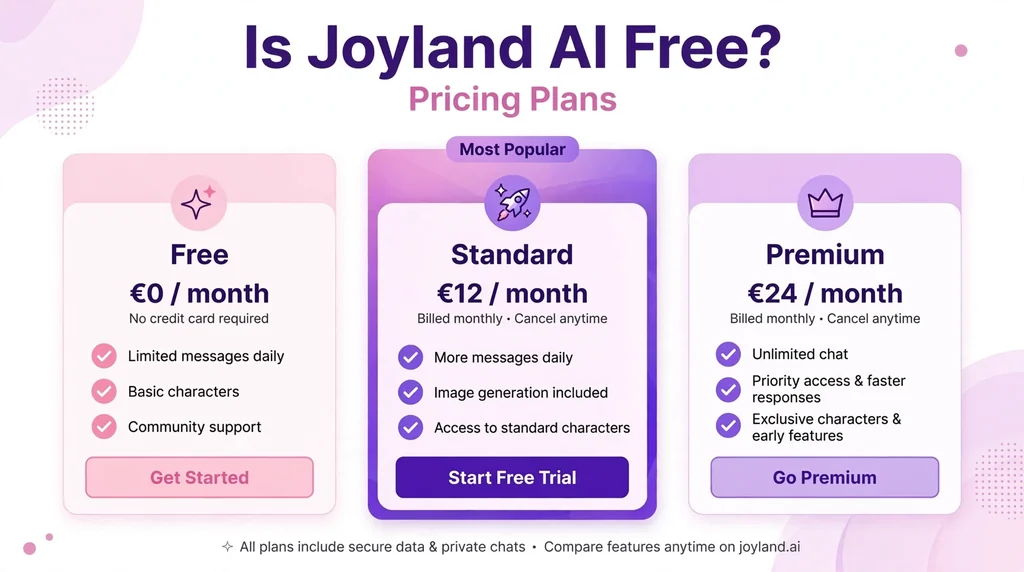
Yes. Joyland AI offers a free plan, but free access comes with limitations.
The platform’s help-center membership page lists the following plan details. These figures reflect the published documentation available when checked on October 13, 2026, and may change.
| Plan | Published pricing | Main benefits |
|---|---|---|
| Free | $0 | 10 daily credits, limited dialogue-model trials, up to 3 personas |
| Standard | $19.99 monthly; discounted rates may be offered | 5,000 monthly credits, short-term memory, more personas, and additional tools |
| Premium | $39.99 monthly; discounted rates may be offered | Unlimited credits as described by the platform, long-term memory, expanded tools, and additional customization |
The official page also lists annual subscription options and early-adopter rates. Promotional prices may not be available to every user, and the prices shown at checkout should take priority over older promotional information.
Is the Free Version Enough?
The free version may suit you if you want to explore character chat, test the platform, or participate in occasional roleplay.
However, users who want more conversations, additional personas, expanded memory, or frequent access to visual features may find the limits restrictive.
Before purchasing a membership, try the free version and identify which restrictions actually affect your experience. Upgrading is most useful when a paid feature solves a specific problem rather than simply adding features you may never use.
Frequently Asked Questions
1. What Is Joyland AI Used For?
Joyland AI is used for AI character chats, immersive roleplay conversations, creating custom AI characters, and exploring interactive storylines with virtual personalities.
2. Is Joyland AI Free to Use?
Joyland AI offers limited free access, but extended conversations, premium characters, and advanced features typically require a paid subscription or credits. Check the current pricing details before signing up.
3. Is Joyland AI Safe and Legit?
Joyland AI operates as a real AI companion platform with published terms and privacy policies. Still, users should review data practices, billing conditions, and age requirements before sharing personal details.
4. Can You Create Your Own Characters on Joyland AI?
Yes. Joyland AI includes character creation tools that let you define personality traits, backstories, appearances, and opening messages to shape your own interactive experience.
5. What Are the Best Joyland AI Alternatives?
Character.AI, Chai, Replika, and Nomi AI are popular alternatives, depending on your preferences for roleplay depth, character customization, and conversation style.
Conclusion
Joyland AI is a useful platform for people who enjoy AI character chats, virtual companions, interactive roleplay, and creative storytelling. Its character creation tools, personalized conversations, and memory options allow users to build experiences around their interests. However, free usage limits, subscription costs, inconsistent AI responses, and privacy considerations are important factors to consider.
If you are looking for character-based entertainment, Joyland AI is worth exploring. Compare it with alternatives such as Character.AI, JanitorAI, and AI Dungeon to find the platform that best matches your preferences. Before signing up, review the latest pricing, features, and privacy policy so you can make an informed decision.
Related synonym guides: synonyms of elusive.