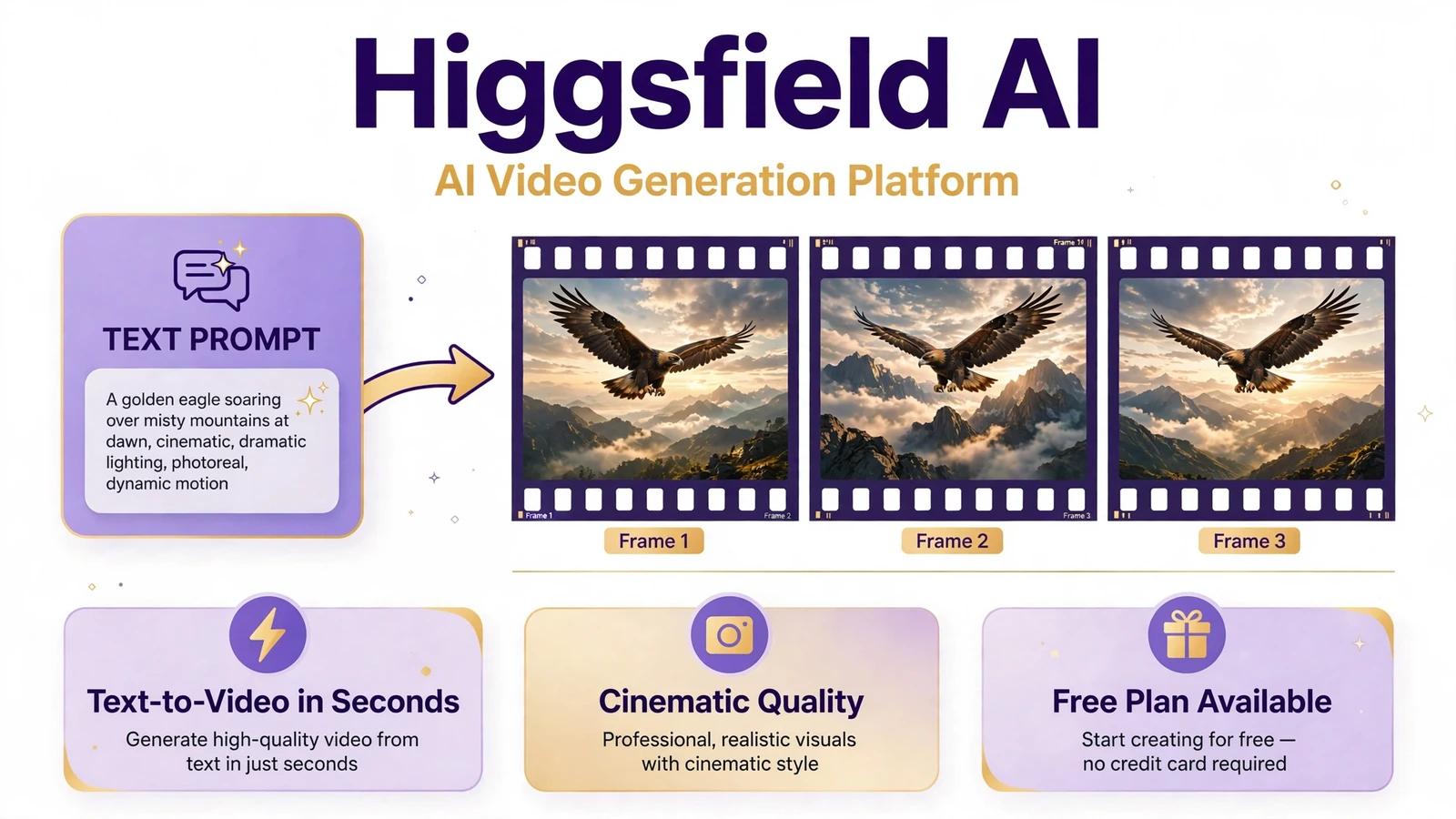
Ever imagined turning a simple idea into a cinematic video without hiring a film crew or learning complex editing software? That is the promise of Higgsfield AI. It brings AI video generation and filmmaking controls into one creative workspace, helping creators turn text prompts and visual references into engaging videos. But can it deliver the quality, control, and value that creators need?
In this Higgsfield AI Review, we explore its key features, pricing options, video-generation tools, and practical uses for content creators, marketers, and aspiring filmmakers. Its Cinema Studio offers controls for camera movement, genre, pacing, and color grading, while its wider platform supports different AI models and creative workflows.
We will also examine the details that matter before you subscribe, including credit limits, generation costs, and the differences between available plans. Higgsfield can simplify video production, but results still depend on your prompts, chosen model, and creative direction. By the end, you will have a clearer idea of whether Higgsfield AI fits your goals, budget, and content workflow in 2026.
Quick Answer
Higgsfield AI is a generative AI creative platform for producing videos, images, advertisements, and other visual assets. It combines AI video and image models with specialized tools such as Cinema Studio, Soul ID, Marketing Studio, and Canvas. You can use it to create cinematic scenes, maintain character consistency, animate images, and develop marketing content without building an entire production workflow from scratch.
What Is Higgsfield AI?
Higgsfield AI is an AI-native creative suite designed to make visual content production more accessible. It brings together image generation, text-to-video generation, image-to-video animation, AI-assisted editing, and specialized production tools.
The platform launched in 2025 and supports workflows for beginners as well as professional creators. Its official website describes applications ranging from social media videos and product advertisements to cinematic filmmaking and storyboarding.
Traditional video production can require cameras, lighting, actors, editing software, and considerable time. Higgsfield AI can simplify parts of that process by generating visual material from written prompts, reference images, and other supported inputs.
For example, an online store could use AI-generated product scenes to test advertising concepts. A filmmaker could explore camera angles before shooting a scene. A social media creator could turn a still image into a short animated clip.
These examples illustrate where generative AI can help. The results still depend on the prompt, the selected model, the quality of the reference material, and the amount of refinement required.
Is Higgsfield AI an AI Video Generator or an AI Image Generator?
It is both, but its capabilities extend beyond those two categories.
An AI video generator creates moving visuals from text or image references. An AI image generator produces still images, portraits, product scenes, and other visual assets. Higgsfield AI connects these tasks so that a creator can generate an image, refine it, and then animate it within a related workflow.
This connection is useful when you want several assets to share a similar visual style. Instead of treating every image and video as a separate project, you can build a more consistent collection of creative materials.
How Does Higgsfield AI Work?
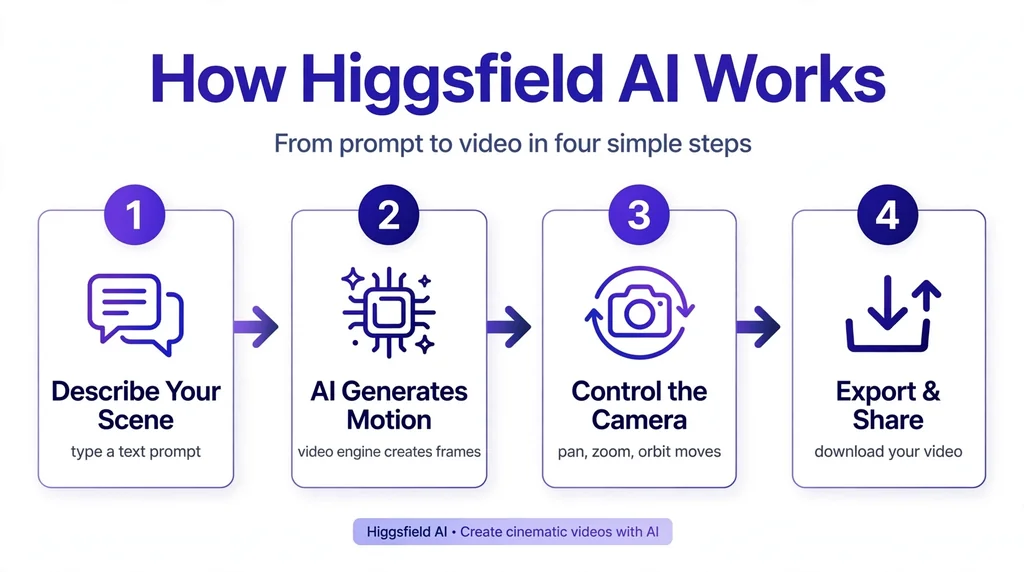
Higgsfield AI uses generative AI models to interpret instructions and produce visual content. Depending on the tool, you can start with a text prompt, upload an image, select a model, or use another supported input.
The exact process varies by feature, but most beginner workflows follow a similar pattern.
1. Describe your idea
Write a prompt explaining the subject, setting, lighting, style, movement, and mood you want.
2. Choose a tool and model
Select an image or video workflow and adjust the available settings, such as aspect ratio, duration, or camera movement.
3. Generate your content
Let the selected AI model interpret your prompt and produce an image or video.
4. Review and refine
Improve the prompt, change settings, edit the image, or generate new versions until the result fits your needs.
5. Export and use your asset
Download suitable outputs and incorporate them into your social posts, presentations, ads, or video projects.
The official help center explains that beginners can start with a text prompt and optionally provide a reference image. Advanced workflows offer more control over camera settings, scene construction, and connected creative tools.
Key Features of Higgsfield AI
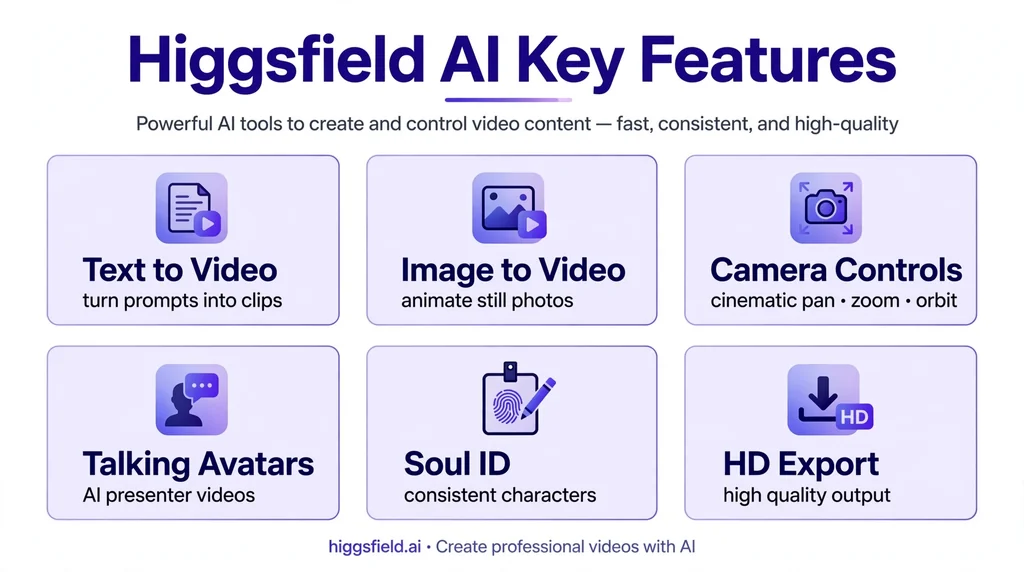
The strongest reason to explore Higgsfield AI is the combination of general-purpose generation models and dedicated creative tools. Each feature serves a different stage of production.
1. AI Video Generation
Higgsfield AI allows creators to generate video content using supported text prompts and image references. Depending on the chosen model, you can create short cinematic scenes, animated visuals, product clips, and social media videos.
Text-to-video generation is useful when you have an idea but no footage. Image-to-video generation is helpful when you already have a visual and want to add motion.
For instance, a creator might describe a rainy street with reflections from neon signs and a slow cinematic camera movement. The selected model then attempts to translate those instructions into a moving scene.
AI video generation does not guarantee perfect motion or exact compliance with every instruction. Faces, hands, objects, and movement can sometimes look unnatural. Reviewing multiple generations is often necessary before using a clip professionally.
2. AI Image Generator
The Higgsfield AI image generator creates visual assets from text prompts and supported reference inputs. It can support tasks such as character design, product imagery, editorial visuals, concept art, and advertising creative.
The platform’s image workflow also connects generation with editing and video creation. Its official image page describes generating an image and then animating it through supported video models within a connected workflow.
This can help marketers and creators maintain a coherent look across several assets.
For example, a fashion brand could create a concept image featuring a model, a particular outfit, and a studio background. The image could then serve as a reference for further variations or a related video scene.
Always inspect generated images before publishing. Text in packaging, product details, logos, and fine visual elements may still require manual correction.
3. Cinema Studio
Cinema Studio is Higgsfield AI’s dedicated workspace for cinematic video production. It emphasizes camera control, scene construction, character placement, and other filmmaking concepts rather than relying only on a single text prompt.
Depending on the available version and workflow, creators can work with camera movement, framing, multiple references, cinematic styling, and other production controls.
This makes Cinema Studio relevant to filmmakers, creative agencies, and advanced content creators who want more control over a generated scene.
For example, a filmmaker developing a science-fiction short could use separate shots to explore a wide establishing view, a close-up, and a tracking movement. These generations can help visualize a sequence before committing to a more detailed production process.
Cinema Studio still requires creative judgment. Camera terminology and carefully planned references can improve control, but they do not guarantee that every shot will match a real camera’s physical behavior.
4. Soul and Soul ID
Soul is Higgsfield’s family of image-generation models. Soul ID focuses on maintaining a character’s identity across generated images and video workflows.
Character consistency matters when you need the same person to appear in multiple scenes. Without a dedicated consistency workflow, a character’s facial features, hair, clothing, or overall appearance may change between generations. Looking for more ways to say “overall”? Check our guide to synonyms for overall. Looking for more ways to say “overall”? Check our guide to synonyms for overall.
A creator could develop a fictional character for a social media series and reuse that character in different scenes. A marketing team could also maintain a recognizable visual identity across a set of creative assets.
However, identity consistency is not the same as perfect reproduction. Lighting, angles, expressions, and reference quality can still affect the final result.
5. Marketing Studio and AI Advertising
Marketing Studio is designed for advertising and promotional content. Higgsfield describes workflows that can turn a product URL or image into video ads in formats such as user-generated-content-style promotions, unboxing videos, tutorials, and television-style spots.
This feature is especially relevant to e-commerce stores, marketing agencies, and brands that need several creative variations.
For example, an online store could develop different visual concepts for a skincare product. One version might focus on packaging, another on a lifestyle scene, and a third on a creator-style product presentation.
AI advertising tools can reduce the effort involved in testing concepts. They do not eliminate the need to check product accuracy, advertising claims, brand guidelines, disclosure requirements, and platform policies.
6. Higgsfield Canvas
Canvas supports connected, node-based creative workflows. Instead of treating every model operation as an isolated step, users can link supported tools to build a more organized production process.
This can help with repeatable tasks, such as generating a concept image, creating variations, and moving suitable assets into a related generation workflow.
Canvas is more relevant to creators who produce content regularly or need structured workflows. A beginner creating a single image may not need these advanced controls.
7. Additional AI Models and Creative Tools
Higgsfield AI offers a changing collection of image, video, audio, and editing capabilities. Its current help center lists integrations and models across categories, including Seedance, Kling, Sora, Veo, Nano Banana, Flux, and other model families. Availability can change over time.
Other tools include image editing, inpainting, upscaling, audio workflows, lip-sync features, and AI-assisted production tools.
Access to multiple models is useful because no single model is ideal for every task. One may work better for a particular visual style, while another may suit motion, reference-image handling, or a different production need.
The practical advantage is having several options in one creative environment. The trade-off is that users need to understand which model and settings best fit their goals.
How to Use Higgsfield AI: A Step-by-Step Tutorial
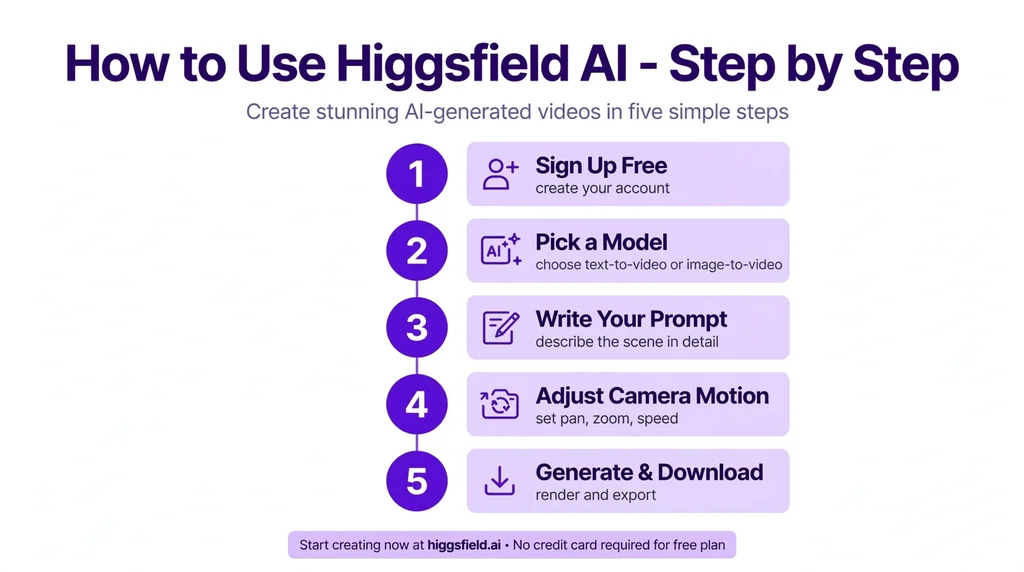
Getting started with Higgsfield AI is relatively straightforward. You can begin with a simple image or video project and learn the advanced controls as your needs grow.
Step 1: Open the Official Website
Visit the Higgsfield AI website and sign in or create an account. Some features, models, and generation limits may depend on your account and subscription.
Step 2: Choose Your Creative Tool
Select a tool based on the type of content you want to create.
| Your Goal | Suitable Tool |
|---|---|
| Generate visual artwork | AI Image Generator |
| Create cinematic video scenes | Cinema Studio |
| Maintain a character’s identity | Soul ID |
| Produce promotional video ads | Marketing Studio |
| Connect multiple creative steps | Canvas |
| Improve or modify an existing image | Image editing tools |
Higgsfield’s tools serve different purposes, so starting with the correct workflow can make the process easier.
Step 3: Write a Detailed AI Prompt
Your prompt should explain what the scene contains and how it should look.
For example, a weak prompt might say:
“Create a cinematic product video.”
A more useful prompt would be:
“Create a cinematic advertisement for a premium black perfume bottle on a dark marble surface. Use soft side lighting, subtle mist, realistic reflections, a slow camera push-in, and a luxury editorial style. Keep the bottle centered and preserve the visible label.”
This gives the AI model information about the subject, setting, lighting, composition, motion, and desired visual style.
Step 4: Select the Model and Adjust Settings
Choose an available AI model that fits your task. Review the supported options for duration, aspect ratio, resolution, camera movement, reference images, and other controls.
Not every model supports every setting. Available options and credit requirements depend on the selected generation workflow.
Step 5: Generate, Review, and Refine
Generate the first result and inspect it carefully. Check character consistency, image details, product accuracy, object movement, lighting, and visual quality.
If something looks wrong, change one or two prompt details at a time. This makes it easier to identify which instructions improve the result.
Step 6: Export Your Final Content
Once the result meets your requirements, export it using the available options. Review the file’s aspect ratio, resolution, and format before publishing it on your website, social media account, or advertising channel.
For professional projects, keep the original references and editable project materials where available. They can help you reproduce the look or make future revisions.
Higgsfield AI Pricing: Is It Free?
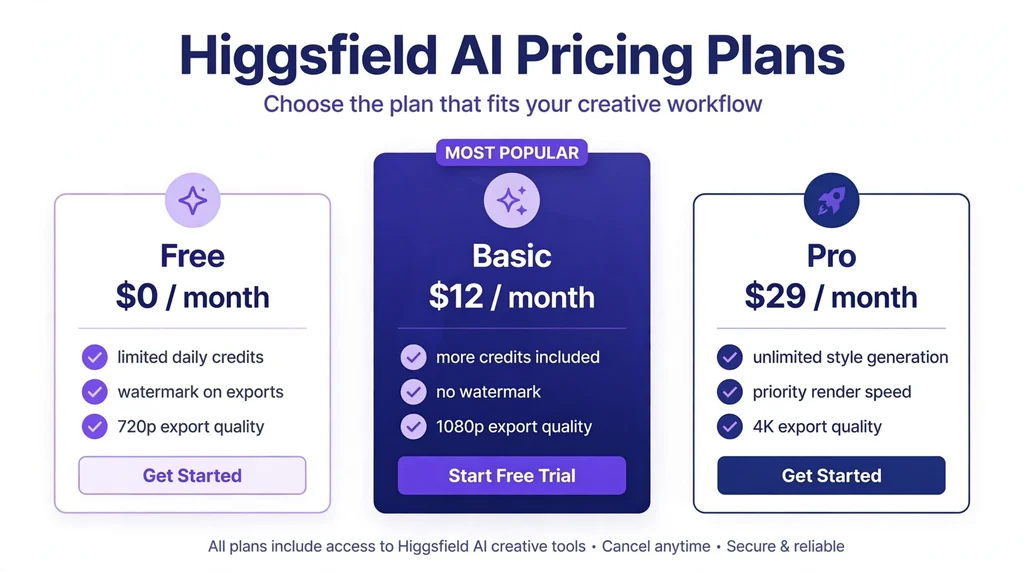
Higgsfield AI uses a combination of subscription access and a credit-based generation system. A limited free plan is available, while access to particular models and advanced tools depends on the current plan.
The exact cost of using the platform depends on the selected plan, model, output settings, and billing options. Check the official Higgsfield AI pricing page before purchasing a subscription.
How Does the Higgsfield AI Credit System Work?
Credits are the platform’s usage units for eligible generation tasks. Different models and settings can consume different amounts of credit.
According to Higgsfield’s help center, the precise credit cost is displayed before you confirm a generation. This is important because a high-end video model or a longer clip may consume more credits than a simpler image generation
Keep the following points in mind:
- Subscription credits: Unused subscription credits do not roll over after the applicable billing period.
- Purchased credit packs: Additional credits purchased as add-ons generally expire 90 days after purchase.
- Automatic renewal: Paid subscriptions renew automatically unless you cancel them according to the account terms.
- Model availability: The models and features included in each plan can change.
These conditions appear in Higgsfield’s official help documentation and terms.
A practical approach is to test your workflow before committing to an expensive plan. Estimate how many usable images or videos you expect to create each month, then compare that workload with the available credits.
Remember that one successful project may require several generations. Your real cost per finished asset can therefore be higher than the cost of a single generation.
What Can You Create With Higgsfield AI?
Higgsfield AI is useful in several creative and commercial settings. Its value depends on the type of content you produce and how much control you need.
Social Media Videos
Content creators can develop short videos for Instagram Reels, TikTok, YouTube Shorts, and other platforms.
Possible projects include cinematic clips, fictional scenes, animated images, stylized transitions, and visual hooks for short-form content.
AI-generated videos can help you explore ideas quickly. However, you should still review pacing, motion, and aspect ratio to make sure the final content fits the platform.
E-Commerce Product Advertisements
Online stores can use AI image and video generation to test promotional concepts for clothing, cosmetics, accessories, electronics, and other products.
For example, a retailer could create a luxury studio scene for a watch or a lifestyle concept for a skincare product. Marketing Studio may help turn a product reference into an advertisement workflow.
Check that generated packaging, labels, dimensions, and product features match the real item. An attractive advertisement loses value when the visual misrepresents what customers receive.
AI Filmmaking and Storyboarding
Filmmakers can use image generation and cinematic video tools to explore scenes before production. Generated visuals can help communicate mood, composition, lighting, and camera movement.
A director might produce several concept frames for a scene, test different visual approaches, and use the results to communicate the intended style to a production team.
These assets can support pre-production, but they do not automatically replace a complete shooting plan, editing process, or production review.
AI Influencers and Character-Based Content
Character consistency tools can support fictional personalities that appear in multiple images or videos.
Creators might use a fictional character for an educational series, entertainment account, or branded campaign. Maintaining a recognizable face and visual style can make a series feel more cohesive.
Use appropriate rights and permissions when working with a real person’s likeness. Do not imply that a generated character represents a real individual without proper authorization.
Marketing Campaigns
Marketing teams can create multiple visual concepts for a product launch, seasonal campaign, or promotional test.
Instead of producing one asset and immediately committing to it, they can explore different scenes, visual styles, and messages. The strongest versions can then move into further editing and review.
AI can shorten parts of the creative process, but it cannot guarantee higher conversions or better advertising performance. Campaign results still depend on the product, audience, offer, message, and distribution strategy.
Pros and Cons of Higgsfield AI
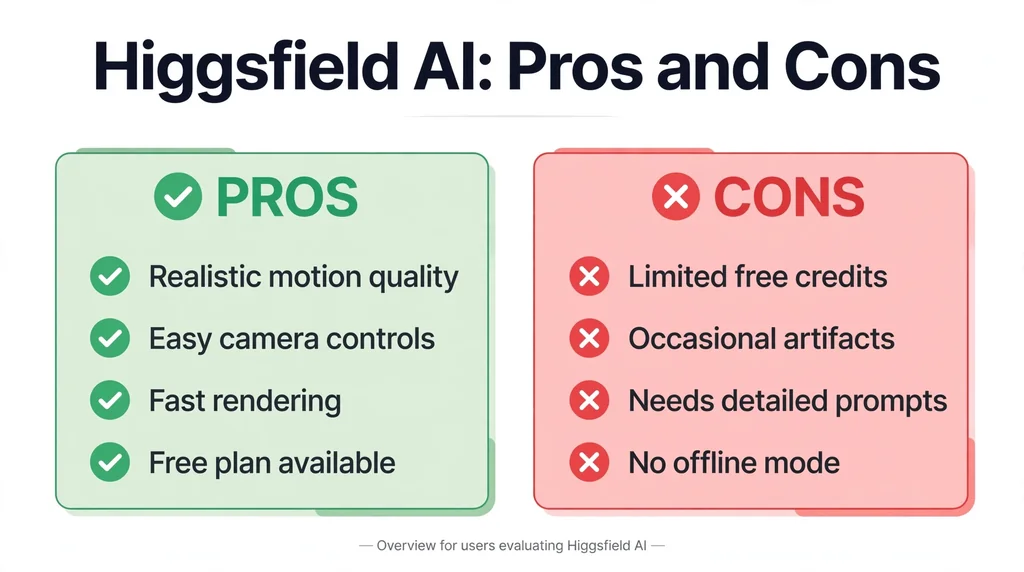
Higgsfield AI offers a broad creative toolkit, but it is not the best fit for every project.
| Pros | Cons |
|---|---|
| Combines image and video generation tools | Advanced workflows can take time to learn |
| Offers cinematic camera and scene controls | Results may require repeated generations |
| Supports character consistency workflows | Character and scene consistency are not perfect |
| Provides dedicated advertising tools | Credit consumption can make costs difficult to predict |
| Brings multiple AI models into one platform | Model access and features can change |
| Supports beginner and professional workflows | Some advanced features require paid access |
These trade-offs follow from the platform’s documented features and credit terms.
Is Higgsfield AI Worth It?
Higgsfield AI may be worth considering if you regularly create cinematic video, advertising concepts, AI imagery, or character-based content. Its collection of tools can reduce the need to switch between several separate creative platforms.
However, a subscription may be less attractive if you only generate a few images each month or need precise, repeatable results without much editing.
The best way to judge its value is to test a representative project, calculate the cost of producing a usable result, and compare that figure with your current workflow.
Higgsfield AI Alternatives
Several other tools may suit your creative needs. The best alternative depends on whether you prioritize video generation, image creation, editing, or marketing.
| Alternative | Main Area to Evaluate |
|---|---|
| Runway | AI video generation and creative video workflows |
| Kling AI | AI video generation and image animation |
| OpenAI Sora | AI-generated video workflows, subject to current access |
| Google Veo | AI video generation, subject to current access |
| Adobe Firefly | AI-assisted image and creative production workflows |
These are starting points for comparison, not a definitive ranking. Capabilities, access, pricing, and usage terms change over time.
When comparing Higgsfield AI with alternatives, evaluate output quality, supported models, video duration, editing flexibility, available credits, licensing terms, and the number of revisions your workflow typically requires.
A tool with a lower starting price may not be cheaper for your specific workload. Likewise, a platform with more features may offer little value if you only use one of them.
Important Things to Know Before Using Higgsfield AI
Before using Higgsfield AI for personal or business projects, consider a few practical issues.
Review Commercial Usage Rights
Higgsfield’s published Terms of Use state that the company does not claim ownership of user inputs or generated outputs and does not restrict commercial use of outputs under those terms. However, this does not mean every generated asset is automatically free of copyright, trademark, publicity, or other legal concerns.
Read the applicable terms and any additional feature-specific conditions before using generated content in a commercial campaign.
Understand the Privacy Terms
Higgsfield’s standard Terms of Use state that user inputs and outputs may be used to train, develop, and improve its AI models and related services. The terms describe different handling for customers covered by an enterprise agreement.
Avoid uploading confidential client assets, sensitive personal information, or proprietary business material until you have checked the applicable data-handling conditions.
Expect to Refine AI Outputs
Generative AI can produce inconsistent details, unwanted visual changes, or motion that does not match your instructions. This is particularly important for product advertising and multi-shot filmmaking.
Keep your expectations realistic. Treat generated assets as creative drafts that may need review, editing, or additional generations rather than assuming every result will be production-ready.
Frequently Asked Questions About Higgsfield AI
1. What Is Higgsfield AI Used For?
Higgsfield AI is used to create AI-generated videos, images, cinematic scenes, product advertisements, social media content, and character-based visual projects.
2. Is Higgsfield AI Free to Use?
Higgsfield AI offers limited free access, but some models and advanced features require a paid plan or additional credits. Check the current pricing page for restrictions.
3. Can Higgsfield AI Generate Videos From Images?
Yes. Higgsfield supports image-to-video workflows that turn suitable reference images into animated clips, depending on the selected model and available settings.
4. Is Higgsfield AI Good for Beginners?
Yes. Beginners can start with text prompts and reference images, while advanced tools provide more detailed controls for creators with filmmaking and editing experience.
5. Can You Use Higgsfield AI for Commercial Projects?
Higgsfield’s published terms permit commercial use of generated outputs, subject to applicable conditions. Review its current terms, model-specific restrictions, privacy provisions, and third-party rights before publishing.
Final Thoughts
Higgsfield AI combines AI video generation, image creation, cinematic controls, character consistency, and advertising tools in one creative platform. This makes it worth exploring for filmmakers, social media creators, designers, and marketing teams that need a flexible visual production workflow.
Its main strengths are the variety of creative tools and the ability to move between different stages of content creation. Its main considerations are credit costs, generation consistency, changing model availability, and data-handling terms.
Before choosing a paid plan, test the tools you actually need and measure the cost of producing a finished asset. That approach will help you decide whether Higgsfield AI fits your creative goals and budget.
Related synonym guides: synonyms of elusive.