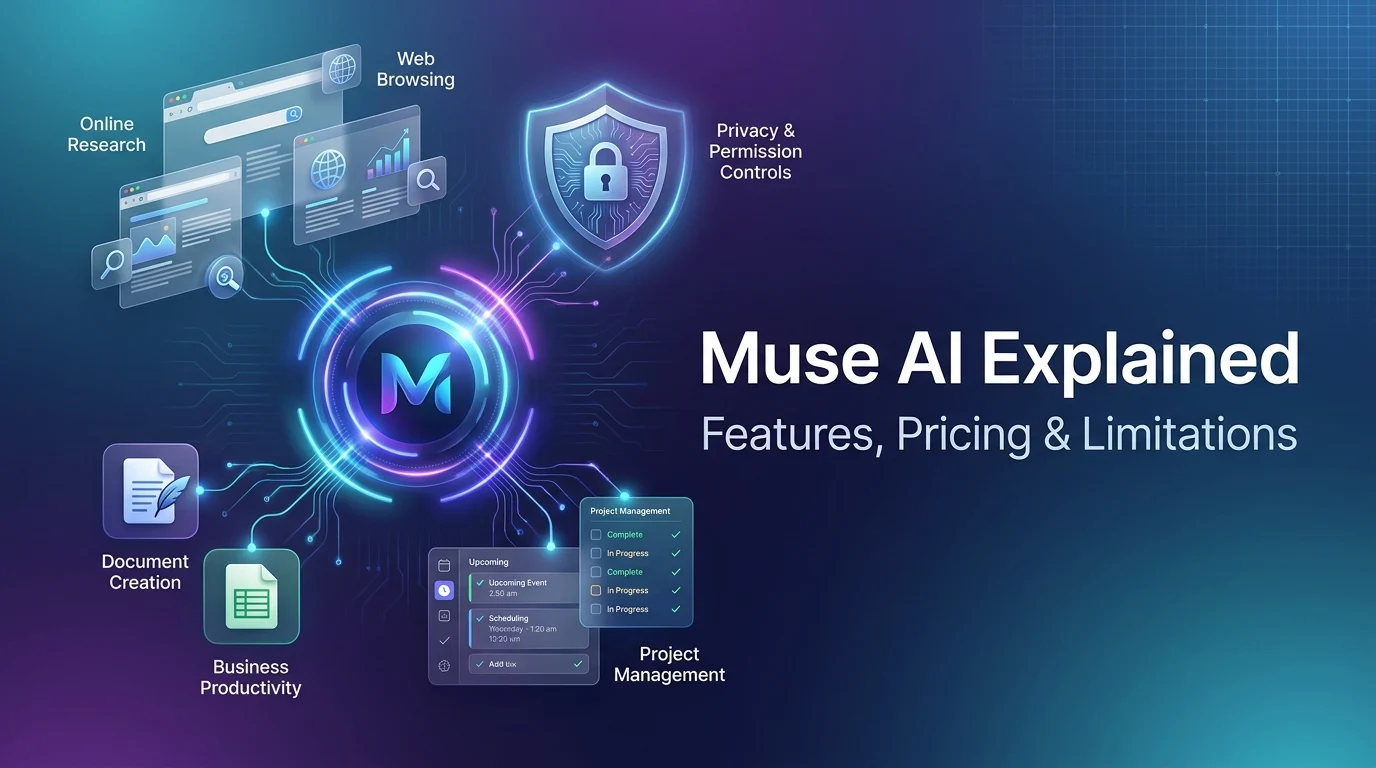
Muse AI is Meta’s personal AI agent that can plan tasks, browse websites, work with connected applications, and continue performing supported tasks in the background. Unlike a conventional chatbot, it can take actions on your behalf while using permission controls for sensitive activities. Meta launched Muse on September 8, 2026, and its capabilities include personal productivity, online research, reminders, document creation, and business workflow automation.
Artificial intelligence is moving beyond answering questions and generating text. New AI agents can help people complete tasks, coordinate projects, and manage digital activities with less manual effort.
Muse AI is Meta’s approach to personal AI assistance. Instead of giving you instructions and leaving you to handle every step, Muse can develop a plan, use supported tools, and work toward a defined goal.
You can use it for everyday organization, online research, shopping-related tasks, and selected business workflows. However, its usefulness depends on available integrations, website permissions, regional access, and the accuracy of its actions.
This guide explains what Muse AI does, how to access it, its features, pricing considerations, and practical limitations.
What Is Muse AI?
Muse AI refers to Muse, Meta’s personal AI agent, introduced on September 8, 2026. Meta designed it to help users manage everyday activities, pursue longer-term goals, and delegate repetitive digital work.
The product is powered by Meta’s Muse Spark model and operates through a dedicated computing environment called Muse Secure VM. It can use a browser and supported application connections to perform tasks that extend beyond an ordinary conversation.
The key difference is task execution.
A traditional chatbot might explain how to organize your schedule. An AI agent like Muse can help carry out the process by reviewing connected information, identifying scheduling conflicts, and preparing relevant actions.
For example, you could ask Muse to plan a weekend trip. It might research destinations, compare options, create an itinerary, and help with booking-related activities where supported.
You still need to review important details. An AI agent can make mistakes, misunderstand instructions, or encounter websites that prevent automated actions.
Muse AI at a Glance
| Attribute | Details |
|---|---|
| Product | Muse, commonly called Muse AI |
| Developer | Meta Platforms |
| Core entity | Personal AI agent |
| Underlying model | Muse Spark |
| Main purpose | Task execution and personal productivity |
| Key capabilities | Research, planning, web interaction, reminders, and connected applications |
| Computing environment | Muse Secure VM |
| Access methods | Mobile apps, web, supported desktop software, and WhatsApp integration |
| Pricing | Free usage for common tasks, with subscription options |
| Business applications | Marketing, sales analysis, content planning, and connected workflows |
Availability and individual features may vary. Meta describes the product through its official Muse website and download page.
How Does Muse AI Work?
Muse AI uses natural-language instructions to understand a goal, plan the necessary steps, and perform supported actions through available tools.
You do not need programming knowledge to begin. You describe the task in everyday language, review the proposed actions when necessary, and provide feedback as the work progresses.
1. Understands Your Instructions
First, you explain what you want to accomplish.
For example, a business owner might ask Muse to review upcoming meetings and identify messages that need a response. Someone planning a vacation might ask it to compare destinations and prepare an itinerary.
The agent interprets the request and identifies relevant information or actions.
Clear instructions generally make delegated tasks easier to evaluate. You should also include important restrictions, such as a spending limit or preferred schedule.
2. Creates a Plan
Muse can break a complex objective into smaller tasks. Rather than handling each step yourself, you can give it an outcome to work toward.
Imagine you need to prepare a marketing campaign. The process could involve reviewing previous campaign results, researching relevant topics, developing content ideas, and drafting promotional material.
The exact plan depends on the available data, connected applications, and capabilities of your account.
3. Uses Websites and Connected Tools
Muse can interact with websites through its browser and use supported connectors to access other applications.
For instance, it might gather information, fill out a form, organize files, or prepare a document. Its business integrations can also help coordinate information from marketing, design, communication, and accounting tools.
However, a website may block automated traffic or require additional verification. Tool availability does not guarantee that every task will succeed.
4. Continues Working in the Background
One important feature is its ability to continue supported tasks after you close the app.
Muse can work through a longer assignment and return when something changes or it needs your approval. This makes it potentially useful for ongoing research, reminders, and tasks that involve several stages.
Background activity does not mean the agent can accomplish every goal independently. You may still need to provide information, approve actions, or correct its approach.
5. Requests Permission for Sensitive Actions
Muse includes a separate permission system called Sentinel. According to Meta, Sentinel evaluates requests involving connected services and network access, deciding whether an action is allowed, denied, or requires user approval.
This is especially important when an action could send a message, make a purchase, or share information.
The purpose is to let you delegate routine work without surrendering control over important decisions.
Key Features of Muse AI
Muse combines several AI assistant capabilities in a system built around task execution rather than conversation alone.
Personal AI Assistance and Memory
Muse can use information from previous interactions to personalize its assistance. This can help it remember relevant preferences, understand ongoing goals, and suggest useful next steps.
For example, if you frequently plan meals, the agent may use dietary preferences you have shared to help organize a shopping list or prepare a dinner plan.
Personalization can reduce repetitive instructions, but it also raises questions about how personal information is stored and used. Review the available data and memory controls before sharing sensitive details.
Web Browsing and Online Research
Muse has a dedicated browser environment for interacting with online services. Meta describes tasks such as booking appointments, filling out forms, and handling customer service.
Possible applications include researching products, comparing available options, gathering information for a report, and organizing travel details.
A significant limitation is website compatibility. Some platforms restrict automated agents, require human verification, or prevent third-party tools from completing transactions.
For example, reporting published on October 7, 2026, described Amazon blocking third-party AI agents from accessing its website on behalf of users. Restrictions like these can limit automated shopping, regardless of an agent’s technical capabilities.
Workflow and Task Automation
Muse can coordinate multiple steps toward a goal. This is useful when a task involves several sources of information or repeated actions.
A freelancer might delegate research and ask Muse to organize findings into a report. A manager might request a summary of upcoming meetings and drafts of messages requiring attention.
The benefit is less manual coordination. The trade-off is that you must review the resulting work, particularly when the task involves financial, professional, or personal decisions.
App Integrations
Muse for Small Business expands the agent’s ability to work with business software.
Meta has announced connectors for tools including Asana, Box, Canva, Dropbox, Figma, Granola, HighLevel, Intuit QuickBooks, Klaviyo, Lovable, Notion, Shopify, Slack, Stripe, and Zoom. It also supports connections to Facebook and Instagram business accounts.
These integrations can help businesses coordinate marketing, design, accounting, customer information, and project management.
The precise integrations available to you may depend on the product version and account. Check the connector list within Muse before building a workflow around a specific service.
Document Creation and Content Assistance
Muse can help produce documents, organize information, and generate images. These capabilities can support many types of digital work.
For example, you could ask it to draft a report, prepare meeting notes, outline a blog post, or organize research into a structured document.
AI-generated content should not be treated as automatically correct. Review factual claims, names, calculations, tone, and formatting before publishing or sharing the material.
How to Download and Use Muse AI
Muse is available through several access methods, but availability can vary by device and region.
Meta’s download page lists the mobile app for iPhone and Android and a dedicated Mac application. The company also provides web access through its Muse website. Native iPad support was reported on October 7, 2026.
Step 1: Check Availability
Visit the official Muse website or Meta’s download page.
Check whether Muse is available for your device and region. Meta initially announced its consumer rollout in the United States and subsequently described availability in the United States and Canada. These announcements do not establish worldwide availability.
Step 2: Choose Your Device
Select the supported access method that suits your needs.
Mobile apps are useful for everyday tasks, while desktop access may be more convenient for file organization, research, and work involving several documents.
The dedicated Mac version can organize files and work with Messages, Calendar, and Notes with user permission.
Step 3: Start With a Simple Task
Once you have access, begin with something easy to evaluate.
For example, try this prompt:
“Review the tasks I list below, group them by priority, and prepare a realistic schedule for tomorrow. Ask me before changing any calendar events.”
This gives the agent a clear objective and a boundary for actions that require approval.
Step 4: Review Its Work
Check the results against your original request.
Look for missing information, incorrect assumptions, incomplete steps, or actions that require your approval. Adjust the instructions where necessary.
Start with low-risk tasks before connecting sensitive accounts or delegating consequential activities.
What Can You Use Muse AI For?
Muse can support personal organization, research, online activities, and business work. The most useful applications are those that involve repeatable steps or coordination across supported services.
Personal Productivity
Use Muse to organize a schedule, prepare checklists, manage reminders, or plan personal projects.
For example, you could ask it to turn a list of errands into a schedule based on location, deadlines, and available time. Review the suggestions before making commitments.
Research and Travel Planning
Muse can help compare options and organize information gathered from the web.
For travel, it might prepare a destination comparison, outline a daily itinerary, or collect information about transportation and attractions.
Before booking, verify dates, prices, cancellation terms, and availability directly with the relevant provider.
Shopping and Reservations
Muse can help research products, compare options, and assist with supported online transactions.
However, automated shopping depends on whether the retailer permits the agent to interact with its website. Some services block third-party agents, so you may need to complete checkout yourself.
Never approve a payment without checking the seller, total amount, delivery details, and return conditions.
Small Business Operations
Muse for Small Business can help entrepreneurs coordinate work across connected business applications.
Potential uses include reviewing sales performance, preparing marketing campaign drafts, analyzing selected expenses, and organizing customer-related information. Meta has presented these as examples of the types of work business users can delegate.
For financial and operational decisions, check the underlying data before acting on the agent’s recommendations.
Is Muse AI Free?
Muse is free for many common tasks, but Meta also offers subscription options for users who want to do more. Exact allowances and paid-plan details may change over time.
Before choosing a paid option, review the current terms and compare the available capacity with your actual workload.
Also check whether a particular feature is included in the plan and available in your region. Do not assume a subscription unlocks every integration or removes every technical limitation.
Muse AI vs. ChatGPT
Muse and ChatGPT are both AI-powered assistants, but their strengths depend on the specific workflow and tools available.
| Comparison | Muse AI | ChatGPT |
|---|---|---|
| Main focus | Personal task delegation and automation | General-purpose AI assistance |
| Task execution | Works through supported actions and connected services | Supports tool use and workflows available in the user’s version |
| Background activity | Designed for ongoing supported tasks | Depends on the available features and tools |
| Integrations | Muse connectors and supported services | Available apps, connectors, and tools |
| Best way to choose | Evaluate access, integrations, and task reliability | Evaluate reasoning, tools, integrations, and task reliability |
Neither product is universally better. Choose based on the tasks you perform most often, the services you use, the privacy controls you need, and the cost of the relevant plan.
Muse AI Limitations, Privacy, and Security
Muse’s main limitations involve task reliability, website access, regional availability, and the amount of personal information needed for useful automation.
Website Restrictions
Not every website allows AI agents to browse, submit forms, or complete purchases. Some require verification or block automated access entirely.
This means you may need to finish a task manually even when Muse can handle the earlier research.
AI Errors
Meta acknowledges that Muse can make mistakes and may encounter malicious or misleading content while working. Its safety design aims to limit the effects of these problems, but it does not eliminate them.
Review important outputs and avoid treating the agent’s confidence as proof that an action is correct.
Privacy and Account Access
Muse Secure VM is designed to isolate each user’s computing environment and protect connected credentials. Meta says the separate Sentinel system controls requests to external services and can require approval for sensitive actions.
However, security architecture is not a guarantee that every interaction will be risk-free. Reporting published on October 6, 2026, documented concerns from early users of personal AI agents, including some Muse users, about sensitive account access and unclear data handling. Those concerns should be distinguished from proof of a product-wide security failure.
For safer use, connect only the services you need, review permissions, examine the activity history, and avoid granting unnecessary access to private messages or financial accounts.
Regional Availability
Muse’s rollout is not confirmed for every country. Some features and business connectors may also have narrower availability than the main product.
Check Meta’s official download page before relying on a particular device, account, or feature.
Frequently Asked Questions About Muse AI
1. What Is Muse AI Used For?
Muse AI helps users plan tasks, browse websites, manage reminders, organize information, and automate supported activities across connected digital services.
2. Who Developed Muse AI?
Meta developed Muse as a personal AI agent powered by its Muse Spark model and designed for practical task execution.
3. Is Muse AI Free?
Muse offers free access for many common tasks, alongside subscription options that may provide additional usage capacity.
4. Can I Use Muse AI Outside the United States?
Muse’s availability depends on Meta’s rollout, supported devices, and region; check its official website for current access information.
5. Is Muse AI Safe to Use?
Muse includes isolation and permission controls, but users should review connected accounts, sensitive actions, and outputs carefully.
Final Thoughts
Muse AI represents a shift from conversational assistance toward AI that can perform supported actions on a user’s behalf. Its features cover personal organization, web research, connected applications, background tasks, and business workflow automation.
Its real value depends on whether it completes your tasks reliably, works with your services, and provides adequate control over personal information. Website restrictions and occasional errors also mean that full automation is not always possible.
Start with simple, low-risk tasks and verify the results. Before connecting sensitive accounts, review the permission settings and understand what the agent can access.
For the most accurate assessment, rely on current product documentation and practical testing rather than assuming every advertised capability works everywhere.
3 thoughts on “Muse AI Review | Features, Safety & the AI Sidekick That Turns Your Plans Into Action in 2026”