Making a 3D model used to take years of practice with complex software. Meshy AI throws that learning curve out the window. It is a generative AI platform that turns a text prompt or a single image into a finished 3D model in about 20 to 30 seconds, complete with textures, rigging, and mesh cleanup, no polygon pushing required.
We dug into Meshy to see if it holds up for real production work. Founded by MIT PhD Ethan Hu, it handles text-to-3D, image-to-3D, automatic PBR texturing, and auto-rigging, then exports to FBX, OBJ, GLB, STL, and 3MF for Blender, Unity, Unreal Engine, Roblox, Godot, and Maya. That makes it genuinely useful for game developers, animators, and 3D printing hobbyists, not just a novelty.
The free plan gives you 100 credits per month, and paid plans start at $20 per month. This guide walks you through how Meshy works, what each plan includes, and where it beats doing things by hand.
Quick Answer
Meshy AI is a generative AI platform that turns text prompts and single images into finished 3D models in about 20 to 30 seconds. Built for game developers, 3D artists, animators, and 3D printing hobbyists, it handles text-to-3D generation, image-to-3D conversion, automatic PBR texturing, auto-rigging, and mesh cleanup without asking you to touch a polygon by hand. There is a free plan that gives you 100 credits per month, paid plans start at $20 per month, and models export to FBX, OBJ, GLB, STL, and 3MF for use in Blender, Unity, Unreal Engine, Roblox, Godot, and Maya.
What Is Meshy AI?
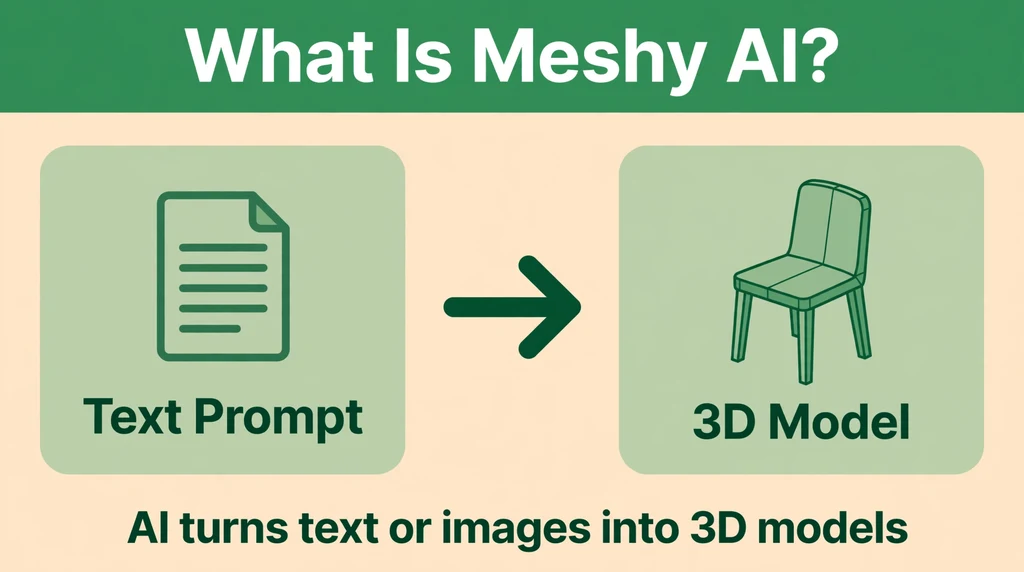
Meshy AI is an AI-powered 3D content creation platform founded by MIT PhD Ethan Hu. The whole idea behind it is simple: making 3D models should not require years of practice with complicated modeling software. Instead of pushing vertices around for hours, you type a description like “a cartoon pirate ship with a red flag” or upload a reference photo, and Meshy AI produces a usable 3D model in seconds.
The platform launched at a time when generative AI was transforming text and images, and it carried that same breakthrough into three dimensions. Since then it has grown into one of the largest AI 3D communities in the world, with over 12 million registered users and a valuation of $1.5 billion after raising around $400 million in funding. That scale tells you something important: there is real demand for a faster path from idea to 3D asset.
At its core, Meshy AI is a full 3D pipeline, not just a model generator. It creates the base geometry, generates realistic PBR materials and textures, cleans up the topology so the mesh is actually usable, and can even rig characters so they are ready for animation. Everything happens in the browser or through the Meshy 3D Agent, an AI assistant that can handle multi-step 3D creation tasks on your behalf.
Meshy AI is not trying to replace professional 3D artists or tools like Blender. It removes the slow parts of 3D production: blockouts, base meshes, generic props, and rapid prototypes. The results import directly into the tools professionals already use, so it fits into real workflows.
How Does Meshy AI Work?
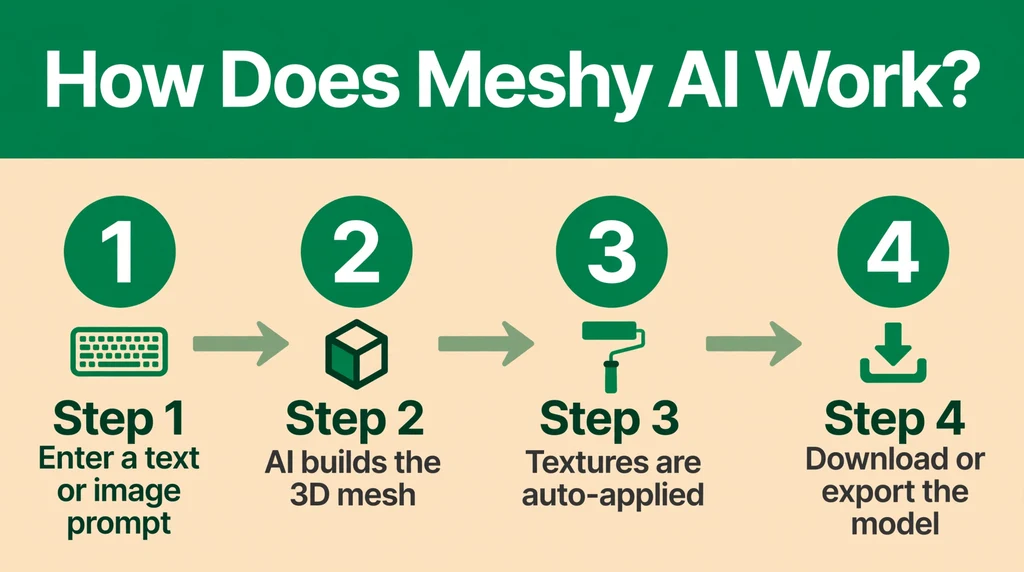
Meshy AI works in three main stages: generate, refine, and export. You start by choosing an input method. Text-to-3D lets you describe what you want in plain words, and the AI builds a model that matches the description. Image-to-3D takes a single reference image, such as a photo, sketch, or concept art, and reconstructs a full 3D model from it, including sides of the object the camera never saw.
Once you give it input, Meshy AI first generates the raw geometry. The models come out as watertight meshes with reasonable topology, which matters because a broken or messy mesh is useless in a game engine or a 3D printer. After geometry comes texturing. Meshy AI applies physically based rendering materials, meaning the model gets realistic color, roughness, and metallic properties that respond to light the way real materials do.
The platform then gives you refinement tools. Smart remesh rebuilds the topology so edge flow is clean. The low-poly mode reduces polygon counts for mobile games and real-time applications. Auto-rigging adds a skeleton to character models so you can pose or animate them. Batch processing lets you run many generations at once, which is useful when you need a whole set of matching assets.
Finally, you export in FBX, OBJ, GLB, STL, or 3MF, covering game engines, animation software, web viewers, and 3D printing. Models open directly in Blender, Unity, Unreal Engine, Roblox, Godot, or Maya, with textures and UVs applied.
Key Features of Meshy AI
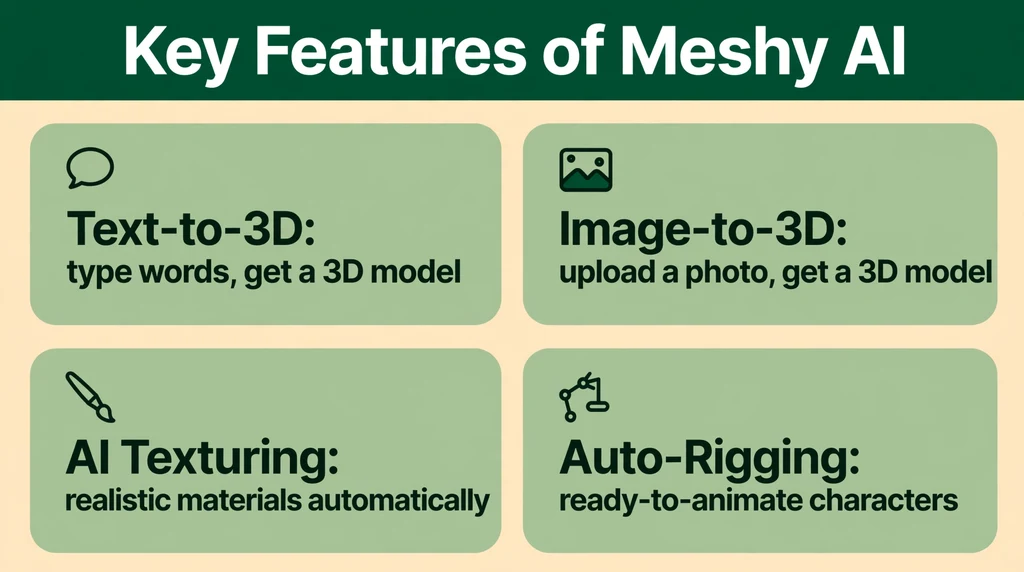
Meshy AI packs a lot into one platform, but a handful of features define what it can do. Here are the ones that matter most in practice.
- Text-to-3D generation: Describe an object in plain language and get a 3D model back in 20 to 30 seconds. Prompting works best with specific details about shape, style, and material.
- Image-to-3D conversion: Upload one photo or drawing and the AI reconstructs a complete 3D model, inventing the hidden geometry behind and around the visible parts.
- AI texturing with PBR materials: Models arrive with realistic textures built on physically based rendering, so surfaces react to light naturally with proper color, roughness, and metalness.
- Auto-rigging: Character models can be automatically fitted with animation skeletons, skipping the tedious manual rigging step that usually takes beginners hours.
- Smart remesh and topology cleanup: Raw AI geometry gets rebuilt into clean, even meshes that deform well in animation and behave properly in game engines.
- Low-poly mode: Generates optimized low-polygon versions of models for mobile games, VR, and web apps where performance matters more than extreme detail.
- Batch processing: Queue up multiple generations at once, which is a genuine time-saver when you need a full prop set or variations of the same asset.
- Meshy 3D Agent: An AI agent that can take on more complex, multi-step 3D creation tasks, chaining generation, texturing, and refinement together with minimal input from you.
- Wide export support: Download models as FBX, OBJ, GLB, STL, or 3MF, with textures baked in, ready for Blender, Unity, Unreal Engine, Roblox, Godot, or Maya.
- Large community library: With 12 million plus users, the platform has a deep pool of shared models and creations to learn from and remix.
What ties these features together is the focus on usable output. Plenty of AI demos produce pretty renders that fall apart as actual 3D assets. Meshy AI is clearly engineered with the opposite priority: the geometry, topology, textures, and export formats are designed so the model works the moment you download it.
Is Meshy AI Free?
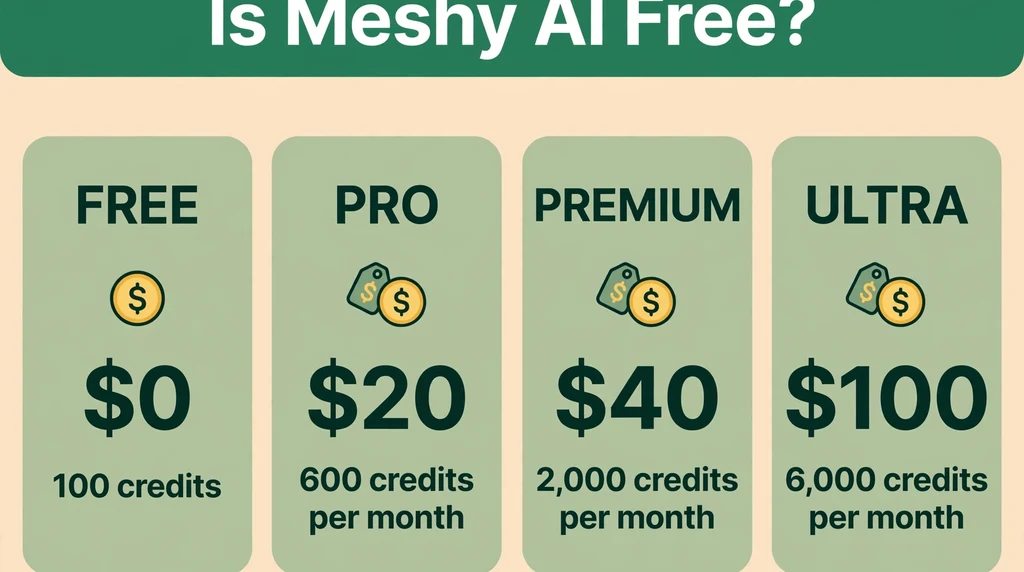
Yes, Meshy AI has a free plan. It gives you 100 credits per month with no payment required, which is enough to experiment with the platform and generate a handful of models. Models made on the free plan come with a CC BY 4.0 license, which means you can use and share them as long as you give Meshy AI credit as the source.
If you need more, there are four paid tiers. The Pro plan costs $20 per month and includes 1,000 credits. Premium is $40 per month with 3,000 credits. Ultra is $100 per month with 8,000 credits. Credits are consumed by each generation, with more complex tasks like high-resolution texturing using more credits than a simple preview.
The free plan is honestly enough for learning the tool and doing small personal projects. But 100 credits go quickly once you start iterating, because good results usually take a few tries. If you are producing assets for a game or a client project, the Pro tier is the realistic entry point. The higher tiers make sense for studios and teams generating assets in volume.
One thing to keep in mind: credit costs can add up if you regenerate the same model many times chasing perfection. It pays to write detailed prompts from the start and use lower-cost preview generations before committing credits to a full-quality render.
How to Use Meshy AI
Getting started with Meshy AI takes only a few minutes. Here is the basic process from signup to your first downloaded model.
- Create an account: Head to meshy.ai and sign up with your email or a social login. The free plan is active immediately, no credit card required.
- Choose text-to-3D or image-to-3D: Pick whichever matches what you have. A clear text description works well for original ideas; a reference image works better when you need to match an existing design.
- Write a detailed prompt: Be specific about the object, its style, its materials, and the look you want. “A rusty medieval knight helmet, stylized game art” will beat “helmet” every time.
- Generate and review: Click generate and wait about 20 to 30 seconds. You will typically get multiple variations or a preview you can inspect from different angles.
- Refine the model: Apply texturing, run smart remesh for cleaner topology, generate a low-poly version if you need one, or use auto-rigging for characters.
- Export your asset: Download in FBX, OBJ, GLB, STL, or 3MF. Pick the format your target software prefers, then open it in Blender, Unity, Unreal Engine, or wherever your project lives.
The learning curve is mostly about prompting. Beginners tend to write one-word prompts and get generic results, then assume the tool is limited. Spend time on prompt craft: describe materials, proportions, artistic style, and even the intended use, like “game-ready” or “for 3D printing.” The difference between a vague prompt and a detailed one is night and day.
Is Meshy AI Safe?
Meshy AI is a legitimate, well-funded company with a public founder and a massive user base, so there is no reason to treat it like a sketchy web tool. Your account, generations, and downloads are handled through a standard secure platform, and the free signup does not ask for payment details, which removes the biggest risk people worry about.
The safety question that matters more is about licensing. Models generated on the free plan carry a CC BY 4.0 license, which requires you to credit Meshy AI when you use or distribute them. Paid plans come with commercial terms that drop the attribution requirement. If you are selling a game or client work, make sure your plan covers commercial use and check the current terms on the Meshy AI site, since licensing details can change.
There is also the usual caution that applies to any AI generator: the model you create may resemble something from its training data. For personal projects that is rarely an issue, but for commercial releases it is worth doing a quick sanity check that your asset does not copy a recognizable trademarked design.
Meshy AI Pros and Cons
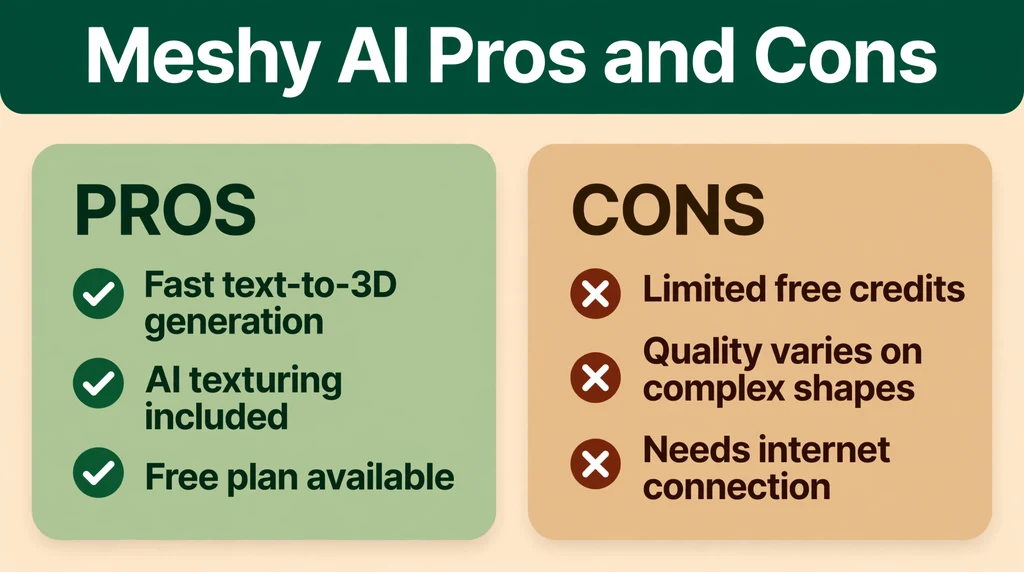
Every tool has trade-offs. Here is an honest look at where Meshy AI shines and where it still falls short.
Pros
- Blazing fast generation: 20 to 30 seconds from prompt to model is genuinely impressive and changes how you iterate on ideas.
- True end-to-end pipeline: Geometry, PBR texturing, remesh, rigging, and export in one place, instead of stitching together four different tools.
- Generous free plan: 100 credits per month with no card required is enough to properly evaluate the platform.
- Usable output: Watertight meshes, clean topology options, and real export formats mean the models actually work in production software.
- Broad integrations: Direct compatibility with Blender, Unity, Unreal Engine, Roblox, Godot, and Maya covers the whole industry.
- Huge community: 12 million plus users means tutorials, shared models, and prompt examples are easy to find.
Cons
- Credits burn fast: Iterating on a tricky model eats through free credits quickly, and complex generations cost more.
- Prompt-dependent quality: Vague prompts produce vague models. You still need to learn how to describe what you want clearly.
- Not a sculpting replacement: AI models are great starting points, but hero assets and highly detailed characters still need manual cleanup or a professional artist.
- Attribution on free plan: The CC BY 4.0 license means crediting Meshy AI, which is not ideal for commercial products on the free tier.
- Fine control is limited: If you need exact dimensions, specific topology, or a precise mechanical part, traditional modeling is still the way to go.
Meshy AI vs Alternatives
Meshy AI is not the only AI 3D generator out there, so it is worth knowing how it compares to the main rivals. Tripo is the closest competitor, offering similar text-to-3D and image-to-3D generation with fast turnaround, and many users compare the two side by side for quality and speed. Rodin, from Hyper3D, focuses on high-fidelity generation and is popular with artists who want more detailed output. Luma Genie leans toward stylized, character-focused generation, while Scenario targets game studios with a full asset-production workflow that includes training custom models on a studio’s own art style.
Where Meshy AI stands out is the completeness of its pipeline. Auto-rigging, smart remesh, batch processing, and the Meshy 3D Agent give it an edge for users who want one platform that handles everything from idea to exportable asset. Tripo competes well on raw generation speed and quality, and it is worth trying both free tiers before committing. Rodin may suit you better if maximum fidelity on a single model matters more than pipeline features. Sloyd takes a different approach entirely: it generates parametric 3D models you can edit with sliders, which is better when you need precise, adjustable assets rather than AI-imagined shapes.
Best Meshy AI Alternatives
If Meshy AI is not quite right for you, these are the strongest alternatives, each with a different strength.
- Tripo: The most direct Meshy AI competitor. Fast text-to-3D and image-to-3D generation with its own free tier. A natural first comparison if you are choosing between the two.
- Rodin: Built for high-fidelity 3D generation with an emphasis on detailed, artist-quality output. Good when visual quality matters more than pipeline extras.
- Sloyd: Generates editable, parametric 3D models instead of fixed meshes. Best for game developers who need precise control and want to tweak assets with sliders after generation.
- Scenario: Aimed at game studios, with custom model training on your own art style so generated assets match your game’s look consistently. Strong for production pipelines.
- Luma Genie: Known for character and stylized 3D generation, backed by Luma’s work in 3D capture and neural rendering. Worth trying for stylized characters and creatures.
There is no single winner here. Meshy AI is the best all-rounder for most people, but a studio building a full game might pair Scenario’s custom training with Meshy AI’s pipeline tools, and a hobbyist making 3D prints might prefer Sloyd’s editable models.
Who Should Use Meshy AI?
Meshy AI fits anyone who needs 3D assets faster than traditional modeling allows. Indie game developers are the clearest match: they can generate props, background assets, and placeholder models in seconds instead of days, which is a massive advantage for small teams. 3D printing hobbyists benefit too, since STL and 3MF export means a generated model can go straight to the slicer.
Animators and motion designers can use auto-rigged characters for quick prototypes and previsualization. VR and AR creators, who constantly need large volumes of optimized assets, get a lot from batch processing and low-poly mode. Even experienced 3D artists use Meshy AI as a starting point: generating a base mesh in 30 seconds and then refining it by hand is far faster than blocking out from scratch.
Who should skip it? If you need engineering-grade precision, like exact mechanical parts or architectural models with real-world dimensions, parametric CAD software or manual modeling is still the right call. And if you are a professional character artist sculpting hero assets, AI output will be a reference or base mesh at best. Meshy AI is a speed tool, not a replacement for craft.
Frequently Asked Questions About Meshy AI
Can I use Meshy AI models commercially?
It depends on your plan. Models on the free plan carry a CC BY 4.0 license, which allows commercial use but requires crediting Meshy AI. Paid plans include commercial licenses that remove the attribution requirement. Check the current terms on the Meshy AI website before using any asset in a product you sell.
What file formats does Meshy AI export?
Meshy AI exports to FBX, OBJ, GLB, STL, and 3MF. FBX and OBJ are the standards for game engines and animation software like Blender, Unity, Unreal Engine, and Maya. GLB works well for web and AR viewers. STL and 3MF are the formats you need for 3D printing.
Do I need 3D modeling experience to use Meshy AI?
No. That is the entire point of the platform. If you can describe what you want in words or upload a reference image, you can generate a 3D model. Some experience with tools like Blender or Unity helps when you take the model into production, but the generation process itself requires zero modeling skills.
How long does generation take?
A typical generation takes 20 to 30 seconds. Texturing, remeshing, and rigging add some time on top, but the whole pipeline from prompt to downloadable model still takes minutes, not hours.
Does Meshy AI work with Blender and Unity?
Yes. Meshy AI models export in standard formats that open directly in Blender, Unity, Unreal Engine, Roblox, Godot, and Maya, with textures and UVs already applied. You can also find community tutorials for each integration, since the large user base covers essentially every major tool.
Final Thoughts
Meshy AI is one of the strongest AI 3D generation platforms available today, and it earns that position by solving the whole problem, not just the fun part. Fast generation is table stakes now; what makes Meshy AI worth your time is the complete pipeline around it, from PBR texturing and smart remesh to auto-rigging and clean exports that drop straight into the tools you already use. The free plan gives you a real chance to test it, and the paid tiers are fairly priced for what you get.
It will not replace skilled 3D artists, and it will not produce engineering-grade precision. But for indie developers, hobbyists, animators, and anyone who needs quality 3D assets at speed, it is one of the best options on the market. You can try it yourself on the official Meshy AI website and learn more about the craft it accelerates on Wikipedia’s 3D modeling page.