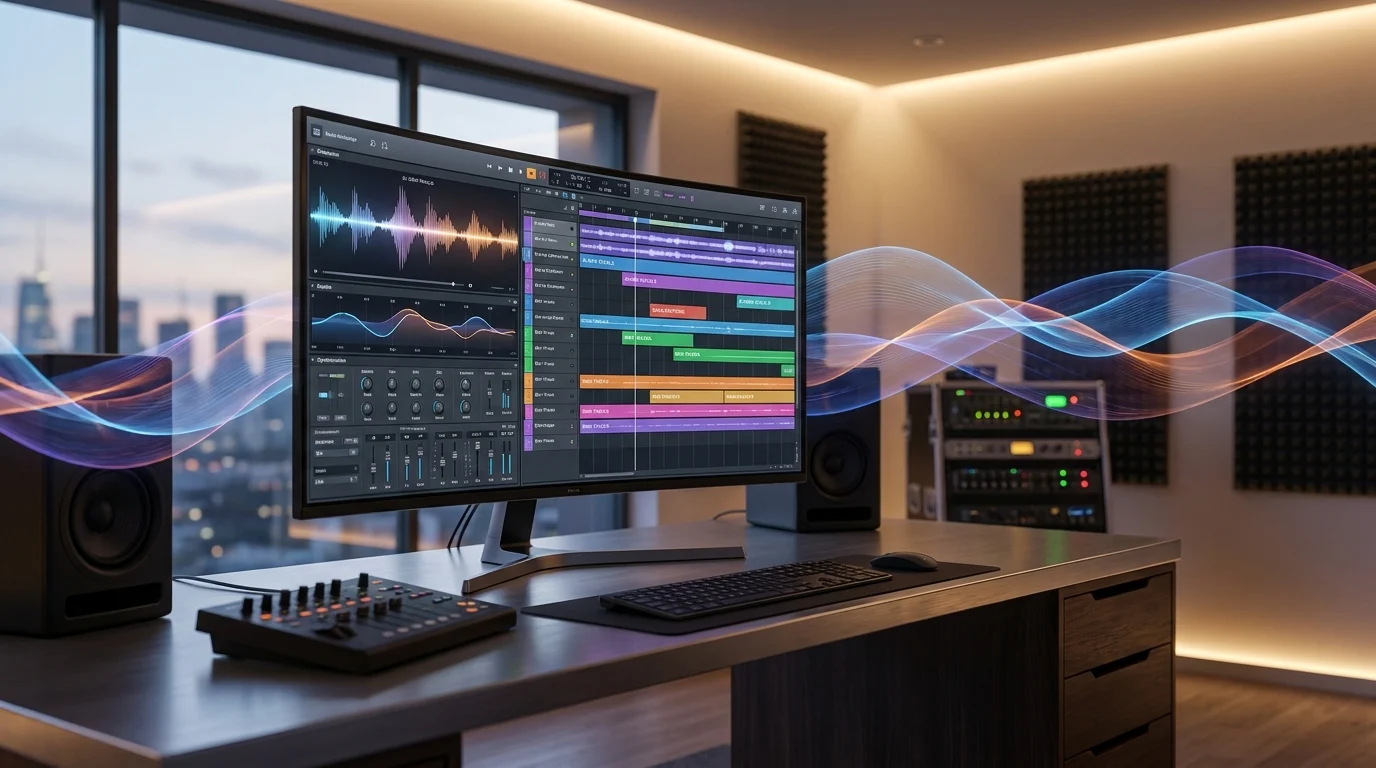
Suno AI is a generative AI platform designed to help people create music with simple creative instructions. You can describe a song idea, provide lyrics, start from audio, or give Suno a mood and style. The platform can then turn that direction into a finished track with vocals, lyrics, and musical arrangement.
Unlike basic text-to-audio tools, Suno has expanded into a broader music creation and production environment. Its ecosystem now includes the v6 music model family, Suno Studio 2.0, Voices, Remix, Covers, stem tools, Custom Models, and other creative features.
Suno AI is an AI music generator and song creation platform that uses generative artificial intelligence to turn ideas, text prompts, lyrics, audio, images, and other creative inputs into music. Its latest v6 model family focuses on higher-quality and more expressive music, while Suno Studio 2.0 adds deeper editing and production capabilities.
What Is Suno AI?
Suno AI is a generative artificial intelligence music platform built around AI-assisted songwriting, composition, vocals, and music production.
The basic concept is simple. Instead of opening a traditional digital audio workstation and building every element manually, you can start with an idea in natural language.
For example, you might describe:
“A cinematic electronic song about driving alone through a city at midnight.”
Suno can use that creative direction to generate a song. You can also describe the genre, emotional tone, subject, arrangement, or vocal approach to guide the result. Suno’s AI Music Generator specifically supports starting with a style, mood, subject, or broader song idea, and it can also begin from audio that you browse, upload, or record.
That makes Suno useful for people at very different skill levels. A beginner can create music without knowing music notation or playing an instrument, while a songwriter or producer can use the platform as part of a larger creative workflow.
The important distinction is that Suno AI is not simply an AI song generator anymore. Its newer tools move further into editing, arrangement, sound design, MIDI, effects, stems, and production.
How Does Suno AI Work?
Suno AI uses generative music models to translate creative instructions into musical output.
You provide an input, and the system interprets that information as a combination of musical characteristics. Depending on the workflow, those characteristics can include genre, mood, lyrics, subject matter, instrumentation, arrangement, and other creative cues.
A typical process looks like this:
Idea → Prompt → Generation → Review → Editing → Final Track
You might begin with a short sentence or a detailed description. Suno then generates a musical interpretation of the idea. From there, you can listen to the result and decide whether it matches your vision.
The current v6 family extends this workflow beyond initial generation. Suno says v6 can edit parts of an existing song using natural-language instructions, create mashups from multiple sources, isolate and sample musical elements, and make music from text, audio, images, and video. It can also modify an individual lyric without rebuilding the entire song.
This creates a more iterative process. You are not necessarily generating once and stopping. You can generate, evaluate, change, and refine.
Suno AI Music Generator
The Suno AI Music Generator is the platform’s core creation experience.
It is designed to turn a creative concept into a complete track. You can start with a sentence, a musical direction, a mood, or lyrics you already wrote. Suno says users do not need to provide a finished lyric or technical music setup to begin.
Common use cases include:
- Creating original song ideas
- Turning lyrics into songs
- Generating instrumental music
- Exploring different genres
- Creating background music
- Developing songwriting concepts
- Producing demos
- Experimenting with vocal styles
- Building musical variations
For example, someone writing a pop song could start with a chorus idea and ask Suno to develop a complete arrangement around it.
A video creator might instead generate instrumental music for a project.
A producer could use generated material as a starting point and then shape it further inside a production environment.
That flexibility is one reason the term AI music generator is closely connected to the Suno AI entity.
Suno v6: The Latest Music Model Family
Suno introduced its v6 family of music models on September 9, 2026. According to Suno, v6 is its flagship model and is designed to provide more reliable, precise, polished, and expressive results across genres and styles.
The v6 family includes three models:
| Model | Main Purpose |
|---|---|
| v6 | Flagship music generation with higher-quality and more controlled results |
| v6-wild | More experimental, varied, and unpredictable generation |
| v6-mini | Faster and more efficient generation |
Suno describes v6-wild as an option for exploration and unexpected creative results, while v6-mini focuses on speed and efficiency. Suno also states that v6 and v6-wild are available to paid users.
The significance of v6 goes beyond sound quality. The model family adds more interactive creative capabilities.
For instance, you can ask Suno to change a chorus while preserving the rest of a song. You can combine elements from different sources into a mashup or sample a musical element and build a new beat around it.
That makes Suno v6 an important supporting entity for anyone researching Suno AI.
Suno Studio 2.0
Studio 2.0 expands Suno from AI song generation into a more complete browser-based music production environment.
Suno describes Studio 2.0 as a full production environment with automation, audio effects, MIDI, a wavetable synthesizer, and generative workflows. The platform is designed to let creators generate and shape music within the same environment.
Studio 2.0 includes several notable features:
MIDI: You can import, record, and edit MIDI directly on the timeline. MIDI clips can also be used as prompts for new audio generations.
Audio Effects: Studio includes effects such as sidechain compression and convolution reverb for shaping a mix.
Wavetable Synth: The built-in synth can be used for basses, leads, pads, chords, and other sounds.
Automation: Effect parameters can change over time, giving creators more control over the final mix.
Chat-Based Creation: Studio’s chat interface can help generate instruments, vocals, audio clips, MIDI clips, plugins, and synth presets through natural-language instructions.
Studio 2.0 is currently available to Premier subscribers.
Suno AI Features
Suno’s feature set now covers much more than basic song generation.
AI Vocals and Voices
Voice-related tools help creators work with vocal performances and develop songs around vocal concepts. Suno’s broader product direction combines music creation with voice-based creative workflows.
Remix and Covers
Remix and Cover workflows allow creators to take existing material within the platform and develop different musical interpretations.
Stem Separation
Stem tools can help isolate parts of a track, such as vocals or instruments. This becomes especially useful when you want to reshape an existing arrangement rather than start from zero.
Mashups
The current v6 workflow supports building a mashup from multiple sources. Suno gives examples involving combinations such as vocals from one source, drums from another, and newly generated lyrics.
Audio Uploads
Suno can work from audio inputs, allowing creators to begin with a recorded idea or existing musical material rather than text alone.
Custom Models
Custom Models provide another layer of personalization for creators who want more control over the generation process and their musical workflow.
Together, these capabilities connect Suno AI with broader concepts such as AI songwriting, AI vocals, AI audio generation, music editing, stem separation, remixing, and music production.
What Can You Create With Suno AI?
The range of possible projects depends largely on how you prompt and refine the system.
You can use Suno AI for:
Full songs: Create tracks with lyrics, vocals, instrumental arrangements, and a defined style.
Instrumentals: Generate music without vocals for background use, experimentation, or composition.
Songwriting ideas: Turn a rough concept into a musical sketch.
Demos: Create quick versions of songs before producing them through another workflow.
Genre experiments: Explore combinations such as electronic rock, cinematic pop, acoustic folk, jazz-inspired arrangements, or other creative directions.
Short-form content: Generate music ideas for videos and social content, while keeping licensing and rights requirements in mind.
Music production: Take an AI-generated concept further inside Studio using arrangement, MIDI, effects, synthesis, and automation.
The strongest results usually come from giving the system enough creative direction without making the prompt unnecessarily complicated.
For example, instead of writing only:
“Rock song”
you could provide:
“Energetic alternative rock song about starting over after a difficult year, emotional verses, explosive chorus, live drums and distorted guitars.”
The second prompt gives the AI more information about subject, emotion, arrangement, and musical character.
Is Suno AI Free?
Suno offers a free Basic experience as well as paid subscription tiers. However, the capabilities and rights associated with generated songs depend on the plan under which the songs were created.
Suno’s current help documentation states that songs made under the Basic free plan are subject to non-commercial use, while songs made while subscribed to Pro or Premier receive commercial use rights.
This distinction matters when your goal is monetization.
A user creating music for personal experimentation has different considerations from someone planning to distribute tracks commercially.
Can You Use Suno AI Songs Commercially?
Yes, songs made while subscribed to a qualifying paid plan are granted commercial use rights under Suno’s terms.
Suno states that paid subscribers can monetize their songs, distribute them to streaming platforms, and use them in projects such as films, television, and video games. Suno also says it does not claim a share of the earnings from those songs.
There is an important limitation, though.
Commercial use rights are not the same thing as guaranteed copyright protection.
Suno explicitly says that copyright eligibility depends on the laws and policies of the relevant country or region. In the United States, for example, purely AI-generated material may not receive copyright protection in the same way as human-created material. Human-written lyrics can have a different legal position.
That means you should separate three concepts:
Ownership: Who the platform says owns the generated material.
Commercial rights: Whether you are allowed to monetize or distribute it.
Copyright protection: Whether the law recognizes the material as copyrightable.
Those are not identical questions.
Suno AI vs Traditional Music Production
Traditional music production often requires a combination of instruments, recording equipment, musicians, software, mixing tools, and technical knowledge.
Suno changes the starting point.
You can begin with an idea rather than a full studio setup.
| Suno AI Approach | Traditional Production |
|---|---|
| Start with text, audio, or creative ideas | Often starts with composition or recorded material |
| AI generates musical elements | Humans perform or program musical elements |
| Rapid experimentation | More manual iteration |
| Natural-language prompting | DAWs, instruments, effects, and technical controls |
| AI-assisted generation and editing | Primarily manual production workflow |
This does not mean Suno completely replaces traditional production.
For many creators, the more useful approach is AI-assisted music production. Suno can help generate or explore ideas, while the creator makes the artistic decisions and performs further editing, arranging, mixing, or mastering.
How to Write Better Suno AI Prompts
Prompt quality can strongly influence the creative direction of an AI-generated song.
A useful Suno prompt can describe four major elements:
Genre: State the broad musical category.
Mood: Explain the emotion or atmosphere.
Subject: Tell Suno what the song is about.
Sound: Mention important instruments, production characteristics, or vocal qualities.
For example:
Weak:
“Make a sad song.”
More useful:
“Slow cinematic piano ballad about losing a longtime friend, intimate vocals, sparse verses, emotional build, dramatic final chorus.”
The second version establishes a clearer creative framework.
You can also experiment. Sometimes a short, open-ended description produces something more interesting than a highly restrictive prompt. Suno’s own v6 guidance emphasizes creating from vibes, genres, mixes of inspiration, and broader creative direction.
Who Should Use Suno AI?
Suno AI can serve several types of creators.
Beginners can use it to make music without a traditional technical setup.
Songwriters can turn concepts or lyrics into musical drafts.
Musicians can experiment with arrangements and new ideas.
Producers can use generative tools as part of a larger workflow.
Content creators can explore music for videos and other projects.
Music enthusiasts can simply experiment with different styles and concepts.
Its biggest advantage is accessibility. You can move from a vague musical idea to an audible result without first mastering every technical part of music production.
Final Thoughts
Suno AI has grown from an AI song generator into a broader generative music and production platform. Its current ecosystem combines fast song generation with tools for editing, remixing, vocals, stems, custom models, and professional-style production workflows.
The arrival of Suno v6 adds more control and flexibility to AI music generation, while Suno Studio 2.0 pushes the platform deeper into MIDI, effects, synthesis, automation, and browser-based production.
For beginners, Suno can make songwriting and music creation easier to approach. For experienced creators, it can act as another instrument in the creative toolbox.
The key is to think of Suno AI as a creative system rather than a one-click replacement for musical judgment. Better ideas, clearer direction, thoughtful editing, and an understanding of rights can all contribute to better results.
FAQs
What is Suno AI used for?
Suno AI is used to generate songs, vocals, instrumentals, musical ideas, and other audio content from creative instructions and inputs.
Is Suno AI an AI music generator?
Yes, Suno AI is a generative AI music platform that can create complete songs from prompts, lyrics, moods, styles, and other inputs.
What is Suno v6?
Suno v6 is the platform’s flagship current music model, supported by v6-wild for experimentation and v6-mini for faster generation.
Is Suno AI free to use?
Suno has a Basic free plan and paid subscription options, with important differences in features and commercial-use rights.
Can Suno AI songs be monetized?
Songs created while subscribed to qualifying paid plans receive commercial use rights, although those rights do not guarantee copyright protection.