Imagine describing a movie scene in one sentence and watching it play out with real dialogue and sound. That is exactly what Flow AI does. It is Google’s AI filmmaking platform, powered by the Veo 3 model from Google DeepMind, and it turns text prompts or still images into cinematic video clips up to 8 seconds long, complete with native audio like spoken dialogue and ambient sound.
We tested Flow across its three build modes and credit tiers to see where it actually beats rivals like Sora and Runway. The standout is Scenebuilder, which chains clips into 30-second sequences while keeping characters consistent, plus camera controls that understand real film language like dolly shots and golden hour lighting.
Every Google account gets 50 free credits a day, while paid access runs through Google AI Pro at $19.99 per month or Ultra at $249.99. In this guide we cover pricing, features, safety, and how Flow compares to the best alternatives, so you can decide if it fits your workflow.
Quick Answer
Flow AI is Google’s AI video generation platform, built on the Veo 3 model from Google DeepMind. It turns text prompts and images into cinematic video clips up to 8 seconds long, complete with native audio like dialogue, ambient sound, and effects. You access it through a Google AI subscription: the Pro plan at $19.99 per month includes monthly video credits, while the Ultra plan at $249.99 per month unlocks far more generations plus the highest quality settings. Every clip comes out in 1080p and carries Google’s SynthID watermark so viewers can tell it was made by AI.
What Is Flow AI?
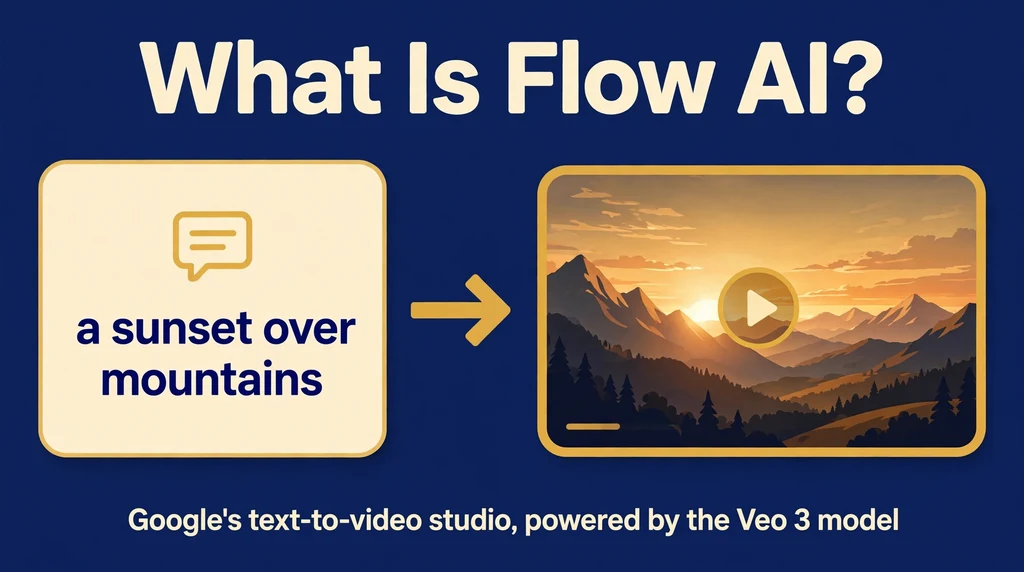
Flow AI is Google’s purpose-built studio for creating videos with artificial intelligence. Instead of a timeline with tracks and keyframes, you get a prompt box. You describe the shot you want in plain words, or upload a reference image, and the system generates a moving video clip for you. The tool sits at labs.google/fx as part of Google Labs, and it represents Google’s big push into AI filmmaking rather than another chatbot experiment.
At its heart is Veo 3, Google DeepMind’s text-to-video model. Earlier video generators produced silent footage that felt like a GIF with extra steps. Veo 3 changed that by generating sound alongside the visuals: actors in a scene can speak lines you write, rain can fall with actual rain noise, and a door slam lands with a thud. That native audio generation is the feature that pulled Flow AI ahead of many rivals when it launched.
Flow is aimed at creators who want cinematic results without a film crew. Marketers storyboard ad concepts in an afternoon. YouTubers generate B-roll without stock footage licenses. Filmmakers pre-visualize shots before renting cameras and locations. The output is short clips, not full movies, so most creators stitch generations together into longer pieces. Google calls the workflow “AI filmmaking,” and the emphasis is squarely on creative control: camera angles, shot composition, and scene transitions you can actually direct.
How Does Flow AI Work?
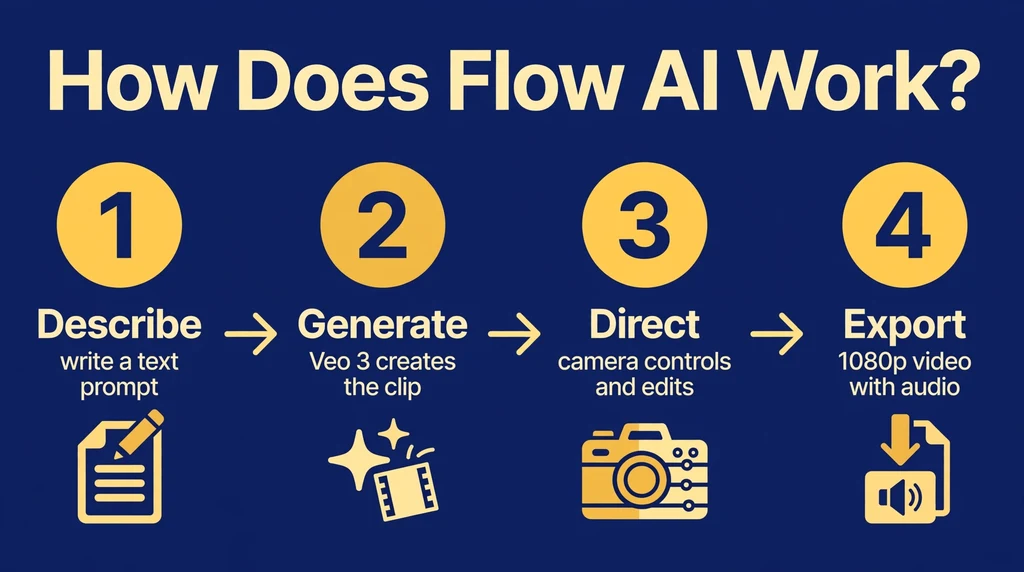
The workflow starts with a prompt. You write a description of the scene: the subject, the setting, the lighting, the camera movement, and any dialogue or sounds. Flow sends that prompt to Veo 3, which renders an 8-second video clip. Because the model understands cinematic language, phrases like “slow dolly shot” or “golden hour lighting” produce visibly different results than a flat description would.
The Three Build Modes
Flow offers three ways to construct a project. Text-to-video is the simplest: describe a shot and get a clip. Image-to-video starts from a photo or AI-generated still, which gives you precise control over the first frame before the camera starts moving. Then there is Scenebuilder, the standout mode. It lets you chain clips together, extending a scene from 8 seconds to 30 seconds or more while keeping the same character, location, and visual style. You generate a clip, keep the ones you like, and extend them shot by shot.
Credits and Generation
Every generation spends credits from your plan. Flow runs Veo 3 in tiers with different price tags: Lite is the cheapest and fastest for rough drafts, Fast balances quality and cost for regular production, and Quality uses the full flagship model for hero shots. A Quality clip costs 100 credits, while Fast costs around 20 and Lite around 10. That means your monthly credit pool stretches much further if you draft in Lite or Fast and save Quality for final takes.
Once a clip renders, you can preview it, keep it, regenerate it, or extend it into a longer scene. Downloading gives you a 1080p file ready for editing software. The platform also saves your projects in the cloud, so you can return to a scene, tweak the prompt, and generate fresh variations without starting over.
Key Features of Flow AI
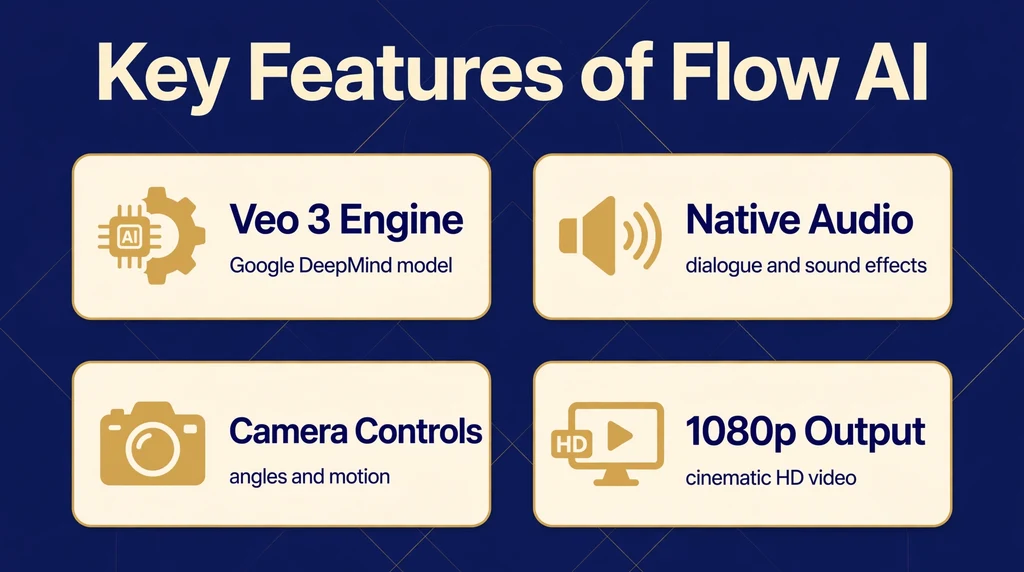
- Native audio generation: Veo 3 creates dialogue, ambient noise, and sound effects as part of the video itself, so scenes arrive with talking characters and matching atmosphere instead of silent footage.
- Text-to-video: Write a detailed prompt and get an 8-second cinematic clip in 1080p, with camera movement, lighting, and composition drawn from your description.
- Image-to-video: Upload a still image as the starting frame and animate it, which locks in composition and character appearance before motion begins.
- Scenebuilder: Chain clips into longer sequences of 30 seconds or more, extending shots while the AI maintains continuity across generations.
- Camera controls: Direct shots with cinematic terms like pan, tilt, dolly, crane, and aerial, plus focal-length and depth-of-field style language the model understands.
- Character consistency: Create reusable character and object references so the same person or prop looks identical across every scene in your project.
- Scene transitions: Blend between clips with generated transitions instead of hard cuts, which makes multi-shot sequences feel like real edits.
- 1080p output: Finished clips download at full HD resolution, suitable for YouTube, social platforms, and client presentations.
- SynthID watermark: Every video carries Google’s invisible digital watermark, marking it as AI-generated to support transparency and discourage deepfakes.
- Project library: Your generations, prompts, and assets stay saved in the cloud so you can revisit, remix, or extend earlier work at any time.
Is Flow AI Free?

Flow AI is not permanently free, but you can try it without paying. Every Google account gets 50 free Flow credits per day, which is enough for Lite and Fast generations at lower priority. That daily allowance never covers a full Quality clip, which costs 100 credits, so serious use means subscribing to a Google AI plan. Here is the breakdown:
- Free (daily credits): 50 credits per day for every Google account. Enough to test Lite and Fast clips, but not the flagship Quality model.
- Google AI Plus ($4.99/month): 200 monthly credits on top of the daily allowance. Good for light experimentation, roughly 2 Quality clips or 10 Fast clips per month.
- Google AI Pro ($19.99/month): 1,000 monthly credits plus Veo 3 access through Flow and limited Veo 3 use in the Gemini app. Works out to about 10 Quality clips, 50 Fast clips, or 100 Lite clips per month.
- Google AI Ultra ($249.99/month): 12,500 monthly credits with priority access to the full Quality model, roughly 125 Quality clips or 625 Fast clips per month. Ultra subscribers also get discounted credit costs on lower tiers.
Which plan should you pick? Use the free daily credits to learn prompting and test the workflow. Move to Pro if you produce content regularly, since Fast clips with native audio at 1080p cover most creator needs. Choose Ultra only if you generate dozens of clips a month or need maximum quality for commercial work. Credits do not roll over, so pick the tier that matches your real monthly output.
How to Use Flow AI
- Sign in with your Google account. Head to the Flow site and log in. You will start with the free daily credit allowance.
- Pick a subscription if you need more. Upgrade to Google AI Pro or Ultra when the free credits run short for your projects.
- Choose your mode. Start with text-to-video for a fresh shot, or image-to-video if you want to animate a specific still.
- Write a detailed prompt. Describe the subject, action, setting, lighting, and camera movement. Add dialogue in quotes and describe sounds so Veo 3 generates audio too.
- Select a model tier. Draft in Lite to save credits, move to Fast for solid production quality, and use Quality for final shots.
- Generate and review. Watch the clip, then retry for variations or keep the take you like.
- Extend with Scenebuilder. Add follow-up shots to build longer sequences while keeping characters and settings consistent.
- Download and edit. Export your clips in 1080p and assemble them in your preferred video editor.
Is Flow AI Safe?
Flow AI comes from Google, which gives it a stronger trust foundation than many smaller AI video startups. Your projects are tied to your Google account, covered by Google’s standard account security and privacy controls. The platform filters prompts to block disallowed content, and the SynthID watermark baked into every video marks it as AI-generated, which is a real safeguard against deepfake misuse.
Still, the usual cautions apply. Do not upload private photos or sensitive material you would not want stored on a cloud service. Review Google’s privacy terms to understand how your prompts and uploads are handled. Also remember that AI video tools can produce convincing footage of fake events, so use them responsibly and disclose when content is generated. For parents, the prompt filters help, but Flow is a creator tool built for adults, so supervise younger users.
On the commercial side, check Google’s terms of service carefully before selling or licensing generated videos. Paid plans are generally positioned for professional use, but the specific rights and licensing details live in the terms, and they can change. Keep local copies of anything important, as with any cloud-based creative tool.
Flow AI Pros and Cons
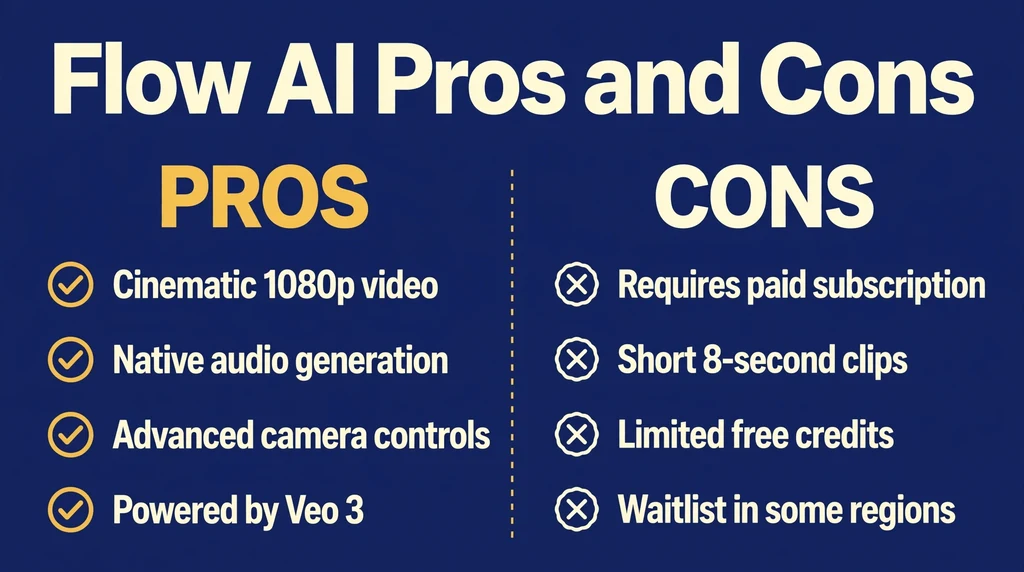
Pros
- Best-in-class video quality: Veo 3 produces some of the most cinematic AI video available, with realistic physics, lighting, and camera movement.
- Native audio: Generated dialogue and sound effects arrive synced with the visuals, a feature most competitors still lack.
- Scenebuilder continuity: Extending clips into longer scenes with consistent characters is a genuine workflow advantage.
- Google ecosystem: Sign in with your existing Google account, manage billing through familiar plans, and store projects in the cloud.
- Deepfake safeguards: The SynthID watermark supports responsible, transparent use of AI video.
- Flexible credit tiers: Lite, Fast, and Quality let you match spending to each shot’s importance.
Cons
- Subscription required for real use: The free daily credits only cover low-tier generations; Quality clips need a paid plan.
- Short clips only: Individual generations top out around 8 seconds, so longer videos require chaining scenes.
- Credit costs add up: Quality clips at 100 credits each mean heavy use can burn through Pro’s 1,000 monthly credits fast, and retakes cost credits again.
- Learning curve: Getting cinematic results takes practice with prompt writing and camera language.
- Google account lock-in: Everything runs through Google’s plans and billing, with no standalone option.
- Regional limits: Availability varies by country, and some users cannot access Flow at all yet.
Flow AI vs Alternatives
How does Google’s AI video studio compare with its best-known rivals? OpenAI’s Sora matches Flow on cinematic ambition and also generates audio, but it lives inside the ChatGPT ecosystem. Runway leans into a professional editing timeline with strong inpainting and motion tools. Pika targets playful social video with a generous free tier. Luma’s Dream Machine and Kling impress with smooth motion and character consistency, often at lower prices. Flow’s clearest edge is Veo 3’s native audio combined with Scenebuilder’s scene extension.
| Feature | Flow AI | Sora | Runway |
|---|---|---|---|
| AI model | Veo 3 (Google DeepMind) | Sora (OpenAI) | Gen-4 series |
| Native audio | Yes, dialogue and effects | Yes | Limited |
| Scene extension | Yes, Scenebuilder | Yes, storyboard | Yes, extend |
| Max output | 1080p | Up to 1080p | Up to 4K |
| Entry price | Free daily credits; $19.99/mo Pro | ChatGPT Plus subscription | Free tier; paid from ~$15/mo |
| Best for | Cinematic clips with sound | ChatGPT users, storytelling | Pro editors, VFX workflows |
Best Flow AI Alternatives
Sora. OpenAI’s video generator turns text into cinematic clips with synchronized audio, similar in ambition to Veo 3. It shines for ChatGPT subscribers who want video inside a familiar ecosystem, with storyboard tools for multi-shot scenes. Access is tied to OpenAI’s subscription plans rather than a credit meter.
Runway. A professional-grade creative suite built around video generation and editing, with features like motion brush, inpainting, and camera controls in a real timeline. Filmmakers and agencies prefer it for VFX-style workflows and finer control, though the learning curve is steeper than Flow’s prompt box.
Pika. A playful, fast generator aimed at social creators, with fun effects and an easy interface. Its free tier is generous for casual experimentation, making it a good entry point before committing to a paid plan. Quality tops out below Flow’s best, but iteration is quick and affordable.
Luma Dream Machine. Known for smooth, realistic motion and strong prompt adherence, Dream Machine has earned a loyal following among creators who prize natural movement. It offers competitive pricing and solid image-to-video, positioning it as a strong all-rounder.
Kling. A fast-rising video model praised for character consistency and high-fidelity motion, often at aggressive prices. Creators on a budget compare it closely with Flow for quality per dollar, especially for stylized and realistic human movement.
To choose between them, match the tool to your workflow. Pick Flow AI for cinematic clips with native audio inside Google’s ecosystem. Choose Sora if you already live in ChatGPT. Go with Runway for professional editing and VFX control, Pika for quick social experiments, Luma for smooth natural motion, and Kling for strong value on character work.
Who Should Use Flow AI?
Flow AI suits creators who think in shots rather than sentences. Specifically, it is an excellent fit if you are:
- A content creator or YouTuber who needs cinematic B-roll and establishing shots without stock footage costs.
- A marketer storyboarding ad concepts and product spots in hours instead of weeks.
- A filmmaker pre-visualizing scenes before committing to cameras, locations, and crews.
- A social media manager producing short, eye-catching clips with sound for feeds and reels.
- A storyteller experimenting with AI filmmaking who values dialogue and audio in generated scenes.
It is a weaker fit for anyone needing long-form video in one generation, precise brand-accurate animation, or heavy dialogue scenes beyond short takes. If your main need is full video editing with tracks and effects, a traditional editor plus a generator like Runway will serve you better.
Frequently Asked Questions About Flow AI
Can Flow AI generate audio?
Yes. Veo 3 generates audio natively with the video, including spoken dialogue from lines in your prompt, ambient sounds like rain or crowds, and effects like footsteps or door slams. This sets Flow apart from older generators that produced silent clips you had to score yourself.
What is Veo 3?
Veo 3 is Google DeepMind’s text-to-video AI model and the engine behind Flow AI. It understands cinematic language, renders realistic motion and physics, and generates synchronized audio. It runs in Flow across Lite, Fast, and Quality tiers so you can trade cost for fidelity per shot.
Is there a free trial?
There is no formal trial period, but every Google account gets 50 free Flow credits per day. Those cover Lite and Fast generations, so you can learn prompting and test the workflow without paying. Unlocking Quality clips and larger monthly allowances requires a Google AI Pro or Ultra subscription.
What resolution does Flow AI output?
Flow AI outputs video in 1080p full HD, which works well for YouTube, social platforms, and presentations. Individual clips run up to 8 seconds, and Scenebuilder lets you chain them into longer sequences while keeping the same resolution.
Can I use Flow AI videos commercially?
Paid plans are positioned for professional use, and many creators use generated clips in commercial projects. However, the exact rights and licensing terms are set by Google and can change, so read the current terms of service before selling or licensing your videos. Also note every clip carries a SynthID watermark marking it as AI-generated.
Final Thoughts
Flow AI earns its place as one of the most capable AI video tools available. Veo 3’s cinematic output is genuinely impressive, and native audio generation solves the biggest weakness of earlier video models. Moreover, Scenebuilder turns isolated clips into something resembling real filmmaking, with continuity across shots. The credit system and subscription cost are real constraints, and 8-second clips mean longer pieces take assembly work. Nevertheless, creators who learn the prompting language get results that were impossible a few years ago.
If you want to direct cinematic AI video with sound, start with the free daily credits and draft in Lite. You will quickly know whether Flow deserves a place in your creative routine. For more information, visit the official Flow site, or read up on the text-to-video model technology behind it on Wikipedia.