Job interviews, sales calls, and exams share one brutal truth: you cannot pause a live conversation to think. Parakeet AI is a real-time assistant that listens to your calls and suggests answers while the conversation is still happening, combining fast speech-to-text with top language models from OpenAI, Anthropic, and Google.
We examined how it actually behaves under pressure. It sits quietly in the background of Zoom, Google Meet, Microsoft Teams, coding platforms, and phone calls, transcribing what everyone says as they speak and feeding suggested answers to you through a discreet overlay. Job seekers use it for live interviews, while sales and recruiting teams rely on it for calls that need instant support.
New users get a free trial with no credit card required. This guide explains how Parakeet AI works, what it costs, the platforms it supports, and the ethical lines you should know before using it.
Quick Answer
Parakeet AI is a real-time AI assistant that listens to your calls and suggests answers while the conversation is still happening. It combines fast speech-to-text transcription with top language models from OpenAI, Anthropic and Google, and works across Zoom, Google Meet, Microsoft Teams, coding platforms and phone calls. Job seekers use it for live interviews, while sales and recruiting teams use it for calls that need instant support. New users get a free trial with no credit card required.
What Is Parakeet AI?
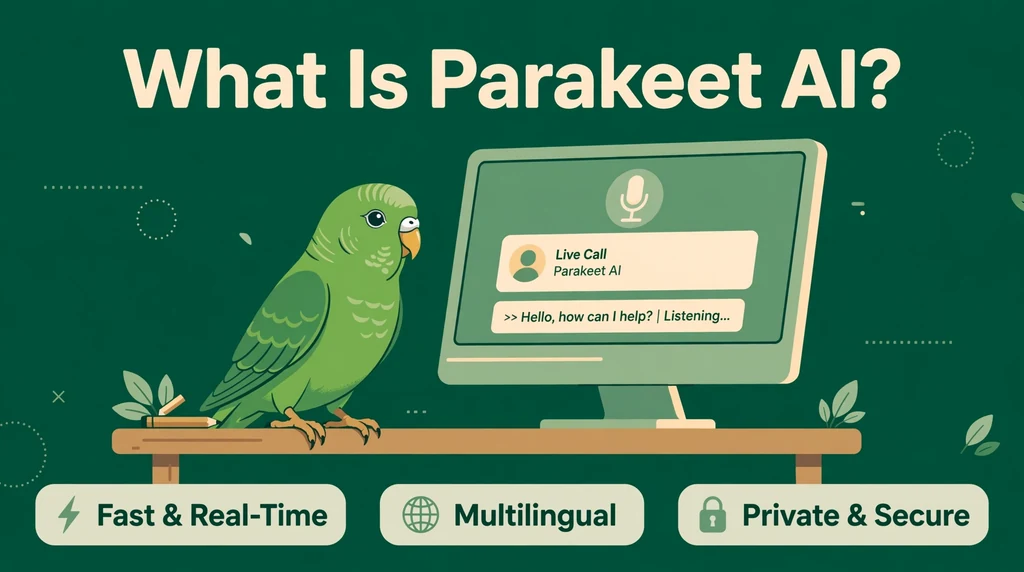
Parakeet AI is a desktop and web application that acts as a real-time copilot for high-stakes conversations. Hosted at parakeet-ai.com, it sits quietly in the background of your calls, transcribes what everyone says as they speak, and feeds suggested answers to you through a discreet overlay. Instead of preparing alone with notes on a second screen, you get an AI partner that reacts to the live flow of the conversation.
The tool was built by ParakeetAI d.o.o., a startup based in Slovenia that launched the product around 2024. Its core audience is job candidates preparing for interviews, but the company has widened the positioning to cover sales calls, client meetings, recruiting conversations and regular calls of any kind. The official site claims more than 1.5 million users, which made it one of the most talked-about entries in the real-time interview assistant space.
One thing worth clearing up: several products share similar names. Parakeet AI, the tool described in this guide, is the real-time call assistant from parakeet-ai.com. It is not the Parakeet language-learning app, and it is not NVIDIA’s Parakeet family of open-source speech recognition models, although third-party reviewers sometimes mix those names up. When you see Parakeet AI mentioned in interview-prep or AI-assistant discussions, it is this call assistant they mean.
What makes it stand out is the combination of transcription and reasoning. Most transcription tools only give you text after the call ends. Parakeet AI transcribes speech instantly, then uses your chosen language model to suggest what to say next and summarize the conversation once it finishes. It also supports full coding interviews, with screen capture and code suggestions for LeetCode and HackerRank.
How Does Parakeet AI Work?
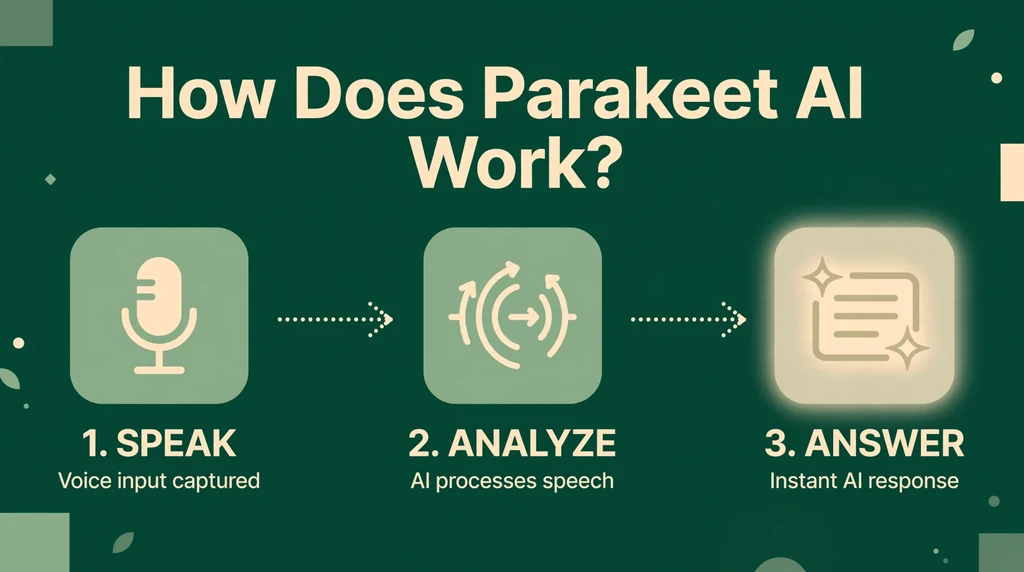
The workflow is built around three moments: before, during and after the call. Before the call, you create a session and feed the AI context about what is coming. During the call, the app captures system audio, transcribes it in real time and suggests responses through a discreet overlay. After the call, it generates notes with key points, action items and decisions so you can review what happened without replaying the whole conversation.
Before the Call: Setting Up a Session
Every session starts with setup. You pick a mode: interview mode for job interviews or regular call mode for meetings and sales calls. Interview mode uses your uploaded CV to tailor answers to your background; regular call mode skips the resume. You can also upload documents like briefs or playbooks and paste an entire job description into the instructions field. Finally, you choose your AI model from a dropdown of Gemini, GPT and Claude options, lighter models respond faster while larger ones give more detail.
During the Call: Live Transcription and Auto Answer
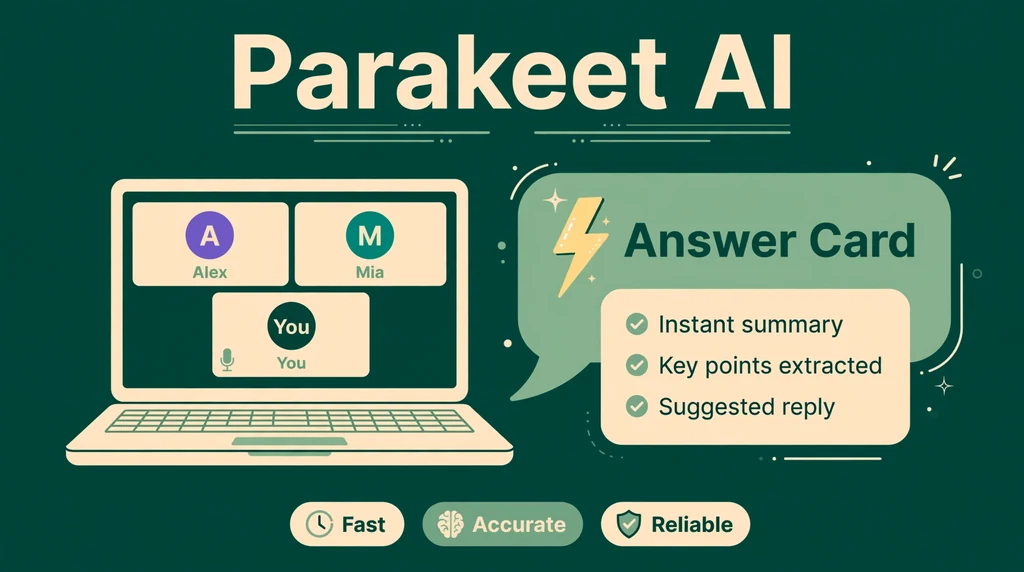
Once the call starts, Parakeet AI captures audio at the system level and transcribes it almost instantly. The Auto Answer feature detects questions and suggests responses on screen through an overlay that is separate from the meeting app, so other participants cannot see it. You can message the AI mid-call for a rephrase or translation, and keyboard shortcuts trigger actions without the mouse. Phone calls work over Google Voice: start a session in the browser and follow the phone icon setup.
After the Call: AI Notes
When the call ends, Parakeet AI summarizes it. The AI Notes feature pulls key points, action items and decisions from the transcript so you have a written record within minutes. You can also practice without a real call in Mock Interview mode, and your first mock interview is free. The app can auto-detect meetings as they start and ask if you want to join, so there is no setup scramble mid-call.
Key Features of Parakeet AI
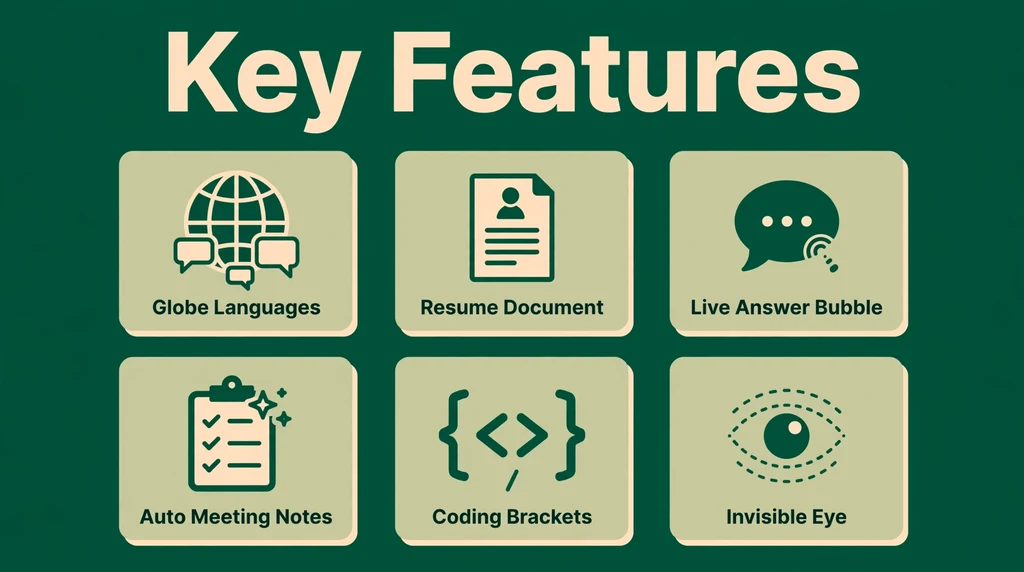
- Auto Answer: Detects questions live and suggests answers on screen, so you are never caught blank during interviews or sales calls.
- Real-time transcription: A state-of-the-art speech-to-text model converts speech to text almost instantly, forming the base for every other feature.
- Multiple AI models: Choose between several Gemini, GPT and Claude models per session, balancing response speed against depth of detail.
- Resume and document uploads: Upload your CV or resume plus briefs, notes or playbooks, and the AI personalizes answers using that context.
- AI Notes: Automatically generates key points, action items and decisions after every call from the live transcript.
- Mock Interview mode: Practice against an AI interviewer with scoring and feedback; the first mock interview is free.
- Auto-detect meetings: Spots meetings as they start and asks if you want to join, removing the need for mid-call setup.
- Platform support: Works with Zoom, Google Meet, Microsoft Teams, HackerRank, LeetCode and phone calls via Google Voice.
- 50+ languages: Real-time support for more than 50 languages, listening to one language per session with easy switching.
- Private operation: Runs at the system level so screen-sharing tools and proctoring software cannot see the overlay, with keyboard shortcuts and encrypted data.
Is Parakeet AI Free?
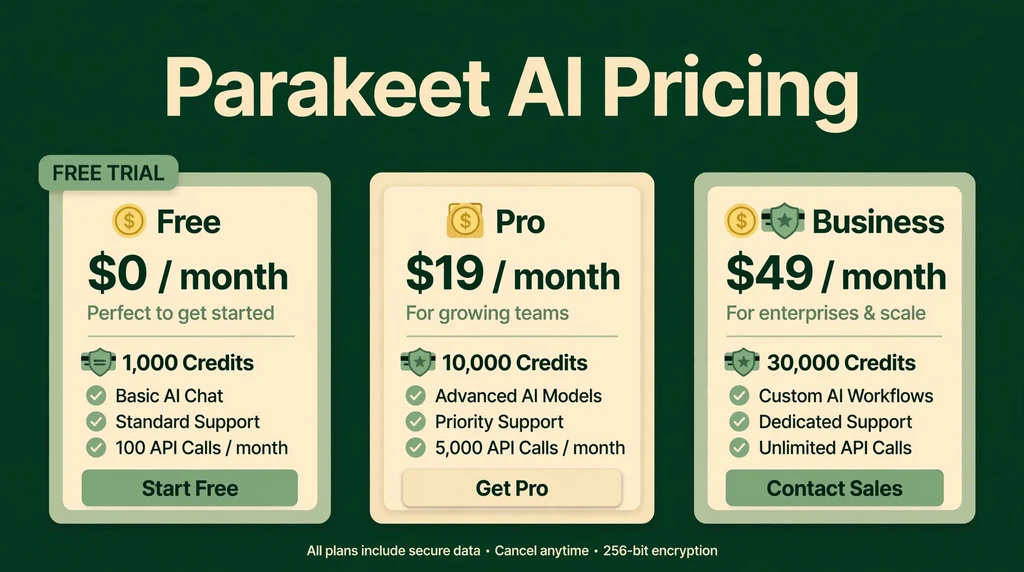
Parakeet AI is not permanently free, but it does let you try it without paying. New users get a free trial with no credit card required, and the first mock interview is free, which is enough to test the core live-answer experience. For continued use, the official site describes transparent pricing with three options: subscribe for unlimited access, pick the prepare tools you need, or buy credits and use them whenever.
Also see our guides on Flipped AI | AI Hiring Platform, Features, Pricing, And More, AI Writer: What It Is, How It Works, Features, Pricing, and Best Alternatives for more AI tools in this space.
- Free trial: No credit card required. Lets you test live sessions, and the first mock interview is free.
- Credits (pay as you go): Buy credit bundles and spend them only when you use the tool. Third-party directories report bundles around $29.50 for roughly 3 hours of use.
- Subscription: A monthly plan for regular users. Directory listings report around $99.90 per month for unlimited-style access.
- Annual subscription: A yearly option for long-term users. Listings report around $299.90 per year.
- Refund window: The company states a 7-day refund window, so check the terms on the official site before buying.
Plans can change and listings vary, so always confirm current prices on the pricing page at parakeet-ai.com before you pay. The company accepts Visa and Amex, plus UPI and PhonePe.
How to Use Parakeet AI
- Sign up at parakeet-ai.com. Create an account with your email or a Google or Microsoft login. No credit card is required to start the trial.
- Download the desktop app. Install the native app for Windows or macOS for the smoothest experience, or use desktop Chrome in a browser, which is also how Linux users join live sessions.
- Create a new session. Choose interview mode for job interviews or regular call mode for meetings and sales calls, then pick your AI model from the dropdown.
- Upload your context. Add your CV or resume for interview mode, attach documents like briefs or playbooks, and type instructions such as the job description into the setup field.
- Join your call. Open Zoom, Google Meet, Microsoft Teams or your platform of choice. Parakeet AI can auto-detect the meeting as it starts and ask if you want to join.
- Listen and respond. Watch the live transcript and suggested answers in the discreet overlay. Use keyboard shortcuts to trigger actions, and message the AI mid-call if you need a rephrase or a translation.
- Review your AI Notes. After the call ends, read the generated summary of key points, action items and decisions, and use Mock Interview mode to practice before the next one.
Is Parakeet AI Safe?
On the data side, Parakeet AI positions itself as privacy-conscious. Its privacy policy states that personal data is not sold or shared for marketing purposes, although data may be shared with third-party service providers that help run the product. Calls are encrypted, and the company is registered as ParakeetAI d.o.o. in Slovenia, which puts it under European data protection expectations. Standard precautions still apply: use a strong unique password, review the privacy policy and terms of service before subscribing, and avoid uploading highly sensitive documents you would not want on any cloud service.
The bigger safety question is really about how you use it. Parakeet AI is marketed as undetectable, and reviewers confirm the overlay does not show up in screen shares or proctoring tools. The company itself draws a line here: the official site says the tool is built for conversations where AI assistance is permitted, such as sales calls, internal meetings, mock calls, language practice and self-study, and it asks users to check the rules first. It also states that if an employer wants the tool gone, it enforces that for them. Using it where assistance is forbidden, for example in a proctored exam or an interview that bans aids, could violate rules with real consequences.
For parents and educators, this is worth knowing: Parakeet AI is a professional productivity tool, not a kids’ product, and the company states it works during online exams only where permitted. If you manage accounts for younger users, supervise how they use it and make sure they understand that just because something is undetectable does not make it allowed everywhere.
Parakeet AI Pros and Cons
Pros
- Real-time answers: Live transcription plus instant suggested responses is a rare combination, and it works mid-call, not after.
- Strong model choice: Pick from Gemini, GPT and Claude models per session, tuning speed against depth as you like.
- Deep personalization: Resume, documents and instruction fields mean answers reflect your actual background, not generic advice.
- Coding interview support: Full support for technical interviews with screen capture and code suggestions on LeetCode and HackerRank.
- Free trial with no card: You can test the core experience, including a free mock interview, before spending anything.
- 52-plus languages: Multilingual support makes it useful for international job seekers and global sales teams.
Cons
- Expensive for regular use: Directory listings put unlimited-style access near $99.90 per month, well above many interview-prep tools.
- Ethics and rule risk: The undetectable positioning tempts misuse, and using it where aids are banned could get you disqualified.
- Desktop Chrome required: Browser live sessions need desktop Chrome; other browsers are not supported, and the native mobile app is still on its way.
- One language per session: It listens for one language at a time, so mid-call language switches need a manual session update.
- Mixed reviews on accuracy: Some users report delayed or off-target answers, so it is a support tool, not a guarantee.
Parakeet AI vs Alternatives
How does this real-time call assistant stack up against its best-known rivals? Cluely is the most direct competitor: another undetectable real-time assistant for interviews and calls, aimed at the same job-seeker audience. Otter.ai takes the opposite approach, focusing on meeting transcription and summaries without live answer suggestions, and it is widely used inside companies where AI assistance is openly welcomed. Parakeet AI sits between them. It is more interview-focused than Otter.ai and more transcription-driven than Cluely, with stronger multilingual support than either.
| Feature | Parakeet AI | Cluely | Otter.ai |
|---|---|---|---|
| Primary focus | Real-time interview and call assistant | Real-time assistant for interviews and exams | Meeting transcription and summaries |
| Live answer suggestions | Yes, during the call | Yes, with screen awareness | No |
| Transcription | Real-time, instant | Yes | Real-time and post-call |
| AI models | Gemini, GPT, Claude options | Multiple models | Own meeting AI |
| Free tier | Free trial, no credit card | Limited free plan | Free basic plan |
| Paid price | From ~$29.50 credits, ~$99.90/month | From ~$20/month | From ~$10/month |
| Coding interview support | Yes, with LeetCode and HackerRank | Yes | No |
| Best for | Job seekers and live-call teams | Students and interview candidates | Teams wanting open meeting notes |
Best Parakeet AI Alternatives
Cluely. The closest rival to Parakeet AI, offering undetectable real-time assistance during interviews, exams and calls with screen awareness. It is popular with students and job seekers and starts around $20 per month, making it cheaper than Parakeet AI for regular use.
Otter.ai. A mainstream meeting transcription tool that records, transcribes and summarizes calls openly. It lacks live answer suggestions, but it shines for team collaboration, with shared notes, action items and integrations, plus a genuinely free basic plan.
Verve AI. An AI interview copilot focused on job seekers, with real-time suggestions during interviews and mock interview practice. It competes directly with Parakeet AI on the interview side and is worth comparing on pricing and model quality.
InterviewBoss. An interview preparation platform with AI coaching, practice questions and feedback. It leans more toward preparation than live assistance, which suits candidates who want to rehearse thoroughly rather than get answers mid-call.
Linkjob AI. A newer interview assistance tool that positions itself on transparent flat pricing and full OS-level invisibility. It targets the same undetectable-assistant audience as Parakeet AI and Cluely, with an emphasis on technical interviews.
To choose between them, match the tool to your situation. For example, pick Parakeet AI for live interview answers with strong transcription and multilingual support. Choose Cluely for cheaper real-time assistance, or Otter.ai when transcription and team notes matter more than live answers. Verve AI suits interview-focused candidates, InterviewBoss suits pure preparation, and Linkjob AI suits technical interview loops on a flat budget.
Who Should Use Parakeet AI?
Parakeet AI suits people who face live conversations where freezing up is not an option. Specifically, it is an excellent fit if you are:
- A job seeker preparing for interviews who wants real-time question detection and tailored answers.
- A software developer facing coding interviews, thanks to screen capture and LeetCode and HackerRank support.
- A salesperson or recruiter who needs instant support during live calls and clean notes afterward.
- A multilingual professional working across 50-plus languages with instant translations mid-call.
- A career coach or mock-interview partner using the practice mode to train clients with measurable feedback.
It is a weaker fit for teams that want open, shareable meeting notes, for anyone on a tight budget, or for situations where AI assistance is explicitly banned. If your employer, school or interviewer says no to live aids, respect that rule: the tool works best where assistance is permitted.
Frequently Asked Questions About Parakeet AI
Is Parakeet AI free?
Not permanently. New users get a free trial with no credit card required, and the first mock interview is free. For continued use, you can buy pay-as-you-go credit bundles or take a subscription, with directory listings reporting bundles around $29.50 and monthly plans around $99.90. Always confirm current pricing on the official site.
Which platforms does Parakeet AI work with?
Parakeet AI works with Zoom, Google Meet, Microsoft Teams, HackerRank, LeetCode and phone calls via Google Voice. It runs as a desktop app on Windows and macOS, in desktop Chrome on any system including Linux, and as a mobile-optimized web app, with native mobile apps still on the way.
Is Parakeet AI the same as NVIDIA Parakeet?
No. Parakeet AI is the real-time call assistant from parakeet-ai.com, while NVIDIA Parakeet is a family of open-source speech recognition models that developers use to build their own transcription tools. The names sound alike, which causes confusion, but they are completely different products from different companies.
Can Parakeet AI be detected during a call?
According to the company and user reviews, the overlay runs at the system level and does not appear in screen shares or proctoring tools. That said, the company says the tool is built for conversations where AI assistance is permitted, and it enforces opt-outs when employers ask. Detection is not the same as permission, so always check the rules of your call first.
Does Parakeet AI support languages other than English?
Yes. Parakeet AI supports more than 50 languages for real-time transcription and answers. It listens for one language at a time during a session, so if the conversation switches languages mid-call, you update the session language to match.
Final Thoughts
Parakeet AI earns its reputation as one of the most capable real-time call assistants available. Its instant transcription forms a solid base, and the live answer suggestions genuinely change how interviews and sales calls feel. Model choice, resume personalization and coding interview support give it depth that simpler tools lack. The price and the ethics questions are real, but job seekers and live-call professionals who use it where assistance is allowed find it easy to justify.
If you face high-stakes conversations and want an AI copilot that listens and reacts while the call is still happening, start with the free trial. Spend your first mock interview testing the live answers against your own notes. Additionally, upload your resume and a job description before a real session. You will quickly know whether Parakeet AI deserves a place in your interview routine.
For more information, visit ParakeetAI official site, speech recognition.