Meetings, lectures, and calls produce hours of audio nobody has time to replay. Plaud AI solves that with pocketable hardware: you record on the Plaud Note or Plaud NotePin, and the companion app turns the audio into transcripts, summaries, mind maps, and action items automatically. It is a hardware-first AI note taker, not another app you forget to open.
We looked closely at both devices to see who each one suits. The flagship Plaud Note is a credit-card sized slab just 0.12 inches thin that snaps magnetically to the back of your phone, while the Plaud NotePin is a wearable capsule you clip to a shirt or wear as a necklace. You press once and forget about it.
Devices cost $159 to $189, every device includes a free Starter plan with 300 transcription minutes per month, and paid plans run $99.99 to $239.99 per year. This guide covers the hardware, the app, pricing, and the closest competitors.
Quick Answer
Plaud AI is an AI voice recorder system built around pocketable hardware. You record meetings, calls and lectures on the Plaud Note or Plaud NotePin, then the companion app turns the audio into transcripts, summaries, mind maps and action items. The devices cost $159 to $189, every device includes a free Starter plan with 300 transcription minutes per month, and paid plans run $99.99 to $239.99 per year for heavier use.
What Is Plaud AI?
Plaud AI is a hardware-first AI note taking company, hosted at plaud.ai. Rather than asking you to open an app and press record, Plaud sells small dedicated recorders you press once and forget about. The flagship Plaud Note is a credit-card sized slab just 0.12 inches thin that snaps magnetically to the back of your phone. The Plaud NotePin is a wearable capsule you clip to a shirt, hang on a lanyard or wear as a necklace. Newer models round out the lineup: the NotePin S adds a physical record and highlight button, and the Note Pro packs four microphones with a longer pickup range for bigger rooms.
The hardware is only half the story. Every recorder pairs with the Plaud app, a web dashboard and a desktop app for Mac and Windows. After you record, the audio syncs to your account and Plaud’s cloud AI transcribes it in more than 112 languages, labels speakers and generates structured summaries from over 10,000 professional templates. The result feels closer to a briefing document than a raw transcript: key points, action items, to-do lists and even visual mind maps.
The company positions Plaud as a memory extension for people who live in conversation: executives, salespeople, journalists, students, doctors and consultants. The pitch is simple. Talking is fast and note taking is slow, so let a dedicated device capture the words while the AI does the paperwork. With more than 1.5 million devices sold, Plaud has become one of the most popular dedicated AI recorders on the market.
What Plaud AI is not matters too. It is not a phone app that runs on hardware you already own, and it is not a meeting bot that joins your video calls. You buy a physical recorder, and the subscription covers the cloud transcription minutes that turn recordings into notes. If you want software-only meeting notes with no device involved, alternatives like Otter.ai or Fireflies.ai may fit better.
How Does Plaud AI Work?
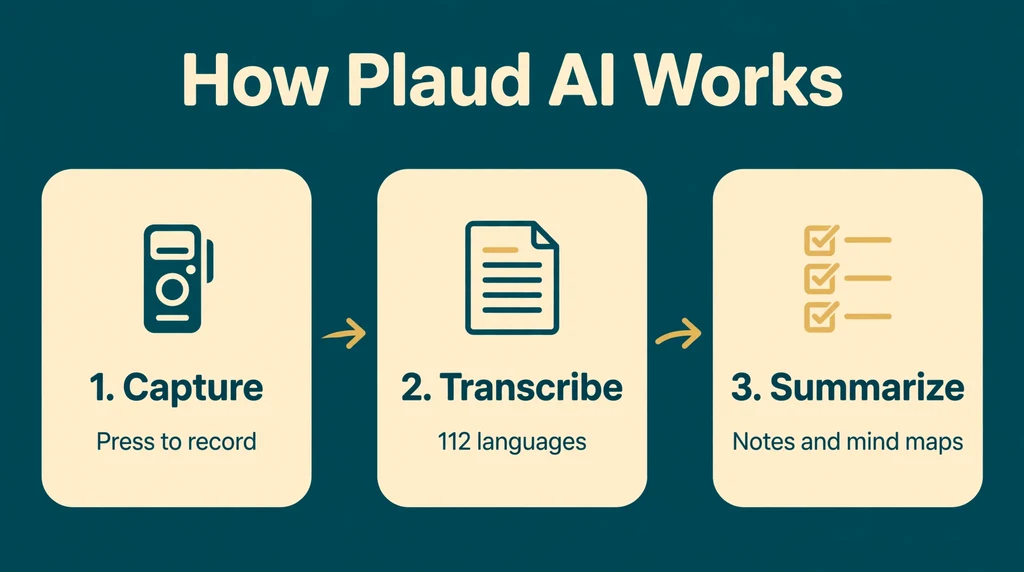
The workflow follows three stages that Plaud calls capture, extract and utilize. First the device records audio. Then the cloud AI transcribes and summarizes it. Finally you search, question, export or integrate the result into your workflow. The hardware handles the first stage so smoothly that most owners barely think about it. One press starts recording, another press stops it, and a dedicated highlight marker lets you flag important moments as they happen.
Under the hood the recording technology splits into two modes. In-person mode uses the device microphones to capture ambient audio around you, like a traditional recorder. Phone-call mode captures calls through vibration conduction: the Note sits against the back of your phone and picks up call audio through the phone’s vibrations, so there is no need for speakerphone. The devices hold up to 30 hours of continuous recording and 64 GB of local storage, with up to 60 days of standby, so a recorder can sit in a bag for weeks between uses.
Capture on Dedicated Hardware
Recording starts with a physical press, not an app. The Plaud Note’s dual-mode design switches between phone-call and in-person recording, while the wearable NotePin focuses on in-person capture. A press-and-hold highlight marker, and a dedicated button on the NotePin S, lets you tag key moments without breaking the flow of conversation. Recordings stay on the device until you sync them, so the recorder works fully offline at the moment of capture.
Transcription and AI Summaries
Syncing happens through the Plaud app, which pulls the audio from the device and sends it to Plaud’s cloud for processing. The speech-to-text engine covers 112 languages, separates speakers with automatic labels and accepts custom vocabulary for names and jargon. From there the AI builds multidimensional summaries: pick a template for a meeting, interview, lecture, sales call or clinical note, and the system reorganizes the same conversation into role-specific outputs. Mind maps give a visual overview, and every summary links back to the transcript and audio so you can verify anything that looks off.
Ask, Export and Integrate
The newest layer is Ask Plaud, a chat interface that answers questions about your recordings and turns months of captured conversations into a searchable knowledge base. You can export transcripts and summaries, share notes with teammates and push content into other tools through Zapier. A Google Calendar integration associates recordings with scheduled meetings automatically, and Plaud Desktop lets device owners capture online meetings and phone calls on Mac or Windows without adding a bot to the call.
Key Features of Plaud AI
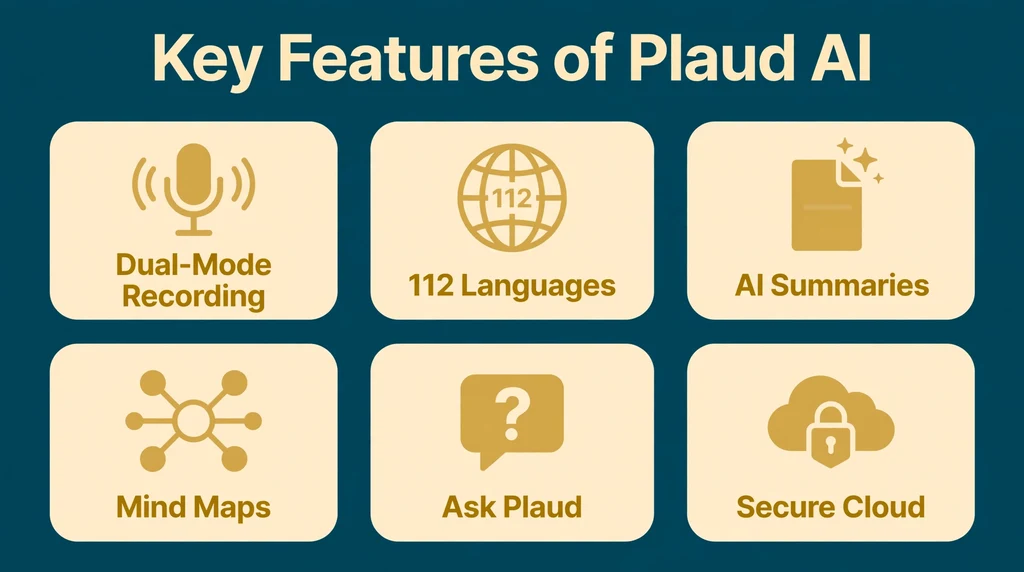
- Dual-mode recording: The Plaud Note captures phone calls through vibration conduction and in-person audio through its microphones, switching between the two with a simple toggle.
- Pocketable hardware: The Note measures 0.12 inches thin and weighs just 1.06 ounces, with up to 30 hours of continuous recording, 60 days of standby and 64 GB of local storage.
- Wearable options: The NotePin clips to clothing or hangs on a lanyard for hands-free capture, while the NotePin S adds a physical record and highlight button plus Find My support.
- 112-language transcription: Speech-to-text in more than 112 languages with automatic speaker labels and custom vocabulary for names and technical terms.
- 10,000+ summary templates: Multidimensional summaries reorganize one recording into meeting notes, interview recaps, lecture outlines, sales follow-ups and more.
- Mind maps: Visual summaries turn long conversations into branching topic maps for fast review.
- Ask Plaud (Beta): Chat with your recordings to pull answers, quotes and action items out of past conversations.
- Multimodal input: Combine audio with typed notes, images and highlight markers for richer context around the transcript.
- Plaud Desktop: Record online meetings, phone calls and in-person conversations on Mac and Windows without adding a bot to the call, with a bound device.
- Enterprise-grade security and integrations: ISO 27001, ISO 27701, GDPR, SOC 2 Type II, HIPAA and EN 18031 compliance, plus Zapier and Google Calendar integrations for sharing and export.
Is Plaud AI Free?
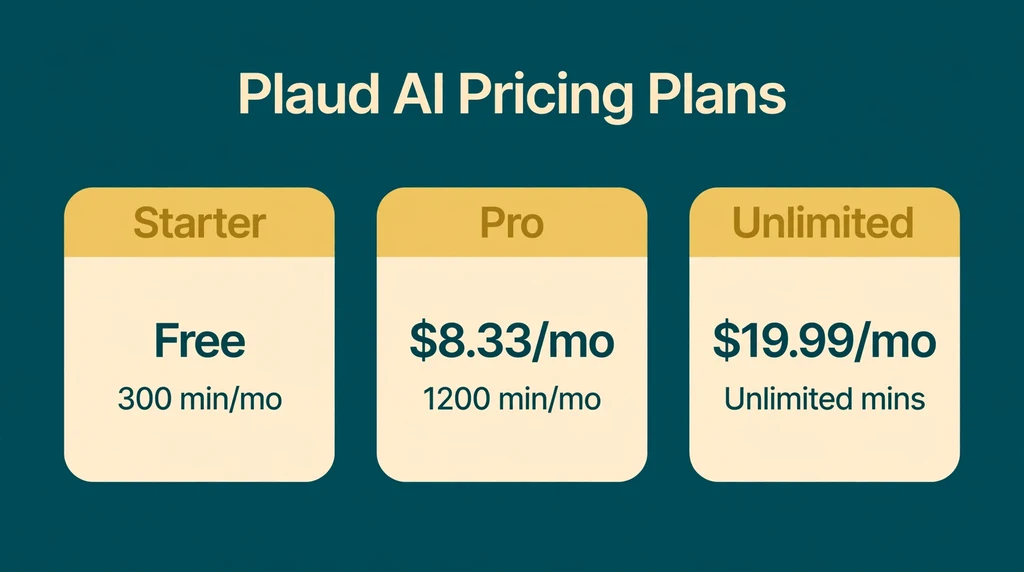
Plaud AI is free to try but not free to own. The AI transcription itself comes with a free Starter plan, but you need to buy the hardware first. Here is the Plaud AI pricing breakdown:
Also see our guides on Novel AI, Turbo AI for more AI tools in this space.
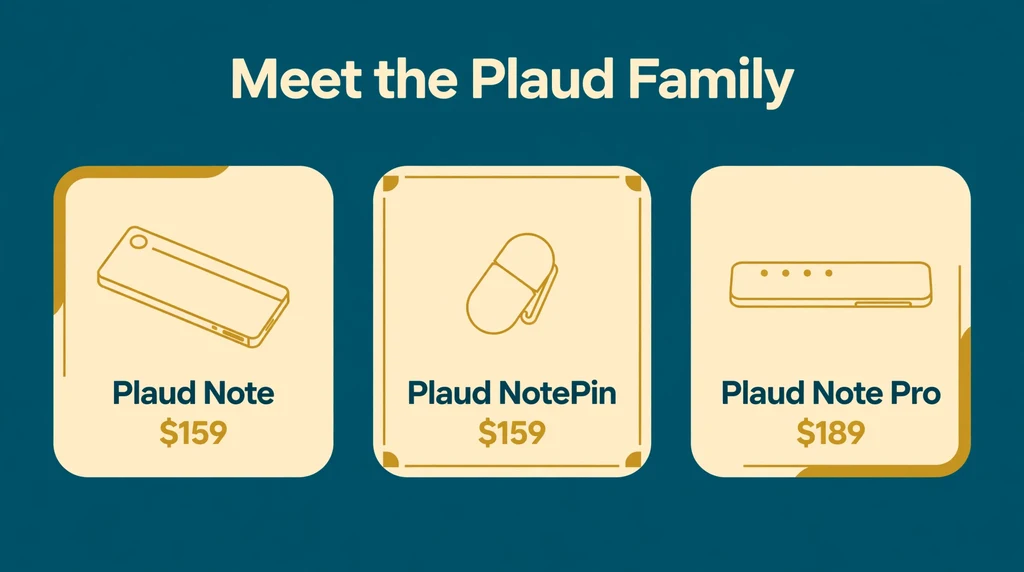
- Plaud Note ($159): The credit-card sized recorder with dual-mode phone-call and in-person recording, a magnetic case and 300 free transcription minutes per month.
- Plaud NotePin ($159): The wearable recorder for in-person conversations, with a magnetic pin and lanyard options.
- Plaud NotePin S ($179): The upgraded wearable with a physical record and highlight button, 64 GB storage, a 20-hour battery and Find My support.
- Plaud Note Pro ($189): The premium recorder with four microphones and a 16.4-foot pickup range for larger rooms.
- Starter (free): 300 transcription minutes per month, included with every device. Covers summaries, mind maps, Ask Plaud (Beta) and custom templates.
- Pro ($99.99/year or $17.99/month): 1,200 transcription minutes per month with the same feature set, roughly four times the minutes of Starter.
- Unlimited ($239.99/year or $29.99/month): Unlimited transcription minutes, up to 24 hours per day, for people who record all day long.
- Team: A business plan with centralized billing, user and device management and priority support.
Which plan should you pick? Most casual users never leave the free Starter tier, because 300 minutes covers about five hours of meetings a month. If you record daily standups, client calls and interviews, Pro’s 1,200 minutes is the sweet spot. Unlimited only makes sense for journalists, researchers and sales teams who transcribe hours of audio every day. Extra minute packs are also available if you blow past your quota in a single heavy month.
How to Use Plaud AI
- Buy the device and charge it. Order a Plaud Note, NotePin, NotePin S or Note Pro, then charge it over USB before first use.
- Install the Plaud app and create an account. Download the app on iOS or Android, sign up and bind your device to your account.
- Attach or wear the recorder. Snap the Note magnetically to the back of your phone, or clip the NotePin to your shirt or lanyard.
- Press record. One press starts recording. On the Note, toggle between phone-call and in-person mode first. Use the highlight button to mark key moments.
- Sync to the app. After the conversation ends, open the app to transfer the audio from the device.
- Generate your notes. Pick a summary template, review the transcript with speaker labels and correct any names the AI misheard.
- Use and share. Ask Plaud questions about the recording, export the notes or push them into your calendar, docs and team tools.
Is Plaud AI Safe?
Plaud presents itself as a security-first company, and the compliance list backs that up: ISO 27001, ISO 27701, GDPR, SOC 2 Type II, HIPAA and EN 18031. HIPAA compliance in particular matters for doctors and therapists who record patient conversations, since few consumer recorders can claim it. Recordings upload to Plaud’s cloud for transcription, so your audio does pass through their servers, but the company states that conversation data is encrypted in transit and at rest and is not used to train models unless you explicitly opt in.
The bigger safety question is legal rather than technical. Recording laws vary by place: some regions require only one party’s consent, while others require everyone in the conversation to agree. Plaud’s one-press recording makes it easy to capture a chat without thinking about it, so get consent before you record, especially for calls and meetings with people in two-party consent states or countries. Plaud’s own site carries the same reminder.
Standard precautions still apply. Use a strong unique password on your Plaud account, review the privacy policy before committing to a paid plan and keep sensitive recordings off shared devices. Also keep your own backups of critical audio, since any cloud service can have outages, and treat AI summaries as drafts worth verifying against the transcript.
Plaud AI Pros and Cons
Pros
- True one-press capture: A physical device with a record button beats fumbling for a phone app mid-conversation.
- Phone-call recording: The Note’s vibration-conduction mode captures calls without speakerphone, a trick most apps cannot match.
- Generous free tier: 300 transcription minutes per month is more than most casual users need.
- Strong security posture: HIPAA, SOC 2 Type II, GDPR and ISO certifications suit professional and medical use.
- Deep summary templates: More than 10,000 templates turn one recording into meeting notes, interview recaps and action lists.
Cons
- Hardware costs upfront: You must spend $159 to $189 before the free plan means anything.
- Subscription for heavy use: Power users pay $99.99 to $239.99 per year on top of the device.
- Cloud-dependent AI: Transcription and summaries require uploading audio to Plaud’s servers.
- NotePin cannot record calls: The wearables support in-person audio only, so phone users need the Note.
- No hardware-free option: If you only want software meeting notes, you are paying for a device you may not need.
Plaud AI vs Alternatives
How does a hardware recorder compare with software-only note takers? Otter.ai is the best-known meeting transcription app, with a free tier and deep Zoom, Teams and Meet integrations, but no dedicated device. Fireflies.ai focuses on sales and team meetings with AI notetaker bots and CRM integrations. Plaud sits apart: you pay for hardware once, then record anywhere, even offline, with no bot joining your calls. The tradeoff is that its AI features only work with its own devices.
| Feature | Plaud AI | Otter.ai | Fireflies.ai |
|---|---|---|---|
| Primary focus | Dedicated AI voice recorders plus app | Meeting transcription app | AI meeting notes for teams |
| Hardware | Yes, $159 to $189 devices | No | No |
| Free tier | 300 transcription mins per month with device | 300 minutes per user per month | Limited free plan |
| Paid price | $99.99 to $239.99 per year | From $8.33 per month | From $10 per month |
| Phone call recording | Yes, vibration conduction | Online meetings only | Online meetings only |
| Best for | In-person meetings, interviews, calls | Online meetings and classes | Sales teams and CRMs |
Best Plaud AI Alternatives
Otter.ai. The leading software alternative for meeting transcription. It records and transcribes Zoom, Google Meet and Teams calls in real time, offers 300 free minutes per user per month and includes AI chat across meetings. Best for people who live in video calls and want zero hardware.
Fireflies.ai. An AI notetaker that joins meetings as a participant bot, then records, transcribes and pushes summaries into CRMs like Salesforce and HubSpot. Strong for sales teams that need automated follow-ups, weaker for in-person conversations where no bot can join.
Notta. A transcription service with web, mobile and desktop apps covering dozens of languages, with both real-time and file-based transcription. A flexible middle ground for users who want solid transcription without buying a dedicated recorder.
Granola. A Mac-first AI notetaker that captures system audio during online meetings without a bot, blending your typed notes with AI-generated summaries. Loved by Mac users who want lightweight meeting notes with minimal setup.
Fathom. A budget-friendly AI meeting assistant for Zoom, Meet and Teams with instant summaries and action items. Best for teams that only need online meeting capture and want to keep costs near zero.
To choose between them, match the tool to your setting. Pick Plaud AI if your important conversations happen in person or on phone calls away from a computer. Choose Otter.ai or Fathom for pure video-call workflows, Fireflies.ai for sales pipelines, Granola for Mac-based meetings and Notta for flexible file transcription.
Who Should Use Plaud AI?
Plaud AI suits people whose work happens in conversation. Specifically, it is an excellent fit if you are:
- An executive or manager in back-to-back meetings who needs reliable notes without typing.
- A journalist or researcher recording interviews in the field.
- A salesperson capturing calls and client meetings for follow-ups.
- A student recording lectures and study sessions.
- A doctor, therapist or lawyer who needs HIPAA-grade secure recording.
It is a weaker fit for people who only attend online meetings, where a software bot costs less, and for anyone on a tight budget who cannot justify the hardware. If your conversations rarely leave your laptop, or if you live somewhere with strict recording consent laws and do not want the compliance hassle, a software alternative will serve you better.
Frequently Asked Questions About Plaud AI
What can you use Plaud AI for?
People use Plaud AI for meetings, interviews, lectures, phone calls and voice memos. The device captures the audio, and the app turns it into searchable transcripts, structured summaries, mind maps and action items. Common users include executives, salespeople, journalists, students, doctors and lawyers.
Is Plaud AI really free?
The Starter plan is free with 300 transcription minutes per month, but you must buy a $159 to $189 device first. Paid plans add more minutes: Pro at $99.99 per year and Unlimited at $239.99 per year. There is no way to use Plaud’s AI features without the hardware.
Can Plaud AI record phone calls?
Yes. The Plaud Note captures phone calls through vibration conduction when attached to the back of your phone, with no speakerphone needed. The NotePin wearables only record in-person audio, so phone-heavy users should choose the Note.
Does Plaud AI work with iPhone and Android?
Yes. The Plaud app runs on both iPhone and Android for syncing and reviewing recordings, and Plaud Desktop covers Mac and Windows for capturing online meetings. A web dashboard is also available for managing notes from a browser.
Which Plaud device should I buy?
Choose the Plaud Note if you record phone calls and meetings, the NotePin if you want a wearable for in-person conversations, the NotePin S if you want a physical highlight button and Find My support, and the Note Pro if you record in larger rooms and need the four-microphone array.
Final Thoughts
Plaud AI earns its place as the most polished hardware AI note taker you can buy. The one-press recording genuinely changes behavior: you capture conversations you would never have bothered to record with a phone app. The transcription is accurate, the summary templates are genuinely useful and the security certifications make it viable for professional use.
The cost is the honest catch. Between the device and a possible subscription, Plaud is an investment rather than an impulse buy. If you spend your days in conversations worth remembering, that investment pays for itself in recovered time. If your meetings all happen in video calls, a software alternative will do the job for less.
For more information, visit Plaud official site, speech-to-text.