You do not need Photoshop to make striking visuals anymore. Hotpot AI is a web-based suite of AI creative tools that handles the jobs most people actually need: its AI Art Generator turns text into images, while tools like the AI Headshot Generator, Photo Upscaler, Background Remover, Object Remover, Photo Colorizer, Face Enhancer, and Picture Restorer fix and polish your photos in seconds.
We reviewed the full toolkit to find which tools are genuinely worth your time. Everything runs in the browser with nothing to install: pick a tool, upload an image or type a prompt, and download the result. There is also Spark Writer for quick writing tasks, though image tools are clearly the main event.
A free tier covers limited daily uses, and paid plans start at $10 per month for 1,000 credits, unlocking full-resolution downloads, commercial usage rights, and priority GPU access. This guide covers every major tool, the real pricing, and how Hotpot stacks up against alternatives.
Quick Answer
Hotpot AI (hotpot.ai) is a web-based suite of AI creative tools. Its most popular tools are the AI Art Generator (text-to-image), AI Headshot Generator, Photo Upscaler, Background Remover, Object Remover, Photo Colorizer, Face Enhancer, Picture Restorer, and Spark Writer. It offers a free tier with limited daily uses, and paid plans starting at $10 per month for 1,000 credits. Paid users get full-resolution downloads, commercial usage rights, and priority GPU access.
What Is Hotpot AI?
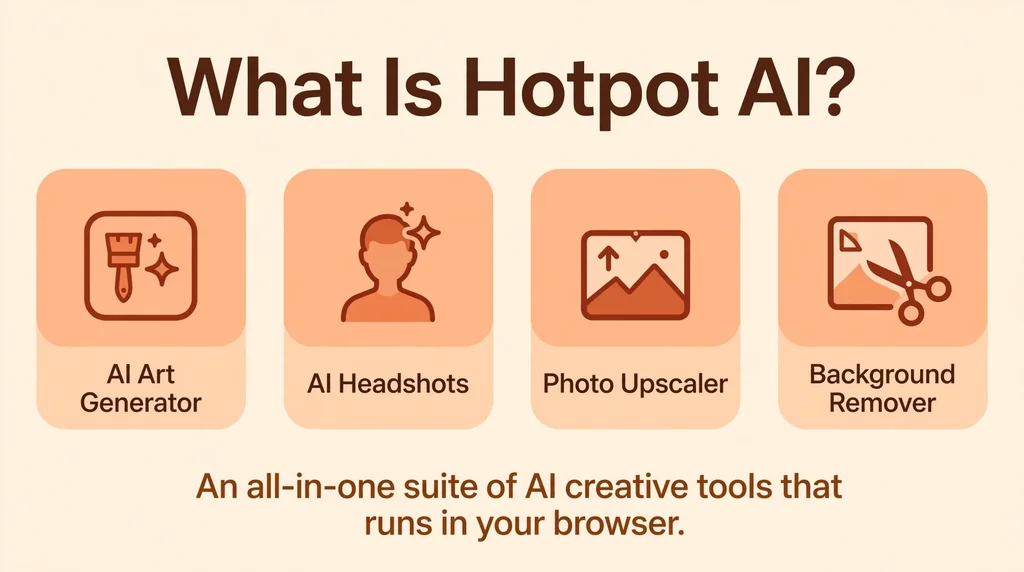
Hotpot AI is a collection of AI-powered tools for creating and editing images, with a small set of writing features added on. Rather than shipping one complicated creative suite, Hotpot organizes everything into single-purpose tools. You visit the site, pick the tool you need, upload an image or type a prompt, and download the result. There is no heavy software to install and no steep learning curve.
The platform is built on modern generative AI models. Its art generator runs on variants of Stable Diffusion, one of the best-known open image models, which means you get detailed and stylized outputs from plain text descriptions. The photo tools use machine learning models trained for specific tasks like upscaling, background segmentation, and face restoration.
Hotpot AI targets everyday creators: bloggers, marketers, freelancers, small business owners, and developers who need visuals without hiring a designer or learning Photoshop. The interface supports more than 70 languages, which makes it usable for a genuinely global audience. There is also an API, so developers can plug Hotpot’s tools into their own apps and workflows.
How Does Hotpot AI Work?
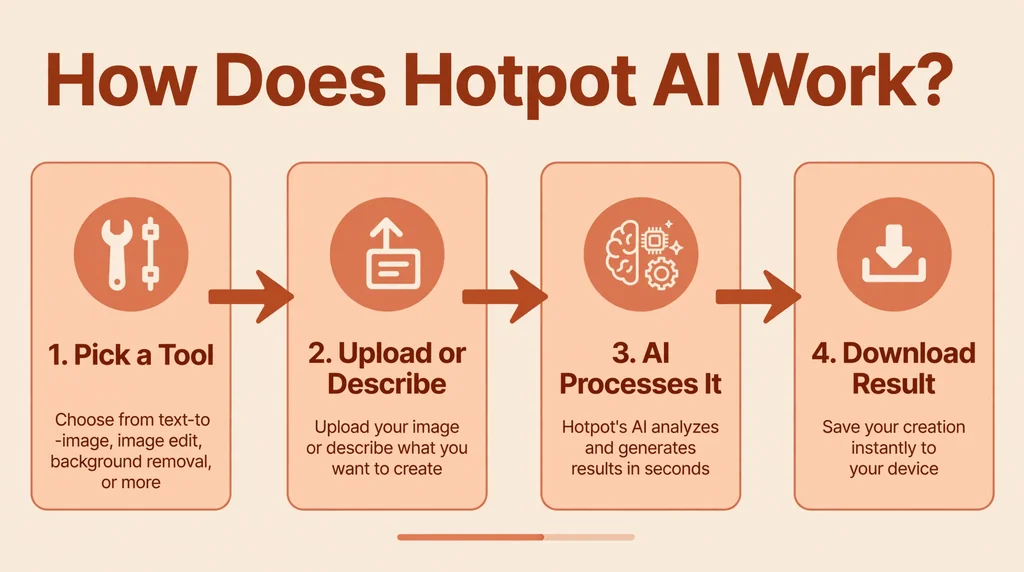
Hotpot AI works through your browser, so everything happens on its servers. For generative tools like the AI Art Generator, you type a description of the image you want, optionally add a style or a negative prompt (things you want excluded), and the model renders the image. Generation takes anywhere from a few seconds to a minute depending on demand and your plan level.
For editing tools, the workflow is upload and process. The Background Remover, for example, detects the subject of your photo automatically and strips away the background. The Photo Upscaler enlarges your image up to 10 times while the AI fills in missing detail so it stays sharp. The Picture Restorer can fix scratches, sharpen blurry faces, and even colorize black-and-white photos.
Each action consumes credits. Simple operations cost fewer credits; heavier jobs like art generation use between 1 and 3 credits per image. Free users get a small daily allowance, while paid plans add credits monthly or as one-time purchases. The whole system is designed so you only pay for what you actually process, and you can see the credit cost of each tool before you run it.
Key Features of Hotpot AI
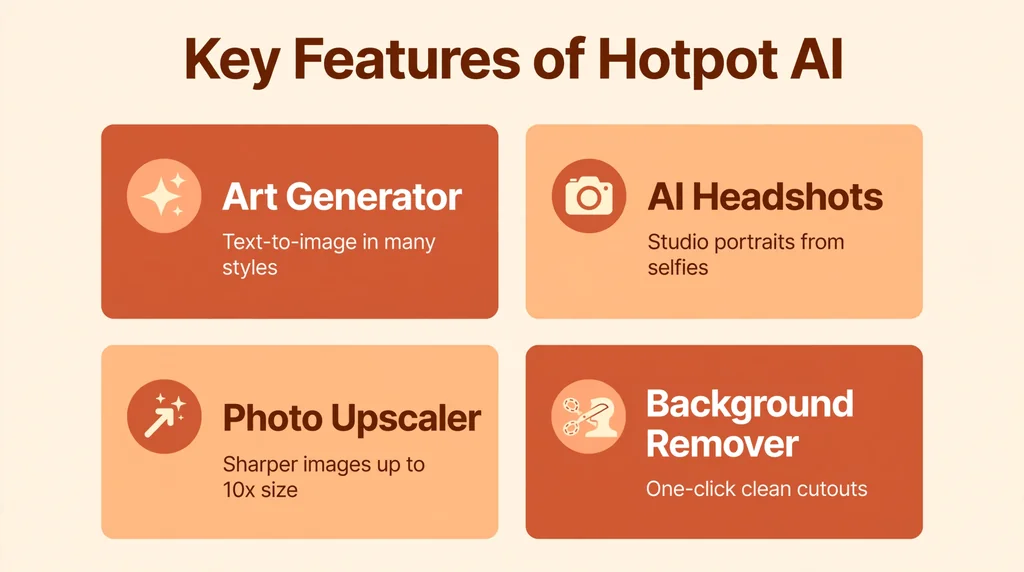
Here are the standout tools in the Hotpot AI lineup:
- AI Art Generator: Create images from text prompts in many styles, including photorealistic, anime, digital painting, and fantasy art. You can also generate an image from a base photo.
- AI Headshot Generator: Turn casual selfies into polished, professional-looking headshots suitable for LinkedIn profiles, resumes, and company pages.
- Photo Upscaler: Enlarge images up to 10x with AI-enhanced detail, useful for printing small images or sharpening low-resolution downloads.
- Background Remover: Automatically cut out the subject of a photo and remove the background, a must-have for product photography and thumbnails.
- Object Remover: Erase unwanted objects, people, watermarks, or text from photos. The AI fills in the gap so the edit looks natural.
- Photo Colorizer: Add realistic color to black-and-white or faded photos in one click.
- Face Enhancer: Improve facial detail and clarity in blurry or low-quality portraits.
- AI Picture Restorer: Repair damaged old photos by removing scratches, tears, and noise while sharpening the image.
- Spark Writer: An AI writing assistant for drafts, rewrites, and short-form content, rounding out the creative toolkit.
- Templates and extras: Hotpot also offers design templates, social media graphics, and an API for developers who want to integrate these tools into their own products.
One thing that sets Hotpot apart is how each tool stays focused. You are never digging through a giant editor to find the one button you need. Pick the tool, do the job, download the result. For quick turnaround work like blog thumbnails or product shots, that simplicity saves a lot of time.
Is Hotpot AI Free?
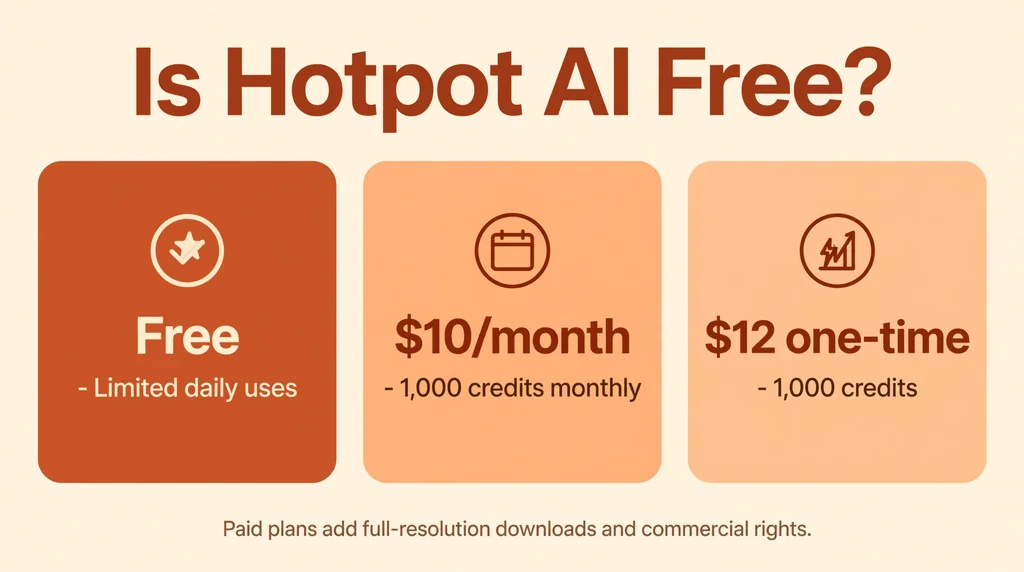
Yes, Hotpot AI has a free tier, but it comes with real limits. Free users get a small number of tries per day on most tools. Images generated or processed on the free plan are watermarked and lower resolution, and the license covers personal use only. If you need clean, high-resolution, commercial-ready output, the free tier is really just a trial.
Paid credits unlock the full experience: watermark-free results, full resolution, commercial usage rights, and priority GPU processing so your jobs run faster. Here is how the credit packages break down:
- 1,000 credits: $10 per month on subscription, or $12 as a one-time purchase.
- 2,500 credits: $25 per month.
- 5,000 credits: $50 per month.
- 10,000 credits: $100 per month.
Art generation typically costs 1 to 3 credits per image, so 1,000 credits covers hundreds of generations for most people. If you are a casual user, the $10 plan is plenty. Heavy users like agencies or e-commerce stores that process hundreds of product photos will find the larger packages more economical. The one-time purchase option is a nice touch for people who do not want another subscription.
How to Use Hotpot AI
Getting started with Hotpot AI takes only a couple of minutes. Here is the basic process:
- Step 1: Visit the site. Go to hotpot.ai and browse the tool gallery. You do not need an account to try many of the free features.
- Step 2: Choose your tool. Pick the tool that matches your task, such as the AI Art Generator for creating images or the Background Remover for editing photos.
- Step 3: Provide your input. For generation tools, type a detailed text prompt describing what you want. Be specific about the subject, style, colors, and mood. For editing tools, upload the image you want to process.
- Step 4: Adjust the settings. Many tools offer options like output size, style strength, or the number of variations. The defaults work fine, but tweaking them gives you more control.
- Step 5: Run the tool and download. Click the generate or process button, wait for the result, and download it. Free downloads include a watermark; paid credits remove it.
For the best results from the AI Art Generator, write prompts the way you would describe a photo to a friend. Instead of “dog,” try “a golden retriever puppy running through a field of wildflowers at sunset, soft warm light, photorealistic.” Adding details about lighting, style, and composition consistently produces better images.
Developers can go further with the Hotpot API, which exposes the same tools programmatically. This is useful for apps that need image generation or background removal built in without running their own models.
Is Hotpot AI Safe?
Hotpot AI is generally safe to use for typical creative tasks. It is an established service with a large user base, and it processes images through standard web uploads over an encrypted connection. Like any online tool, you should be sensible about what you upload: avoid highly sensitive personal documents or private photos that you would not want stored on a third-party server.
On the licensing side, the rules are clear. Free-tier outputs are for personal use only. Paid credits grant you a commercial license for the images you generate, which means you can use them in client work, ads, and products. It is still wise to avoid generating images of real, identifiable people without permission, and to check that AI-generated content complies with the policies of any platform where you publish it.
Content moderation is in place, so prompts for explicit or harmful content are blocked. This keeps the platform safe but occasionally means an innocent prompt gets flagged, which can be a minor frustration. Overall, for mainstream creative use, Hotpot AI is as safe as any comparable online AI tool.
Hotpot AI Pros and Cons
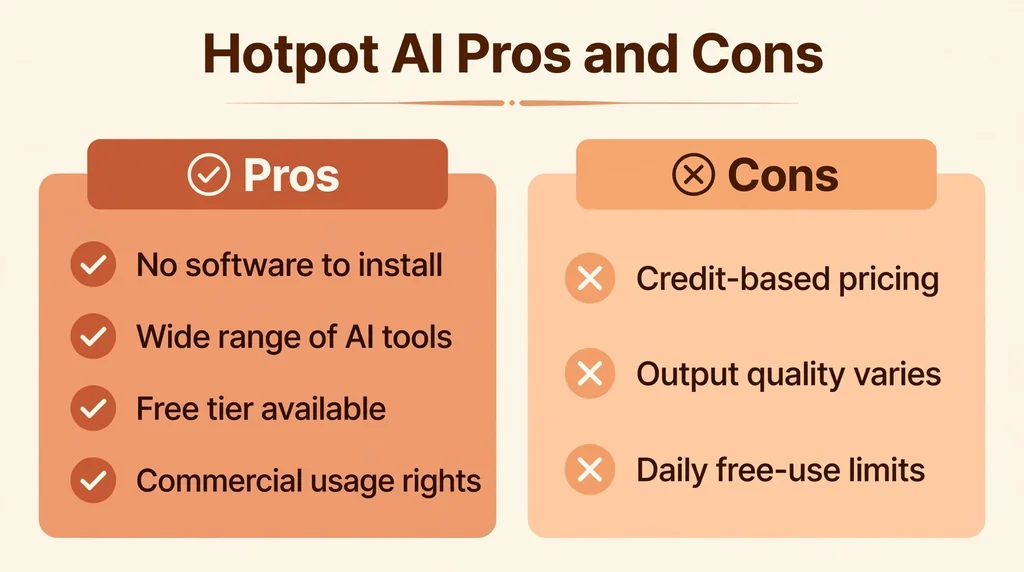
No tool is perfect. Here is an honest breakdown of where Hotpot AI shines and where it falls short.
Pros:
- Wide range of tools in one place, from art generation to photo restoration.
- Extremely easy to use, no design or technical skills required.
- Genuinely useful free tier for trying things out.
- Affordable paid plans, with a one-time purchase option instead of forced subscriptions.
- Fast results with priority GPU access for paid users.
- API access for developers.
- Supports 70+ languages.
Cons:
- Free tier outputs are watermarked and limited to personal use.
- Art quality, while good, can lag behind premium models like Midjourney for highly detailed or artistic work.
- Credit-based pricing can feel unpredictable if you process a lot of images.
- Limited advanced editing controls compared to full design software like Photoshop.
- Occasional false positives in content moderation can block harmless prompts.
Hotpot AI vs Alternatives
How does Hotpot AI stack up against the big names in AI image tools? The short answer: it wins on simplicity and breadth of quick tasks, while specialist tools win on raw image quality or deep editing.
- vs Midjourney: Midjourney produces more striking, artistic images and is favored by digital artists, but it requires Discord, has a steeper learning curve, and costs more. Hotpot is faster and simpler for everyday tasks.
- vs DALL-E (ChatGPT): DALL-E is convenient if you already use ChatGPT and follows complex prompts well. Hotpot offers more photo editing utilities and a credit model that can be cheaper for light users.
- vs Canva AI: Canva is a full design platform with AI features built in, ideal if you need layouts and branding tools. Hotpot is better if you only need the image generation or editing step without the design suite.
- vs Leonardo AI: Leonardo offers more control over generation settings and model training, appealing to advanced users. Hotpot is friendlier for beginners who want results in one click.
Best Hotpot AI Alternatives
If Hotpot AI does not quite fit your needs, these are the strongest alternatives to consider:
- Midjourney: The gold standard for beautiful AI artwork. Best for artists and creators who prioritize image quality above all else.
- DALL-E 3: Excellent prompt understanding and easy access through ChatGPT. Great for illustrations and concept art.
- Leonardo AI: A flexible art generator with fine-tuning options, popular with game artists and designers.
- Canva AI (Magic Studio): AI image generation inside a complete design platform. Ideal for social media content and marketing materials.
- Fotor: A photo editor with AI tools similar to Hotpot’s, including background removal and enhancement, plus design templates.
For pure photo editing tasks like background removal or upscaling, Fotor and Canva are the closest direct competitors. For text-to-image quality, Midjourney and DALL-E lead. Hotpot sits in the middle: not the absolute best at any single task, but one of the most convenient all-rounders.
Who Should Use Hotpot AI?
Hotpot AI is a great fit for content creators and bloggers who need thumbnails, featured images, and social graphics on a regular basis. Marketers and small business owners will appreciate the headshot generator, background remover, and upscaler for product photos and ad creatives. Freelancers can turn around client visuals quickly without expensive software.
Developers building apps that need image AI can use the API instead of training or hosting their own models. It is also a solid choice for hobbyists restoring old family photos or experimenting with AI art for fun.
It is less ideal for professional digital artists who need maximum quality and fine control, since tools like Midjourney or Stable Diffusion run locally offer more depth. Designers who need full layout capabilities will find Canva a better home. But for fast, good-enough visuals with zero learning curve, Hotpot AI is hard to beat.
Frequently Asked Questions About Hotpot AI
Is Hotpot AI really free?
Yes, Hotpot AI offers a free tier with a limited number of daily uses on most tools. However, free outputs are watermarked, lower resolution, and restricted to personal use. To get clean, full-resolution, commercial-ready results, you need to buy credits.
Can I use Hotpot AI images commercially?
You can use Hotpot AI images commercially if you generate them with paid credits, which include a commercial license. Images made on the free tier are for personal use only. As with any AI-generated content, avoid using likenesses of real people without permission and check the rules of any platform where you publish.
How much do Hotpot AI credits cost?
Credit packages start at 1,000 credits for $10 per month on subscription, or $12 as a one-time purchase. Larger plans include 2,500 credits for $25 per month, 5,000 for $50, and 10,000 for $100. Art generation costs roughly 1 to 3 credits per image, so even the smallest plan covers hundreds of generations.
What AI model does Hotpot use?
Hotpot AI’s art generator is built on variants of Stable Diffusion, a widely used open-source text-to-image model. Its photo tools use specialized machine learning models trained for tasks like upscaling, background removal, and face restoration.
Does Hotpot AI offer an API?
Yes, Hotpot AI provides an API that lets developers integrate its image generation and editing tools into their own applications. This is useful for apps that need features like background removal or AI art generation without building and hosting their own models.
Final Thoughts
Hotpot AI earns its place as one of the most practical AI creative toolkits available. It does not try to be the most powerful art generator on the market. Instead, it focuses on solving everyday creative problems quickly: generating a blog image, removing a background, restoring an old photo, or creating a professional headshot. The free tier lets you test everything, and the paid plans are affordable enough for freelancers and small businesses.
If your work involves a steady stream of visuals and you value speed and simplicity over maximum artistic control, Hotpot AI is well worth trying. You can explore the tools yourself at Hotpot AI, and if you are curious about the technology behind its art generator, read up on Stable Diffusion on Wikipedia.