
Stock photos, an image generator, a video generator, voice tools, and pro design editors, all under one roof. That is Freepik AI: an all-in-one creative suite at freepik.com that pairs AI creation tools with a stock library of more than 200 million assets, so you rarely need to leave the tab.
We traced how Freepik got here to judge whether the AI tools are the real deal. Founded in 2010 in Malaga, Spain, by Alejandro Sanchez Blanes, Pablo Blanes, and Joaquin Cuenca Abela, it grew into one of the world’s largest design asset sites, then went AI-first as generative tools took off. Today it is not a single generator but a full creative platform.
Free users get around 20 image generations per day, while paid plans add thousands of monthly credits, access to every AI model, and a commercial AI license. In this guide we break down the tools, pricing, and how Freepik compares to standalone generators.
Quick Answer
Freepik AI is an all-in-one creative suite at freepik.com that combines an AI image generator, an AI video generator, AI voice tools, and professional design editors with a stock library of more than 200 million assets. Free users get around 20 image generations per day, while paid plans add thousands of monthly credits, access to every AI model, and a commercial AI license.
What Is Freepik AI?
Freepik began in 2010 in Malaga, Spain, as a platform for free stock graphics. Founded by Alejandro Sanchez Blanes, Pablo Blanes, and Joaquin Cuenca Abela, it grew into one of the largest design asset sites in the world. As generative AI took off, the company added AI creation tools alongside its stock library, and the brand has since evolved into the AI-first creative platform now known as Magnific, with freepik.com remaining the home of its AI tools.
Today Freepik AI is not a single model but a complete creative hub. It bundles an AI image generator, an AI video generator, AI voice and audio tools, and pro-level editing instruments into one subscription. That combination is its biggest selling point: you can generate an image, upscale it, edit it, animate it into a video, and pull matching stock photos or vectors without ever leaving the platform.
The image generator takes a multi-model approach. Instead of locking you into one engine, Freepik AI lets you choose from models like Flux, Google Imagen, Ideogram, Runway, Seedream, and Mystic, which is Freepik’s own fine-tuned model. Each model has its strengths, so you pick photorealism, stylized art, or readable text inside images depending on the job.
Freepik also invested in its own foundational research. Its F Lite model, built with Fal.ai, is an open 10-billion-parameter image model trained exclusively on licensed and safe-for-work imagery. That makes it an appealing choice for creators and brands that worry about copyright exposure from AI training data.
How Does Freepik AI Work?
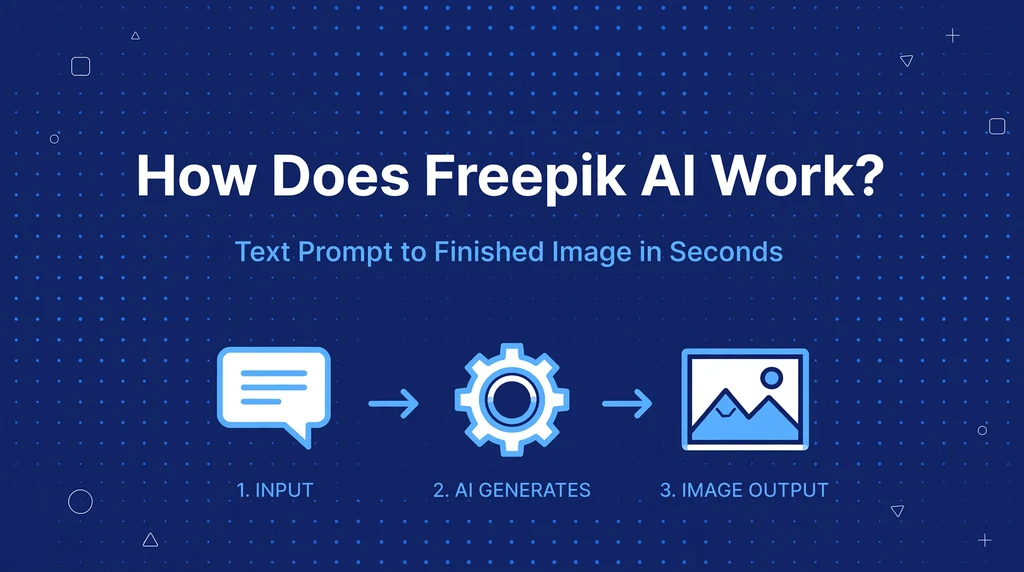
The basic workflow is simple. You type a text prompt describing the image you want, choose an AI model, adjust settings like style and aspect ratio, and press generate. The platform spends credits from your account to run the model, then shows you several results in seconds. From there you can retry, refine with edits, upscale the winner, or animate it into a video.
Credits are the currency of the platform. Different models and tasks cost different amounts, and image, video, and audio generation all draw from the same pool. Downloads themselves are free; you only pay credits to generate. Free users get a daily allowance of generations on selected fast models, while paid plans get monthly credit pools.
Choosing the Right AI Model
Model choice matters more than most beginners expect. Flux and Google Imagen excel at photorealistic images with believable lighting and detail. Ideogram is the standout when your image needs readable words, making it ideal for posters, thumbnails, and marketing graphics. Mystic leans toward stylized and artistic interpretations with dramatic flair. Trying the same prompt across two or three models is the fastest way to learn which one suits your style.
Editing and Refining Your Results
Freepik AI includes real-time editing while you generate, so you can adjust composition without starting over. A style reference feature lets you upload an image and steer the output toward its look. After generation, tools like Retouch, background removal, and the AI editor clean up flaws, and the Magnific upscaler enlarges images to print-ready resolution without losing detail.
From Image to Video
The AI video generator turns text prompts or your generated images into short video clips using multiple video models. Marketers use it to animate product shots and banners, while content creators turn stills into motion graphics for social feeds. Video generation costs more credits than images, so it is worth testing concepts as stills first.
Key Features of Freepik AI
- Multi-model image generator: Access to Flux, Google Imagen, Ideogram, Mystic, Runway, and more in one interface, so you are never stuck with a single engine’s weaknesses.
- AI video generator: Create clips from text prompts or animate existing images with several leading video models for social content and ads.
- Magnific upscaler: Enlarge and enhance images with the upscaling tool Freepik acquired, sharpening details for print or large displays.
- AI editor and Retouch: Edit generations directly with expand, inpainting-style fixes, background removal, and one-click retouching.
- Reimagine and sketch to image: Upload a sketch or photo to generate variations, restyle artwork, or turn rough drawings into finished images.
- AI voice and audio tools: Generate voiceovers, music, and sound effects to pair with videos and presentations.
- Real-time generation and infinite canvas: Refine compositions live and build wide, multi-panel layouts in a single workspace.
- 200M+ stock asset library: Mix AI generations with millions of stock photos, vectors, icons, and templates without switching platforms.
- Commercial AI license: Paid plans include rights to use AI outputs in client work and advertising, which the free plan does not.
- API and integrations: Credit-based API access plus Spaces and plugins for teams that want Freepik’s models inside their own workflows.
Is Freepik AI Free?
Yes, Freepik AI has a genuinely usable free tier. Free users can generate around 20 AI images per day using selected fast models, which is enough to test the platform and handle light personal projects. The catch is licensing: free AI outputs are for personal, non-commercial use, and some advanced models and features stay behind the paywall.
Also see our guides on Novel AI, AI Writer for more AI tools in this space.
- Free ($0): Around 20 free image generations per day on fast models. Personal, non-commercial license only, with attribution sometimes required.
- Essential (about $6/month): Around 8,000 AI credits per month, access to all AI models, and a commercial AI license. Best for hobbyists and occasional creators.
- Premium (about $15/month): Around 20,000 AI credits per month, full premium stock library access, and commercial use with no attribution required. Best for freelancers and regular creators.
- Premium+ (about $34/month): Around 45,000 AI credits per month, plus music rights, pro upscalers, and credit top-ups. Best for marketers and heavy users.
- Pro (about $215/month): Around 300,000 AI credits per month with the highest limits and generation volume. Built for teams and large-scale production.
Credits reset each month and do not roll over, so pick the plan that matches your real monthly usage. Pricing can change, so always check Freepik’s current pricing page before subscribing.
How to Use Freepik AI
- Sign up at freepik.com. Create a free account with email, Google, or Apple and confirm your login.
- Open the AI Image Generator. Find it in the AI tools menu on the homepage or dashboard.
- Write a detailed prompt. Describe your subject, style, lighting, and mood in the prompt box. Longer, specific prompts give better results.
- Pick your model and style. Choose the AI model that fits your goal, then select a preset style like photorealistic, digital art, or line art.
- Set size and variations. Pick the aspect ratio and how many images you want per run, keeping credit costs in mind.
- Generate and refine. Press generate, review the results, and use retry or the editing tools to fix details you do not like.
- Upscale and download. Run the Magnific upscaler on your favorite result, then download it. Downloads do not cost extra credits.
Is Freepik AI Safe?
Freepik is a legitimate, long-established company founded in 2010, headquartered in Malaga, Spain, with a majority stake held by the investment firm EQT. It serves tens of millions of monthly visitors, which makes it one of the more trustworthy names in the AI image space. Standard account hygiene still applies: use a strong unique password, and avoid uploading sensitive personal photos you would not want on a cloud service.
On the licensing side, Freepik AI is safer than many rivals for commercial work. Paid plans include a commercial AI license, and the F Lite model was trained only on licensed imagery, which reduces copyright risk. Free outputs are personal-use only, so businesses should upgrade before using generations in ads or client projects. Always read the current license terms, since AI output rules can change.
Content safety is handled with standard filters, and the platform is designed for mainstream creative work rather than adult content. It is a general-audience design tool, though like any AI generator it can occasionally produce odd results, so review images before publishing.
Freepik AI Pros and Cons
Pros
- Everything in one place: AI image, video, and audio generation plus a huge stock library in a single subscription.
- Multiple AI models: Choose the best engine per task instead of accepting one model’s trade-offs.
- Generous free tier: Around 20 free image generations per day beats many competitors.
- Commercial license included: Paid plans let you use AI outputs for client and advertising work.
- Strong editing tools: Upscaling, retouching, and real-time editing mean fewer trips to other apps.
Cons
- Credit system complexity: Different models cost different credits, which can be confusing and drain fast on heavy projects.
- Credits do not roll over: Unused monthly credits expire, so inconsistent users may waste value.
- Free outputs are personal-use only: You need a paid plan for any commercial work.
- Occasional quality misses: Hands, faces, and complex poses can still need manual fixes.
- Prices change often: Plan names, credit amounts, and prices shift, so published figures can go stale.
Freepik AI vs Alternatives
How does Freepik AI compare with the best-known alternatives? Midjourney remains the community favorite for artistic, gallery-quality images but lives inside Discord-style chat and costs more for comparable volume. Leonardo AI targets game and design workflows with strong fine-tuning, while Adobe Firefly appeals to professionals who want Adobe-native integration and commercial safety. Freepik AI’s edge is breadth: no rival combines this many models, video, audio, editing, and stock assets in one subscription.
| Feature | Freepik AI | Midjourney | Leonardo AI |
|---|---|---|---|
| Primary focus | All-in-one creative suite | Artistic image quality | Design and game assets |
| AI models | Many (Flux, Imagen, Ideogram, Mystic) | Proprietary models | Proprietary + fine-tunes |
| Free tier | ~20 images/day | None (paid only) | Limited daily tokens |
| Paid price | ~$6 to ~$215/month | From ~$10/month | From ~$12/month |
| Video generation | Yes | Yes (separate) | Limited |
| Best for | Creators wanting it all | Artists, stylized work | Designers, game art |
Best Freepik AI Alternatives
Midjourney. The benchmark for artistic AI images, loved for its painterly, detailed aesthetic. It runs through a chat-style interface, starts around $10 per month with no free tier, and now offers video too. Best for artists and anyone who prioritizes beautiful output over workflow features.
Leonardo AI. A polished platform built for designers and game developers, with canvas editing, fine-tuned models, and strong character consistency tools. Its free daily tokens are limited, with paid plans from around $12 per month. Best for game art, concept design, and product visualization.
Adobe Firefly. Adobe’s commercially safe AI generator, trained on licensed content and built into Photoshop, Express, and other Adobe apps. Included with Creative Cloud plans or available standalone. Best for professionals already inside the Adobe ecosystem who need guaranteed commercial safety.
Ideogram. The specialist for images containing readable text, from logos and posters to memes and infographics. It has a free tier with paid upgrades for more generations. Best when your design lives or dies on legible wording.
Runway. A leader in AI video generation with strong text-to-video and image-to-video models, plus an editing suite for filmmakers and marketers. Paid plans target serious video creators. Best for motion-first projects where video matters more than stills.
Who Should Use Freepik AI?
Freepik AI is built for people who create visual content regularly and want AI generation, editing, and stock assets in one workflow. It is an excellent fit if you are:
- A social media manager producing daily posts, thumbnails, and ad creatives.
- A marketer or freelancer who needs commercial-safe AI images for client work.
- A blogger or content creator pairing articles with custom featured images.
- A small business owner making product shots, banners, and promo videos without a designer.
- A designer who wants fast concepting across multiple AI models before final production.
It is a weaker fit for fine artists chasing a single signature aesthetic, since Midjourney or dedicated tools may suit them better. It is also overkill if you only need a few stock photos a month, where a basic stock subscription would be cheaper.
Frequently Asked Questions About Freepik AI
What can you use Freepik AI for?
Freepik AI works for marketing graphics, social media posts, thumbnails, product mockups, blog illustrations, presentations, and short AI videos. Its editing tools also handle upscaling, background removal, and photo retouching, while the stock library covers photos, vectors, and icons when AI is not the right tool.
Is Freepik AI really free?
Yes, the free tier gives around 20 AI image generations per day on selected fast models at no cost. However, free outputs are licensed for personal, non-commercial use only. Commercial use, more models, video generation, and bigger limits require a paid plan starting around $6 per month.
Can I use Freepik AI images commercially?
Yes, but only on paid plans. Every paid tier includes a commercial AI license for generated content. Free plan outputs are restricted to personal use, so upgrade before using AI images in ads, client projects, or products you sell.
Which AI models does Freepik AI use?
Freepik AI offers multiple models including Flux, Mystic (Freepik’s own), Google Imagen, Ideogram, Runway, Seedream, and GPT-based image models, plus video models for AI video generation. It also developed F Lite, an open image model trained only on licensed imagery.
Does Freepik AI have a mobile app?
Freepik’s main platform runs in a web browser, which works on phones and tablets without an install. The company also offers mobile apps for its stock and design tools, but the fullest AI generation experience is on the desktop website where all models and editing tools are available.
Final Thoughts
Freepik AI earns its place as one of the most complete creative platforms available to everyday creators. The multi-model image generator removes the gamble of betting on a single engine, the video and audio tools extend one idea across formats, and the stock library fills every gap AI cannot. The credit system takes some learning, and free users should note the personal-use license, but the value per dollar on paid plans is genuinely strong.
If you make visual content and want generation, editing, and stock assets under one roof, start with the free daily generations. Test the same prompt across Flux, Imagen, and Ideogram, try the upscaler on your favorite, and you will quickly know whether Freepik AI belongs in your creative routine.
For more information, visit Freepik official site, Freepik on Wikipedia.