You open your texts. A label catches your eye. Under the typing box, it says “RCS message.” Yesterday it just said “Text message.” Nothing looks broken. But something clearly changed. Here is what happened. Your phone started using RCS, short for Rich Communication Services. It is the modern standard that replaces old SMS texting.
With RCS, your regular messages app acts more like WhatsApp. You can see when someone is typing. You can see when they read your message. Photos and videos arrive sharp instead of blurry. Group chats stop breaking when one person joins or leaves. And it all works with your normal phone number. No new app. No new account.
This guide explains RCS in plain language. Every fact here was checked against documented sources from the GSMA, Google, and Apple. You will learn what RCS is, how it differs from SMS and iMessage, and how to turn it on or off. You will also learn why your phone sometimes switches back to SMS without warning.
RCS Meaning in Text at a Glance
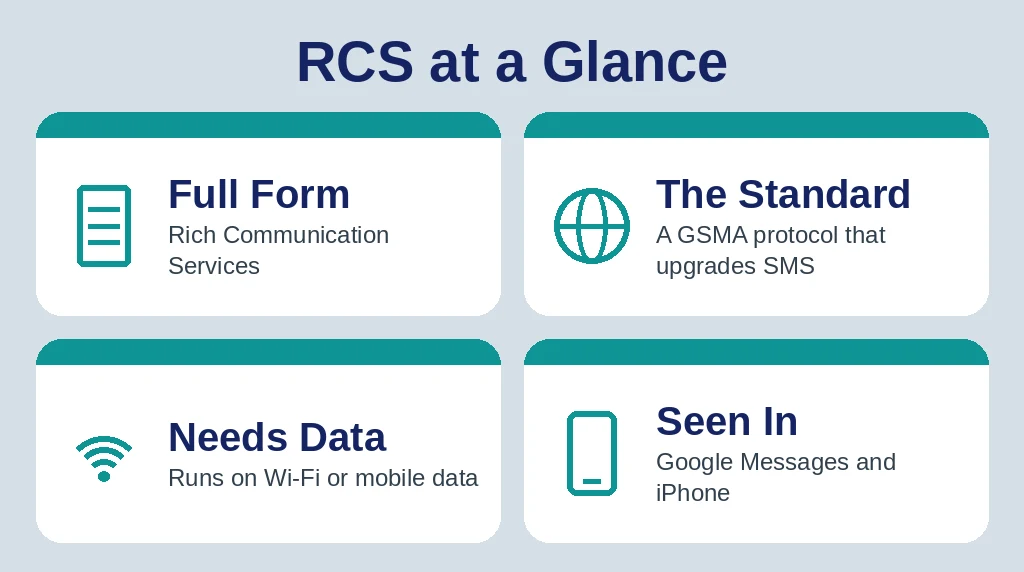
Short on time? Here is the fast version. When a chat shows “RCS message,” your phone is sending texts over the internet using Rich Communication Services instead of the old SMS system. Both phones and both carriers need to support it. When everything lines up, you get typing indicators, read receipts, and clear photos inside the same messages app you already use.
| Detail | Explanation |
|---|---|
| Full Form | Rich Communication Services |
| What It Is | A GSMA messaging standard that upgrades SMS and MMS |
| Where You See It | “RCS message” in Google Messages, “Text Message • RCS” on iPhone |
| What It Needs | Wi-Fi or mobile data, plus a supported phone, app, and carrier |
| Best Known For | Read receipts, typing indicators, and high-quality photos |
What Is RCS?
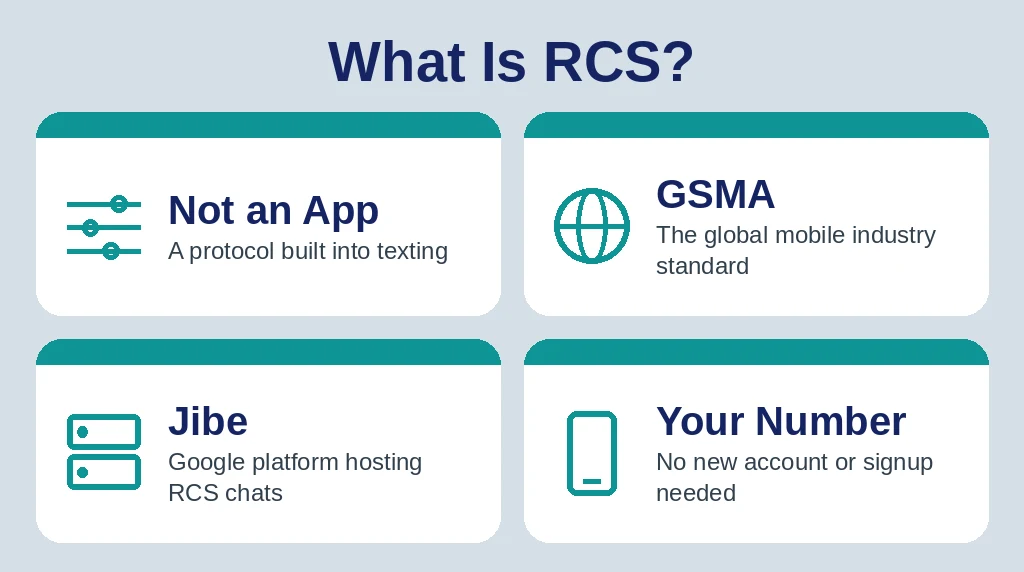
RCS is not an app. It is a communication protocol, a set of rules that phones and carriers follow so messages can do more than plain text. The standard is maintained by the GSMA, the global mobile industry association. Its shared rulebook is called the Universal Profile, and it exists so an RCS chat works the same way across different phones, carriers, and countries.
Work on RCS began back in 2007, but it only took off once big players lined up behind it. Google became the driving force. Its Jibe platform hosts RCS for many carriers around the world, and its Google Messages app is the main way Android users get RCS today. Apple joined much later, adding RCS support to the iPhone in iOS 18 in 2024.
Three things make RCS feel different from old texting. First, messages travel over the internet, through Wi-Fi or mobile data, instead of the cellular signal channel SMS uses. Second, your identity is still just your phone number, so there is nothing new to sign up for. Third, features depend on the whole chain working: your phone, your app, your carrier, and the other person’s setup all need to support RCS at the same time.
Why Your Phone Shows “RCS Message”
That little label is your phone telling you which system is carrying the chat. In Google Messages, the typing box says “RCS message” when the conversation is upgraded. On an iPhone, the same idea shows as “Text Message • RCS” in the message field. If the label only says “Text message” or “SMS,” the chat is running on the old system instead.
The label is good news. It means the other person’s phone also supports RCS, so the extra features are switched on for that conversation. You may notice the signs right away. Google Messages shows RCS chats with darker blue bubbles, while SMS and MMS chats stay light blue. Small labels like “Delivered” and “Read” appear under your messages. On iPhone, RCS messages still look green, just like SMS. The bubble color does not change. The field label is the clue.
Your phone checks all of this in the background. Every time you open a conversation, it confirms whether the other end can receive RCS. If it can, the chat upgrades. If it cannot, the chat stays on SMS or MMS.
RCS vs SMS vs MMS
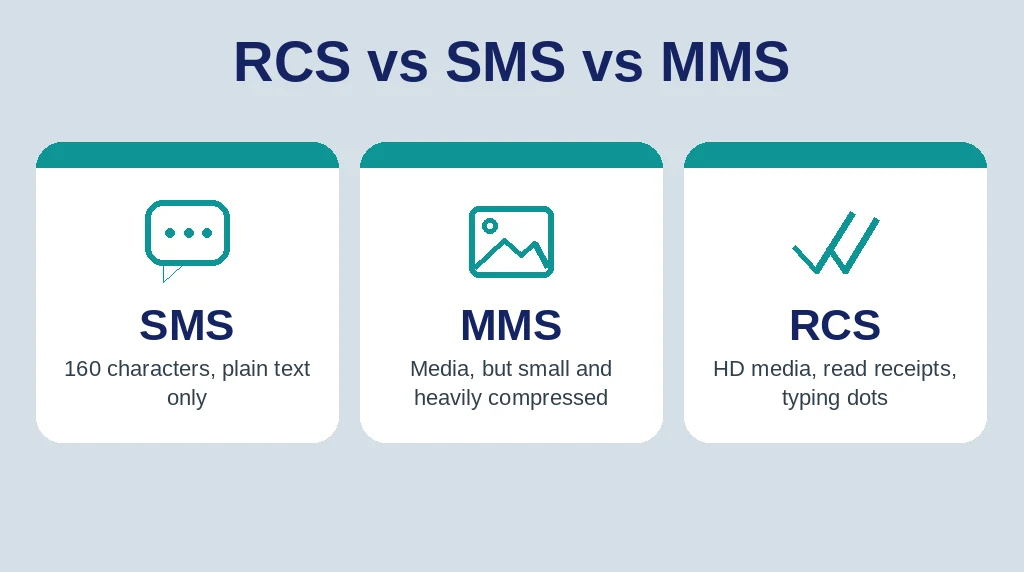
SMS is the original text message, built in the 1990s for short notes over the cellular signal channel. MMS arrived later to bolt on photos and videos, but carriers squeeze the files down hard, which is why MMS pictures often look blurry. RCS was designed to replace both. This table puts the three side by side.
| Feature | SMS | MMS | RCS |
|---|---|---|---|
| How it travels | Cellular signal channel | Cellular network | Wi-Fi or mobile data |
| Message length | 160 characters | Short text with media | Long messages with no 160-character cap |
| Photos and videos | Not supported | Small and heavily compressed | High resolution |
| Read receipts | No | No | Yes |
| Typing indicators | No | No | Yes |
| Group chats | No | Basic and often unreliable | Yes, with names and member controls |
The trade-off is reach. SMS works on almost every phone on Earth, even with no data connection. RCS is smarter, but it needs the internet and support on both ends. That is why your phone keeps SMS as a safety net instead of dropping it completely, a point that matters later in this guide.
How RCS Compares to iMessage and WhatsApp
People often ask whether RCS is just Android’s version of iMessage. The two feel similar, but they are built differently. iMessage is Apple’s own private service, and it only works between Apple devices, where it shows blue bubbles. RCS is an open industry standard. Any phone maker or carrier can support it, and on iPhone it stays green even when it works perfectly.
WhatsApp is a closer match on features, since it also sends messages over the internet with read receipts and encryption. The difference is how you join. WhatsApp needs a separate app and its own account. RCS needs neither. It lives inside the messages app already on your phone and works through your phone number.
One more difference matters. WhatsApp encrypts every chat end to end by default. iMessage does the same between Apple devices. RCS encryption depends on the app and the setup, as the features section below explains. So RCS wins on convenience, while the dedicated apps still win on uniform privacy.
Key Features of RCS
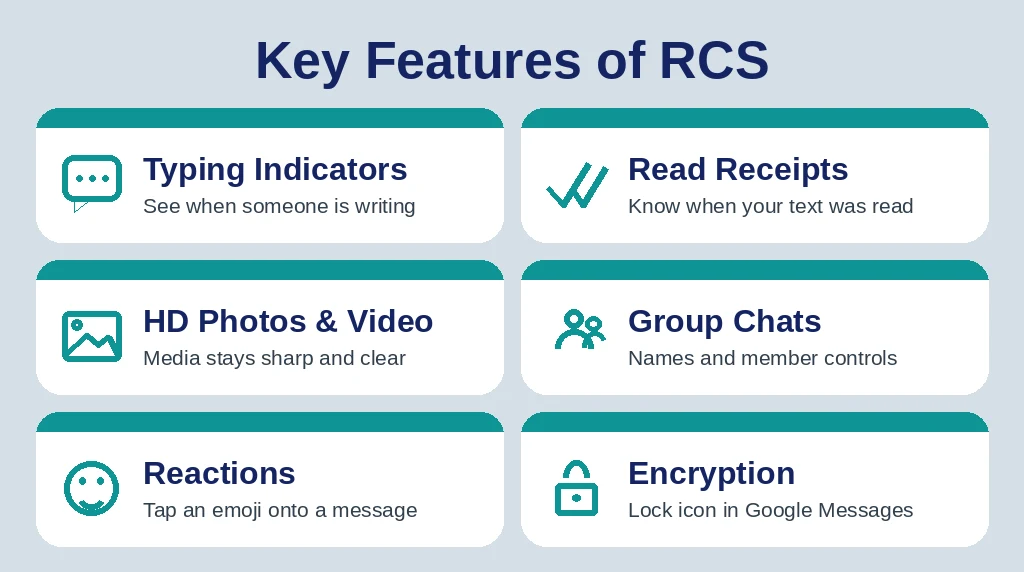
Here is what actually changes when a chat upgrades to RCS.
- Typing indicators. You see three dots while the other person writes, just like in a chat app.
- Read and delivery receipts. Labels under your message show when it was delivered and when it was read.
- High-quality photos and videos. Media travels as data, so pictures stay sharp and files can be far larger than MMS allows.
- Better group chats. Groups can have names, and people can be added or removed without starting a new thread.
- Reactions and replies. You can react to a single message with an emoji instead of sending a separate text about it.
- Verified business senders. Companies can message you with their real name and logo instead of a random number, which the business section below covers.
What About Encryption?
This part is often explained badly, so here is the precise version. End-to-end encryption was not part of the original RCS standard. Google added it inside Google Messages. When two people chat one to one in Google Messages, the conversation is encrypted end to end by default, and a small lock icon shows it. Google Messages group chats get the same protection when everyone in the group uses the app.
Outside that setup, there is no guarantee. The GSMA added end-to-end encryption to the standard itself in Universal Profile 3.0 in 2025, using the MLS protocol, and cross-platform encrypted RCS between iPhone and Android is still rolling out with carrier support. Business messages are never end-to-end encrypted, though they are protected in transit. Plain rule of thumb: look for the lock icon. If it is not there, treat the chat as unencrypted.
What an RCS Chat Looks Like: 3 Everyday Scenarios
Scenario 1: The photo that stays sharp.
You send a birthday photo to your sister, who also uses Google Messages. It arrives full size and clear. Under your message, the label flips from “Delivered” to “Read.” That is RCS doing its job.
Scenario 2: The typing dots on iPhone.
You text an Android friend from your iPhone. The message field says “Text Message • RCS.” While they answer, you see typing dots, something SMS never showed you. The bubbles are still green. The features are new anyway.
Scenario 3: The blurry video at the airport.
You try to send a video with mobile data switched off. Your phone cannot reach the RCS service, so it sends the clip as MMS instead. The video arrives tiny and blurry, and there is no “Read” label. The chat fell back, quietly and automatically.
How to Turn RCS On or Off
On most newer phones RCS is already on, but it takes ten seconds to check.
On Android (Google Messages)
1. Open Google Messages.
2. Tap your profile picture, then tap “Messages settings.”
3. Tap “RCS chats.”
4. Switch on “Turn on RCS chats” and wait until the status says “Connected.”
Use the same screen to turn RCS off. One warning from Google: switching RCS off can remove you from RCS group chats, so toggle it back on if you still need them.
On iPhone (iOS 18 or Later)
1. Open Settings.
2. Tap “Apps,” then tap “Messages.”
3. Tap “RCS Messaging” and switch it on.
If the “RCS Messaging” option does not appear at all, your carrier has not enabled RCS for iPhone on your plan yet. There is nothing wrong with your phone. Apple keeps a carrier support list, and availability still varies by country and provider.
Why an RCS Message Sometimes Falls Back to SMS
Fallback sounds like a failure, but it is really a safety net. Your message still arrives. It just travels the old way, and the smart features pause. The usual triggers are simple.
- No internet connection. RCS needs Wi-Fi or mobile data. In a dead zone or with data switched off, your phone uses SMS.
- The other person does not have RCS. An older phone, an unsupported app, or RCS switched off on their side keeps the whole chat on SMS.
- Carrier gaps. Their carrier may not support RCS yet, or may not support it for iPhone users.
- A group chat with one unsupported member. If one person in the group cannot do RCS, the thread can drop to MMS for everyone.
- A recent phone or SIM change. Until your number finishes verifying again, chats may send as SMS.
You can spot a fallback instantly. The “RCS message” label flips to “Text message” or “Sent as SMS,” receipts disappear, and photos go back to being compressed. Nothing is broken. The chat will upgrade again on its own once both ends support RCS.
RCS Business Messages: The Promotional Texts
Some of the richest messages in your inbox do not come from people at all. Airlines, banks, delivery companies, and stores use RCS for Business to send order updates, boarding passes, appointment reminders, and promotions. These messages arrive with the company’s real name and logo at the top, often with a verified badge. Many include photos, buttons like “Track package,” and suggested replies you can tap instead of typing.
That verified identity is the big advantage over SMS promotions, which usually come from a plain number you cannot check. Even so, stay sensible. Business RCS messages are protected in transit but are not end-to-end encrypted. On iPhone, you can turn RCS Business Messages off under Settings, then Apps, then Messages, then RCS Messaging. On Android, you can block and report spam from inside the Google Messages conversation.
Common RCS Problems and Quick Fixes
RCS is stuck on “Setting up” or “Connecting.” Check that mobile data or Wi-Fi is on, restart the phone, and update Google Messages. If the status does not change to “Connected” after a while, toggle RCS off and back on so your number can verify again.
One contact only ever gets SMS. That person’s phone, app, or carrier almost certainly lacks RCS, or they have it switched off. There is nothing to fix on your side. Ask them to check their own settings if it matters.
The RCS option is missing on iPhone. Update to iOS 18 or later first. Then look under Settings, Apps, Messages. If “RCS Messaging” still does not appear, your carrier has not enabled it for your line.
You are about to switch phones. Turn RCS off in Google Messages before you move your SIM or number to a new phone, especially an iPhone. Google warns that skipping this step can leave messages routed to the old device for a while.
Quick Recap
- RCS means Rich Communication Services, the GSMA standard built to replace SMS and MMS.
- An “RCS message” label means the chat is running over Wi-Fi or mobile data with modern features on.
- RCS adds typing indicators, read receipts, sharp photos and videos, and stronger group chats.
- It works in your normal messages app with your phone number. No new app or account is needed.
- Support must line up on both ends: phone, app, and carrier. Otherwise the chat falls back to SMS.
- End-to-end encryption is guaranteed only in Google Messages chats, so check for the lock icon.
Frequently Asked Questions
What does RCS mean in text?
In a text, RCS means Rich Communication Services, the modern messaging standard that adds read receipts, typing indicators, and quality media.
What does “RCS message” mean in Google Messages?
It means the chat is using internet-based RCS rather than SMS, so features like read receipts and typing indicators work.
Is RCS free to use?
RCS messages travel over Wi-Fi or mobile data, so they use your data plan instead of counting as separate paid texts.
Why did my RCS message switch to SMS?
Your phone falls back to SMS when data drops, the other person lacks RCS, or their carrier does not support it.
Are RCS messages encrypted?
One-to-one Google Messages chats are end-to-end encrypted, but RCS encryption is not universal across every app, carrier, or group chat.
Final Thoughts
RCS is simply texting grown up. The label in your chat app means your messages now travel over the internet with the features people expect from modern chat apps: typing indicators, read receipts, clear photos, and smoother group threads. It is not perfect yet, since support still depends on carriers and cross-platform encryption is still rolling out, but it already beats the old SMS limits for most everyday chats. If you want the full technical history and specification details, the Wikipedia article on Rich Communication Services covers the standard in depth.
Related slang guides: FT meaning in text, WGO meaning in text, and TS meaning in text.