Have you ever seen queued next to a message, email, file, print job, or task and wondered what it means?
You are not alone. The word can look technical, but its meaning is simple.
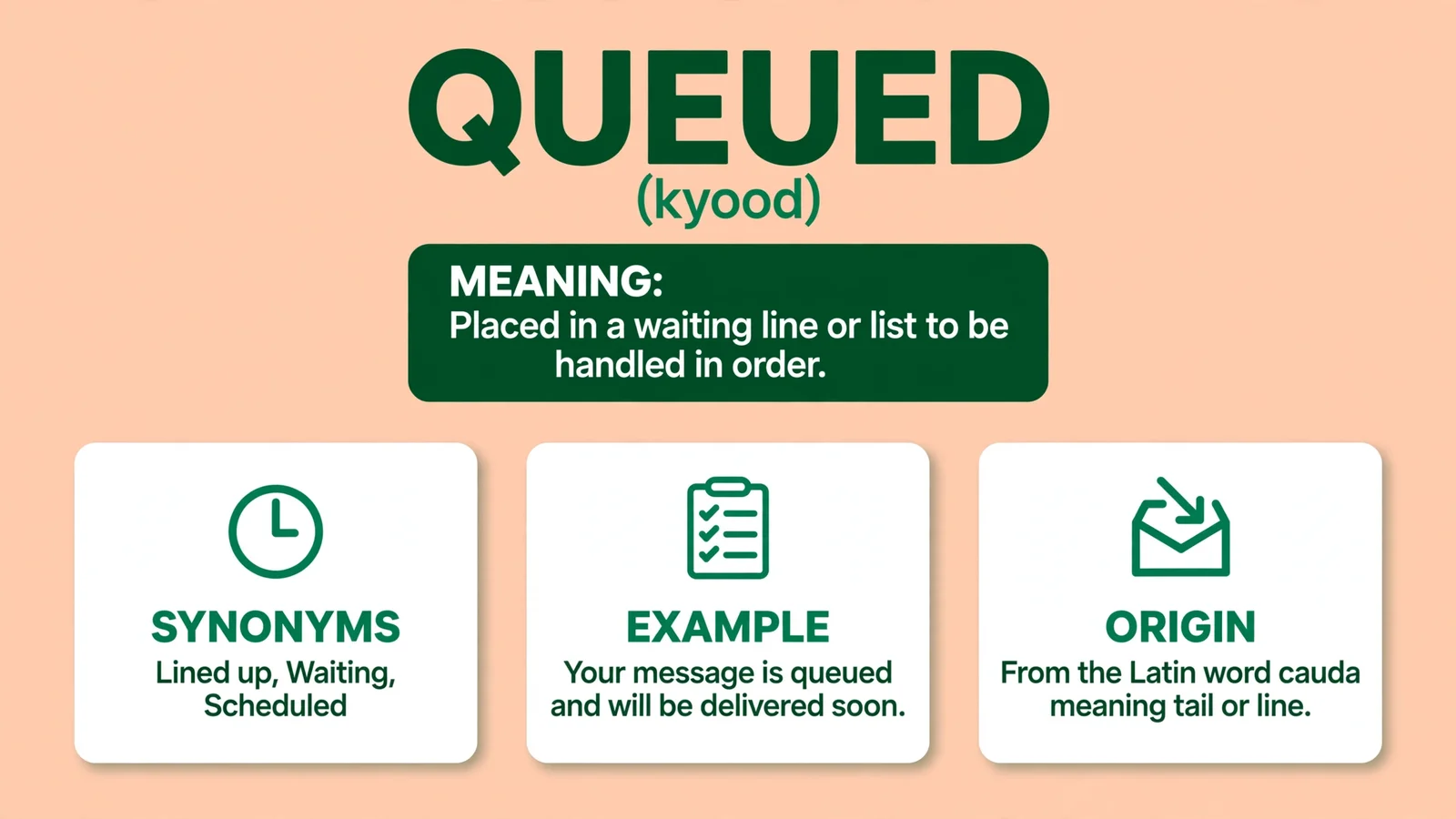
Pronunciation: /kyood/
Queued means something has been placed in a waiting line and will be processed when its turn comes. It does not usually mean that the task failed.
It means the system has received it and is waiting to handle it. Related terms worth knowing: what WHITE NAIL POLISH means and what A GREEN DOT ON means.
In messaging apps, a queued message may be waiting for an internet connection or server access. In workplaces, a job can be queued before an employee starts working on it.
The same idea applies to downloads, documents, customer requests, and computer processes. You might also like what DEKU means.
This guide explains what queued means in clear, everyday language. You will learn how the word is used in texts, apps, jobs, technology, and common situations.
You will also see simple examples that make the meaning easy to understand.
Queued Definition

Queued is the past tense or past participle of queue. It means placed in a queue or waiting line for something to be processed, completed, sent, or handled.
Simple Definition
Queued = Waiting in line for its turn.
Example
Your message is queued means your message has been received but is waiting to be sent or processed.
Your job is queued means the job has been added to a list and will be handled when its turn arrives.
Defining the Queued Status
When you see the word queued, it simply means that your request is waiting in a line. Imagine standing in a physical line at a grocery store.
You have your items, you are ready to check out, but you must wait for the person in front of you to finish their transaction.
A digital queue functions in the exact same way.
Your computer or smartphone handles many tasks at once, but it can only process a certain amount of data at a single moment.
When you send an email or start a download, the system places that task into a list. This list is the queue.
The system processes these items in the order they were received.
If your device is busy with other tasks, your new request sits in the queue until the device has enough resources to handle it.
Think of it as a traffic jam for data.
If you have five emails waiting to go out, the system will send the first one, then the second, and so on.
If your internet connection is weak or the server is busy, the process slows down.
This is why you see the status change from sending to queued. Is a sign that the application has acknowledged your request but is currently blocked by other operations.
It is not an error message in the traditional sense. It is just a status update telling you that your task is next in line.
The History and Evolution of the Term
The concept of a queue is not new to the digital age. It has been a fundamental part of computer science for decades.
In the early days of computing, machines could only perform one task at a time.
As technology advanced, engineers developed methods to allow computers to manage multiple tasks simultaneously. This is where the concept of buffering and queuing became vital.
Historically, the term comes from the French word for tail. In the world of computing, it refers to a data structure that follows a first in, first out rule.
This means the first item added to the list is the first one to be removed and processed.
This logic has remained consistent for years because it is the most efficient way to handle large volumes of data.
In the early internet era, slow connection speeds meant that almost every file transfer had to be queued.
Users were accustomed to waiting for long periods while their data moved through the system.
Today, we have high speed fiber optics and powerful processors, yet we still see the term often.
This is because modern applications are so complex that they perform thousands of tiny background tasks every second.
Even if your internet is fast, the software itself might be managing a massive internal workload.
The term has evolved from a technical necessity to a common user interface element that helps us understand why an app might be temporarily unresponsive.
How the Term Functions in Different Contexts

You will encounter this term in several areas of your digital life. The most common place is within your email client.
If you use an app like Gmail, you might notice your message stays in a pending state.
This often happens when you have a large attachment or a poor connection.
In the world of gaming, queuing is a constant reality. When you play a multiplayer game, you often join a lobby.
The game server puts you in a queue to find a match.
You are waiting for the server to pair you with other players of similar skill levels. If the servers are under heavy load, your queue time increases.
Social media apps also use this logic. If you try to upload a high resolution video to a platform, the app might queue the upload.
It does this to ensure that your phone does not crash by trying to process too much data at once. Here is how it might look in a real conversation:
User A: Hey, did you get my email with the photos?
B: No, I do not see anything in my inbox.
User A: That is weird. My phone says the message is queued.
User B: Oh, that happens to me sometimes when I am on public Wi-Fi.
Just try toggling your airplane mode on and off to reset the connection.
This dialogue shows that the term is now part of our casual vocabulary. People use it to describe any situation where they are waiting for a digital process to complete.
Common Misconceptions and Clarifications
One of the biggest misconceptions is that a queued status means your data is lost.
Users often panic when they see this, thinking their message has failed or been deleted. It is important to clarify that queued does not mean failed.
If your message had failed, you would likely see an error code or a red notification icon. Queued simply means the process is still alive and active.
Another common misunderstanding is that the user is doing something wrong. People often assume that if a file is queued, they have made a mistake in their settings.
While it is possible that a misconfiguration is causing the issue, it is rarely the case.
Usually, the issue is external. It could be a temporary drop in your Wi-Fi signal or a momentary spike in traffic on the server side.
Some users also confuse queued with syncing. While they are related, they are not the same. Syncing is the process of matching data between your device and the cloud.
Queuing is the process of organizing tasks to be executed.
You might have a task that is synced but still queued because the system is busy. It is helpful to be patient.
Most of the time, the status will change on its own without any intervention from you.
If it stays stuck for more than a few minutes, that is when you should investigate your connection.
Similar Terms and Alternatives
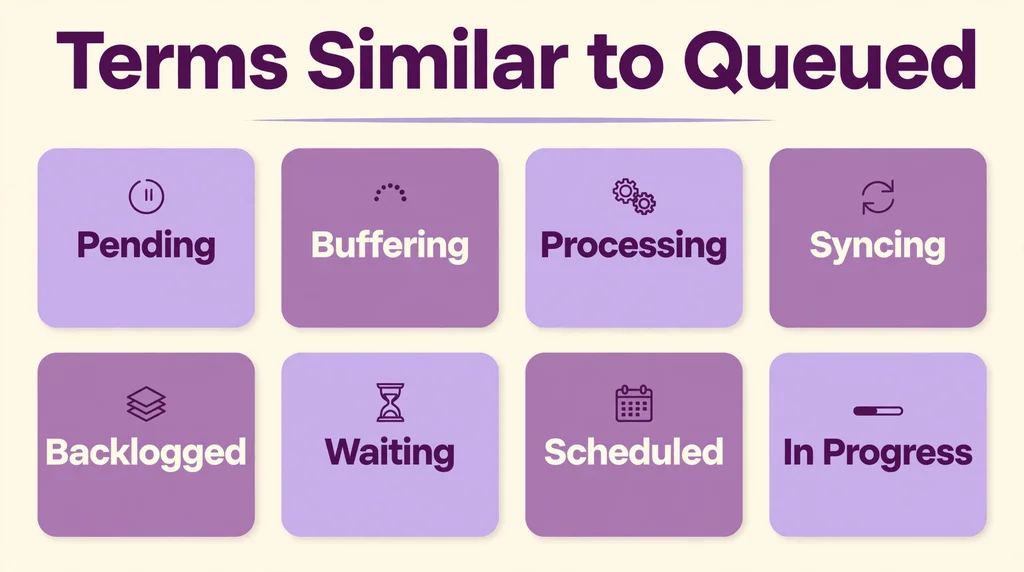
There are many ways to describe the act of waiting for a digital process.
Depending on the context, you might hear people use different terms that mean roughly the same thing. Understanding these synonyms can help you navigate technical support articles more effectively.
Here is a quick breakdown of terms you might run into:
| Term | Context | Meaning |
|---|---|---|
| Pending | General | The task is waiting to be processed. |
| Buffering | Video/Audio | The device is downloading data to prevent playback stops. |
| Processing | Media/Uploads | The device is currently working on the data. |
| Syncing | Cloud/Account | The device is matching data with an online server. |
| Backlogged | Enterprise/IT | A large number of tasks are waiting in the queue. |
Each of these terms highlights a slightly different aspect of the process. Pending is the most generic term, while buffering is very specific to streaming media.
If you are reading a help document for your email provider, you will often see them use pending and queued interchangeably.
Being familiar with these variations ensures that you do not get confused when different apps use different labels for the same behavior.
How to Respond to a Queued Status
When you see that a task is stuck, your response should depend on the urgency of the situation.
If you are just uploading a casual photo, you can simply wait. If you are sending a critical document, you might need to take action.
For a casual response, simply let the device sit. Do not close the app or turn off your phone.
Giving the system a moment to clear its current workload is often the best solution.
If you are feeling frustrated, you can try closing the app and reopening it. This forces the app to re-examine the queue and start the process over.
If you are in a professional setting, you need a more controlled approach. First, check your internet signal.
If you are on a weak signal, move to a location with better reception.
If you are using a browser, try refreshing the page. You are using a mobile app, check your settings to see if you have restricted background data.
For those who are privacy-conscious, you might be worried about where your data goes while it is in the queue.
Rest assured that the data remains on your local device until the system is ready to send it.
It is not being held on a public server. It is sitting in a temporary folder on your phone or computer, waiting for the green light to proceed.
Regional and Cultural Differences
The language of technology is largely international, but minor variations exist. In English-speaking countries, the word queue is common, though American users sometimes prefer the word line.
You might hear an American user say that their download is in line, while a British or Australian user will almost always use the term queued.
In other languages, the concept remains the same, but the terminology changes. For example, in Spanish, you might see terms related to waiting or processing.
Because many tech companies are based in the United States, the English term is often kept even in non-English versions of software.
This creates a universal language for technical status updates.
Regardless of your region, the visual indicators remain consistent. A spinning circle, a progress bar, or a clock icon are recognized globally.
These symbols transcend language barriers and tell you exactly what is happening.
Whether you are in Tokyo, London, or New York, a queued message means the same thing.
This global standardization is one of the great successes of modern software design. It allows users everywhere to troubleshoot their devices using the same basic logic.
Comparison with Similar Status Indicators
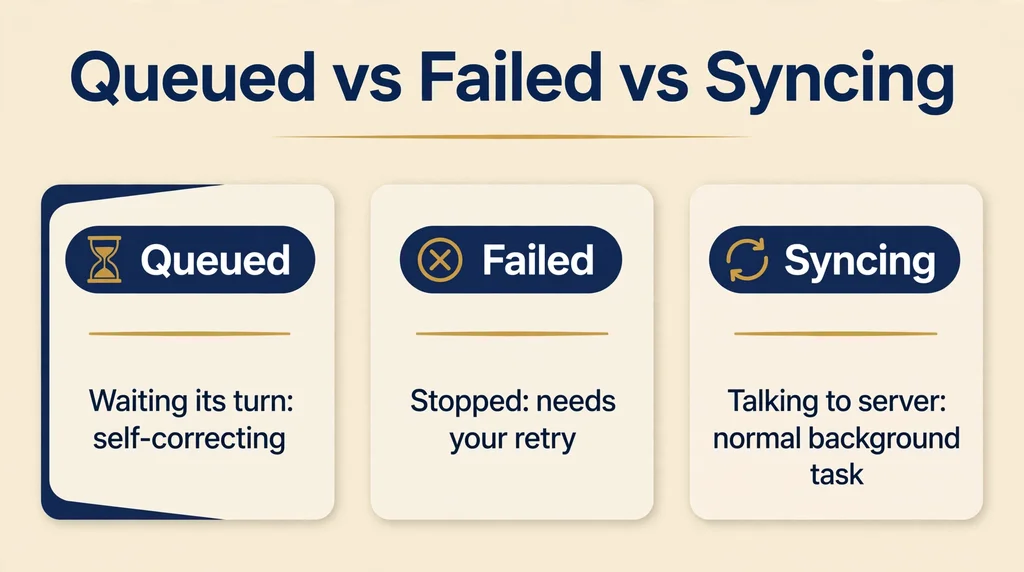
It is helpful to distinguish between a queued status and other common indicators you might see. Knowing the difference can save you time when troubleshooting.
A failed status is the most important one to distinguish from queued.
A failed status indicates that the process has stopped and will not proceed without your help. This usually requires you to click a retry button.
Queued, on the other hand, is a self-correcting status. You do not need to click retry unless the status remains unchanged for a long time.
Another status is syncing. This often happens with email apps. If you see a syncing icon, it means your device is talking to the server to download new messages.
This is a normal background activity. You might see syncing and queuing happening at the same time.
This is common when you have a large volume of emails coming in and going out simultaneously.
Finally, consider the offline status. If your device is offline, it cannot queue anything because it has no connection to the destination.
It will simply tell you that you are offline.
Once you restore your connection, the app will automatically switch to a queued status as it begins to process the backlog of tasks that accumulated while you were disconnected.
How People Use ‘Queued’ Online
In the world of dating apps like Tinder, you might occasionally see a message that fails to send.
While these apps rarely use the word queued, the underlying mechanism is the same.
When you send a message, the app checks your connection. If your connection is poor, it may hold the message in a pending state.
In gaming communities, the term is used much more frequently. You will often see players complaining about long queue times.
This is a major topic on forums like Reddit or Discord.
If a game has a massive update, players will flood the servers, leading to long queues.
In this context, the term is a source of community bonding. Everyone is in the same boat, waiting for their turn to play.
When interacting in these communities, it is best to be patient. Complaining about the queue rarely makes it go faster. Instead, engage with other players while you wait.
If you are using a dating app, just wait a few seconds. If the message does not send, copy your text, delete the message bubble, and try pasting it again.
This is a simple trick that often bypasses minor glitches in the app code.
Is ‘Queued’ Ever Offensive?
Is there a hidden or offensive meaning to the word queued? Generally, no. It is a strictly technical term.
However, in slang, the word can sometimes be used to describe someone who is waiting for something they want. It is not an offensive term, but context is always key.
If someone says they are queued for a promotion or a reward, they are using the term metaphorically. They mean they are in line for an opportunity.
In this context, it carries a sense of anticipation. There is no reason to be concerned about the term being offensive.
However, always be mindful of your tone when discussing technical issues.
If you are talking to a support agent, be clear and direct. Do not use technical jargon if you do not have to.
Simply state what you see on your screen.
You can find more detailed information on how network protocols handle data packets at the National Institute of Standards and Technology website if you want to dive deeper into the science of data transmission.
Using clear language helps professionals solve your problem faster.
Professional Communication and Formal Settings
In a formal work environment, you should be careful about how you describe technical delays.
If you are explaining to a manager why an email has not arrived, do not just say it is queued.
Explain the situation clearly. You might say, “The email is currently held in the outbox due to a connectivity issue, but it is processing now.”
Using the word queued is perfectly acceptable in professional settings, as it is an accurate description of the status. However, avoid using it as an excuse for poor performance.
If you have a habit of having queued emails, it might suggest that your internet connection or your software setup needs an upgrade.
If you are working in an IT department, you will use this term daily.
It is a standard part of help desk vocabulary. When speaking to non-technical colleagues, take a moment to explain what it means.
It reduces their anxiety and shows that you are in control of the situation.
Professionalism is all about clarity, and knowing how to communicate technical statuses is a key part of that.

FAQs
1. What does it mean when an email is queued?
It means the email is waiting in a line to be sent by your mail server.
2. How can I fix a queued email?
Check your internet connection, ensure you are not in offline mode, and try restarting your email app.
3. Does queued mean my email was blocked?
No, it usually just means the system is busy or has a temporary connection issue.
4. How long do emails stay queued?
It depends on the system, but usually, it will clear within a few minutes once the connection is stable.
5. Why does my download say queued?
Your device is likely performing other tasks or updates, and your download is waiting for its turn.
6. Is there a way to prioritize a queued task?
Some apps allow you to move a task to the front of the queue, but most follow a strict first in, first out order.
7. Should I worry if a task stays queued for an hour?
Yes, if it remains stuck for that long, you should try clearing your cache or restarting your device to force a refresh.
Conclusion
Understanding the queued status helps you navigate your digital life with more confidence.
Whether you are dealing with a stuck email, a long wait time in a game, or a slow file download, you now know that you are simply part of a larger process.
Your device is doing its best to manage your requests in an orderly fashion.
By staying patient and knowing a few simple troubleshooting steps, you can resolve these minor inconveniences quickly.
Technology is designed to be helpful, and even when it seems to slow down, it is usually just working behind the scenes to ensure your data is handled correctly.
The next time you see that status update, remember that it is just a digital line, and your task will be processed as soon as the system is ready.
Stay connected and stay informed.